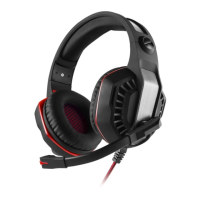
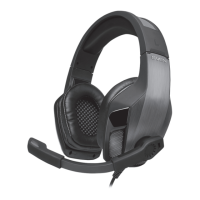
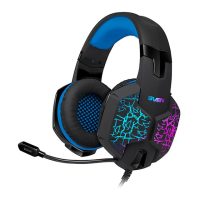
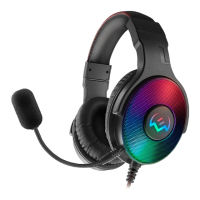
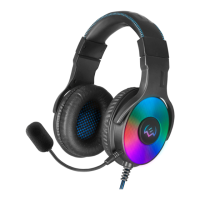
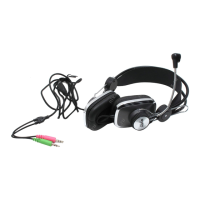
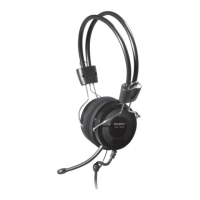
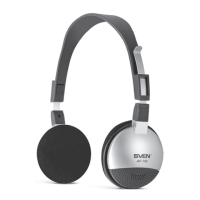
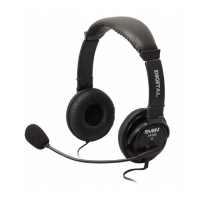
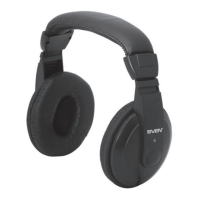
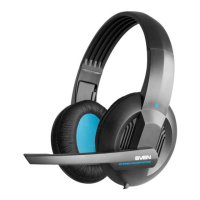
The SVEN AP-U997MV are 7.1 gaming headphones with a microphone, designed to provide an immersive audio experience for gaming, music, and movies. These headphones feature a closed-back design with a passive noise reduction system, aiming to deliver high-quality sound that allows users to detect in-game opponents more effectively. The dynamic LED backlighting on both the headphones and microphone enhances the gaming atmosphere.
Function Description
The primary function of the SVEN AP-U997MV is to deliver 7.1 surround sound, offering a rich and detailed audio landscape. This allows users to pinpoint sound sources in a 3D space, which is particularly beneficial in competitive gaming for situational awareness. The integrated microphone enables clear communication with teammates during online gameplay.
The headphones are equipped with a USB connector for plug-and-play functionality, meaning that basic operation does not require additional driver installation. Upon connection to a PC, the system recognizes the device as a "USB Audio Device" and integrates it into the sound settings for both playback and recording.
For advanced functionality, the headphones come with optional software on a CD. While not mandatory for basic use, installing this software unlocks a suite of additional features designed to customize the audio experience. These features are accessible through a graphical user interface (GUI) that displays various settings as abbreviations.
Key software-enabled functions include:
- Equalizer (EQ): This feature provides 11 preset equalization settings and allows users to create and save their own custom profiles. This enables fine-tuning of audio frequencies to suit different types of content or personal preferences.
- Environment Effect (EM): This function simulates various acoustic environments by applying spatial audio processing, including reverb and echo effects. Users can choose from 27 different environment emulations and three room size variants, allowing them to customize the perceived acoustic space.
- Virtual Speaker Shifter (VSS): This advanced feature emulates the circular movement of virtual speakers, creating the impression that sound sources are moving around the listener. It also allows for the adjustment of the perceived distance of sound sources (removal and approach). Users can individually manipulate the positions of seven virtual speakers to create a personalized surround sound field.
- Key Shifting (KS): This function allows users to adjust the pitch of the playback sound. It offers four semitone steps both up and down, which can be useful for various audio applications, such as adjusting music for vocal practice.
- Vocal Fading (VF): Designed for music enthusiasts, this feature decodes the reproduced audio signal to partially remove vocals from songs. This can be used for karaoke or to isolate instrumental tracks.
- Xear Surround Max (SMX): This function specifically emulates multi-channel 7.1 surround sound by distributing a stereo signal across eight virtual channels. This effect is particularly noticeable when playing video files with a multi-channel audio stream, enhancing the cinematic experience.
- Sing FX (SF): Integrated into the microphone settings, Sing FX offers vocal effects. It includes a delay (echo) effect for the microphone signal and a "magical voice" feature with four variants for changing the timbre of the user's voice, adding a fun element to voice communication or streaming.
The software interface also provides controls for microphone volume, allowing users to adjust both the input level ("volume when recording") and the monitoring volume ("Volume Control") to ensure clear and balanced voice capture.
Usage Features
The SVEN AP-U997MV headphones are designed with user comfort and practicality in mind.
- Connection: The headphones connect via a USB plug, which is compatible with various audio sources such as PCs, laptops, and MP3 players. This universal connection simplifies setup.
- Controls: The headphones feature integrated controls for convenience. These include an On/Off switch for the headphone LED backlight, an On/Off switch for the microphone, and a volume control (+/-) for quick audio adjustments without needing to access software settings.
- Cable Design: The cable is designed with a fabric braid, which helps prevent tangling, contributing to a more organized and durable user experience.
- Comfort: The headphones are built for comfortable seating, suggesting ergonomic design elements that allow for extended periods of use without discomfort, which is crucial for long gaming sessions.
- Software Interface: The optional software provides a user-friendly interface where all advanced functions are clearly displayed. Users can easily navigate through settings, change the interface language, and adjust the transparency of the interface window to suit their preferences. The program's logo appears in the Windows taskbar when the headset is connected, offering quick access to a context menu with a right-click.
- Profile Management: The software allows users to save custom sound settings as profiles. This feature is accessed via a round icon with two arrows in the lower right corner of the display, enabling users to quickly switch between different audio configurations tailored for various games, music genres, or movie types.
Maintenance Features
While the manual does not explicitly detail maintenance procedures, several aspects can be inferred:
- Durability: The fabric-braided cable suggests enhanced durability compared to standard plastic cables, reducing the likelihood of damage from tangling and everyday wear.
- Software Updates: Although not explicitly stated, it is common for gaming peripherals with accompanying software to receive updates. These updates often improve performance, add new features, or fix bugs, contributing to the longevity and continued optimal performance of the device. Users should periodically check the manufacturer's website (www.sven.fi) for any available software or driver updates.
- Disposal: The manual advises disposing of the equipment in accordance with regulations for household and computer equipment, indicating a consideration for environmental responsibility. This implies that the device is designed with materials that can be processed through standard electronic waste recycling channels.
- Storage and Handling: The recommendation for shipping and transportation in the original container suggests that careful handling and protection are important for the device's integrity. Storing the headphones in a dry place, as mentioned in the Ukrainian section, is also a general good practice for electronic devices to prevent moisture damage.
In summary, the SVEN AP-U997MV headphones are a feature-rich audio solution for gamers and multimedia users, offering advanced sound customization through optional software, comfortable design, and practical controls, all aimed at enhancing the overall audio experience.

 Need help?
 General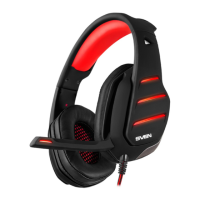

 To Next Page