ENG
4
Wireless microphone
PREPARATION FOR USING RECEIVER
•Open the battery compartment cover h. Insert battery type AA for model MK-700 or 6LR61(9V)
for model MK-710, following the polarity.
•Turn switch f to ON. If the receiver does not light up green power indicator e, replace the
batteries with new ones.
•Connect the receiver to your computer's sound card connector, stereo system or amplifier. If
necessary, use adapter 6.3 mm jack - 3.5 mm mini-jack (not included).
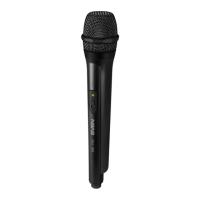
PREPARATION FOR USING MICROPHONE
• Open the battery compartment
c
. Insert 2 AA batteries with the correct polarity.
• Turn switch b to the ON position. If the power indicator a on the microphone is not lit,
replace the battery with a new one.
• If the microphone's sound quality has deteriorated or the red indicator light is on or flashing,
replace the microphone's batteries or the receiver's batteries with new ones. Also try changing
the position of the receiver's antenna to achieve optimal performance.
• If you turn off the microphone may cause unwanted noise.
Attention!
•Protect the unit from direct sunlight and rain. Keep it away from electromagnetic waves.
• Do not hold the microphone to the speaker
.


 To Next Page
 Loading...