5. PREPARATION AND OPERATION
Speaker placement
• Place speakers symmetrically to the listener at a distance not less than one meter.
• Place MSS far away from monitors and TV sets, as insigni- ԛcant image distortion in these super-
sensitive devices is possible.
MSS Connecting
SVEN
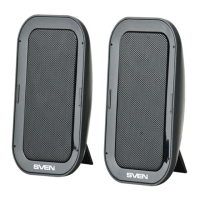
PS-36 2.0 USB Portable Multimedia Speaker System can be connected to virtually any audio
source: DVD/CD, PC sound card, etc.
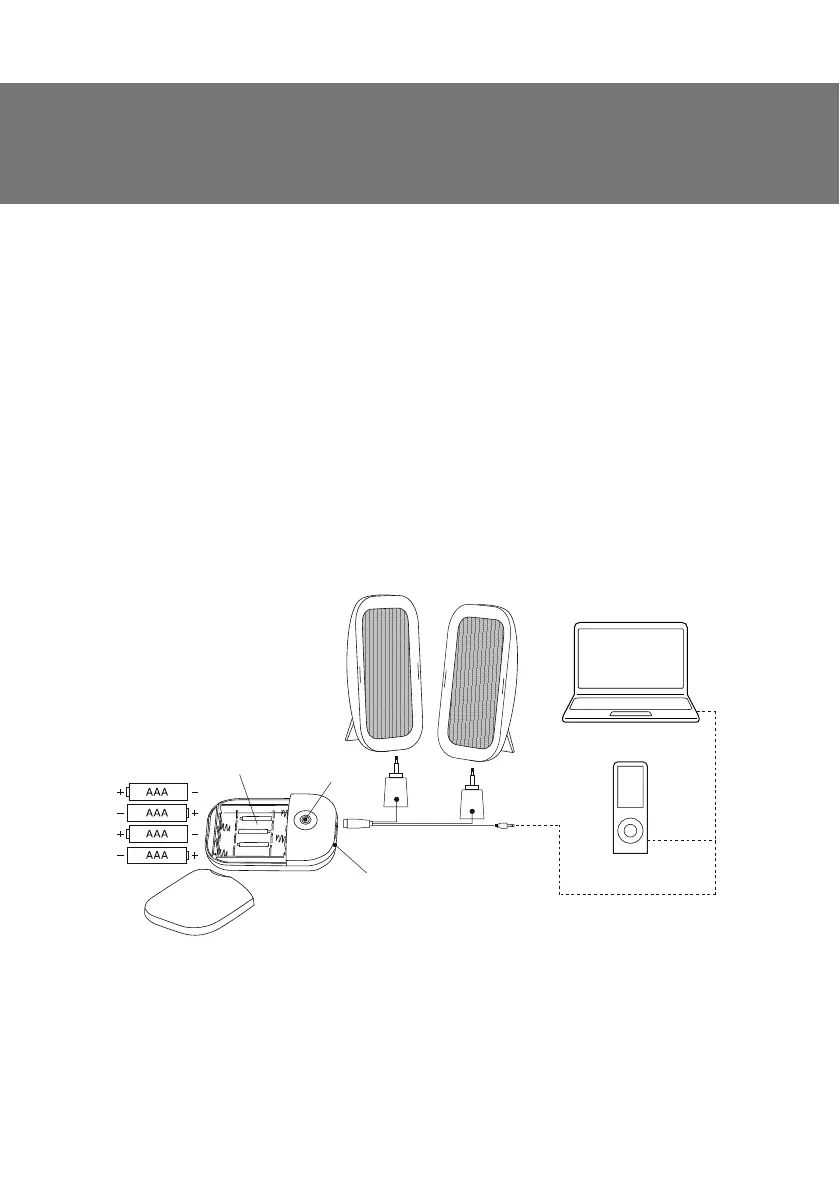
• Connect the speakers according to the connection diagram (see Fig. 1).
• Place the batteries into the battery compartment.
• Connect the USB power cable to a USB port of a laptop or a computer or to the battery com-
partment (in the portable mode). Switch on the speakers by pressing the button on the battery
compartment. The power LED is on.
• Connect the green 3.5 mm mini-jack of the connecting cable to your audio source.
• Adjust the speakers’ volume by means of your software or your portable device.
Note: Connect the speakers to a USB port of your laptop or PC, otherwise please use an
active USB hub.
ǀDŽ3
DŽDž
USB
Power LED
Battery compartment
cover
Battery
compartment
ON/OFF
Fig. 1. Connection diagram
ENG
13
Operation Manual
SVEN PS-36


 To Next Page