Need help?
Do you have a question about the Sven PS-480 and is the answer not in the manual?
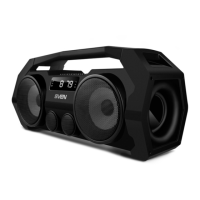
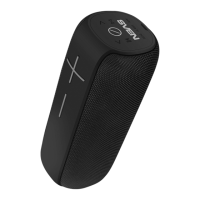
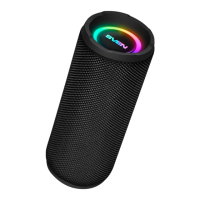
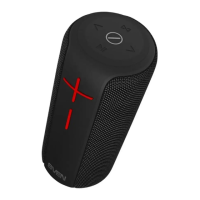
The SVEN PS-480 is a portable multimedia speaker system designed for versatile audio playback and communication. It features Bluetooth connectivity, an FM radio, and a built-in player for audio files from USB-flash drives and micro SD cards. This speaker system is suitable for use with PCs, notebooks, and other mobile devices, and can also be utilized for internet telephony, video conferencing, multimedia applications, interactive games, speech recognition, and foreign language teaching.
The speaker system boasts a frequency range of 100 – 20,000 Hz for the speaker and 100 – 10,000 Hz for the microphone. It delivers an output power (RMS) of 24 W (2 × 12 W) through two 100 mm diameter speakers. Bluetooth connectivity supports HSP, HFP, A2DP, and AVRCP profiles, with an operating radius of up to 10 meters. The built-in battery has a capacity of 2000 mA*h and the device is powered via USB/DC 5V. The unit weighs 2100 g and has dimensions of 425 × 188 × 150 mm.
Controls: The front panel of the speaker system features several control buttons:
Other features include a LED display (⑩), Microphone (⑪), Indicator (⑫), DC 5V micro USB jack (⑬) for charging, ON/OFF power button (⑭), TF CARD slot (⑮) for micro SD cards, AUX 3.5 mm mini-jack (⑯) for external audio sources, and a USB slot (⑰) for USB-flash drives.
Bluetooth Mode: To connect wirelessly, turn on the speaker system and repeatedly press the MODE button (①) until "bt" appears on the display. On your source device (phone, laptop, etc.), enable Bluetooth search and select "SVEN PS-480" to establish a connection. A short beep confirms a successful connection. Some devices may require a "0000" code. If the device is already paired, simply select "SVEN PS-480" and the "connect" command.
Radio Mode: For better reception, connect the included 3.5 mm mini-jack cable to the AUX input (⑯). Switch to FM Radio mode by pressing MODE (①) until the station frequency is displayed. Long press the AUTO SCAN button (⑧) to activate auto search. The first found station will play automatically. Use FM-/« (⑦) and FM+/➢ (⑨) to select desired stations.
Player Mode: Insert a USB-flash drive or micro SD card (FAT32 format, max 32 GB; Ultra Speed micro SD cards are not recommended) into the respective slot. Playback will start automatically. Use AUTO SCAN/∎ו (⑧) to Play/Pause, and FM-/« (⑦) and FM+/➢ (⑨) for previous/next tracks.
Equalizer Mode: Press the EQ button (③) once to adjust bass level using VOL- (④) and VOL+ (⑤). Press EQ twice to adjust treble level.
Wired Mode (LINE IN): Connect an external audio source with a 3.5 mm mini-jack output to the AUX input (⑯) using the included 3.5 mm mini-jack cable. Switch to LINE IN mode by pressing MODE (①) until "LINE" appears on the display.
Battery Charging: Before first use, fully charge the battery. Connect the speaker system to a PC's USB port or a USB charger using the micro USB to USB cable (included). The indicator (⑫) will glow red during charging and turn off when fully charged. The battery is an integral part of the device; do not attempt to remove or replace it, as this may void the warranty or damage the device.
General Care:
The product is continuously improved, so technical specifications and package contents may change without prior notice. Technical support is available at www.sven.fi.
 General
| Brand | Sven |
|---|---|
| Model | PS-480 |
| Category | Portable Speakers |
| Language | English |


 To Next Page