TEXT
3. Click the Input tab and select Svive Hydra
Essential Microphone.
4. Click the Output tab and select Svive Hydra
Essential Microphone. Set Input Volume to 100%.
5. Set Output Volume to 100%.
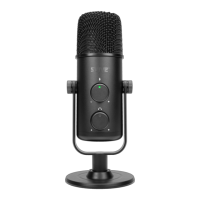
SETTING MICROPHONE LEVEL
Turn the microphone Level knob counter clockwise
till the end, then turn clockwise until you get a strong
signal.
MICROPHONE STAND MODES
1. The included stand is for use on a table or similar
plane suace.
2. Remove the base of table stand for use with
microphone arm or similar accessory (not included).
1 2


 To Next Page