7
Installing the Solar Panel
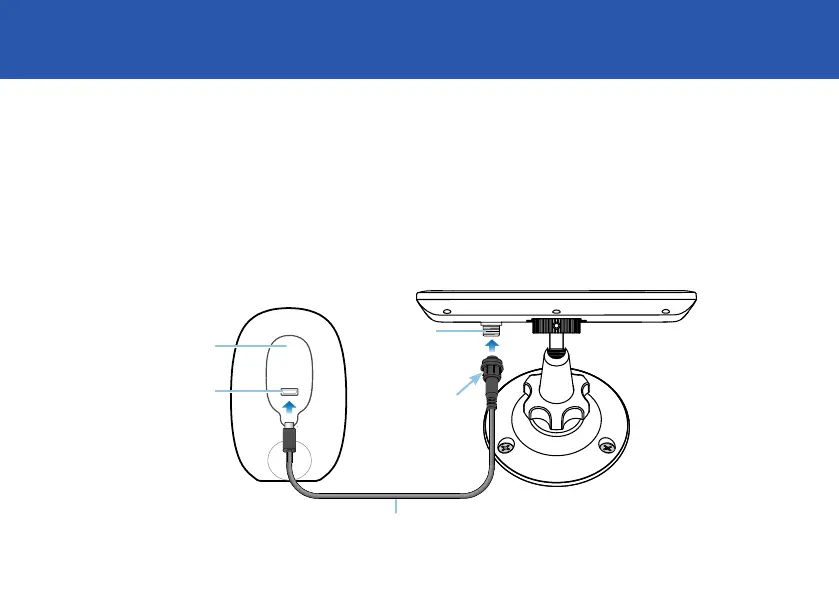
4. Connect the solar panel to your camera.
First, pull out the port cover on your camera and replace with the supplied port
cover which has a USB connector cutout (a spare port cover is included). Ensure
the port cover is sealed properly; it should fit flush without gaps. Then, using the
supplied USB charging cable, connect the round end to the solar panel and the
micro-USB end to your camera.
Replacement
port cover
Tighten cap to
secure connector
Micro USB port
Solar port
USB charging cable


 To Next Page