English version
5
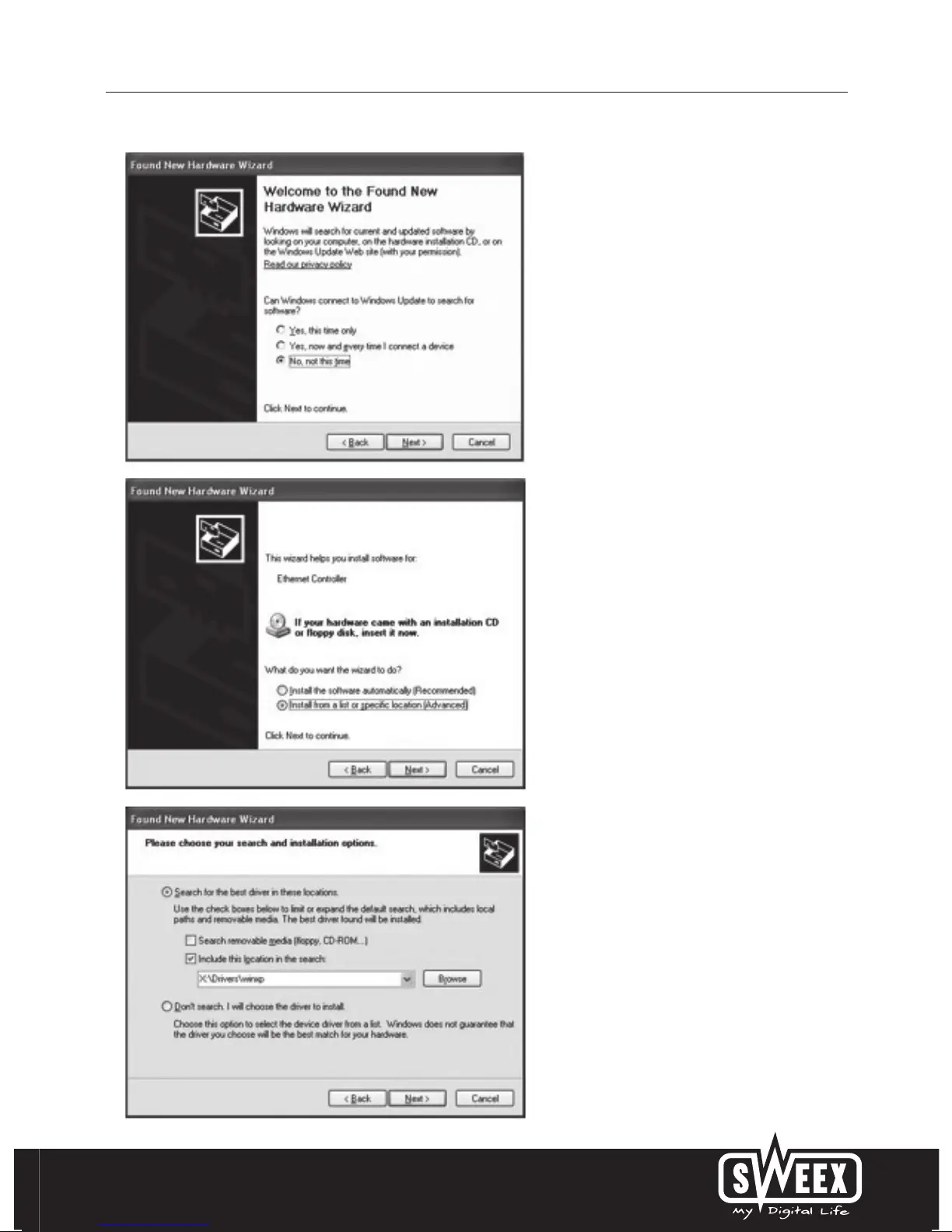
Choose the option “No, not this time” and Press
“Next”.
In the next screen choose “Install from a list or specific
location” and press “Next”.
Check the second option: “include this location”. Place
the Sweex CD-ROM in the player. Thereafter go to the
Sweex CD-ROM via “Browse” and select the “Drivers”
folder. In this folder choose the correct operating
system; Winxp or Vista. Press “Next”.


 To Next Page