ENglISH VErSIoN
3
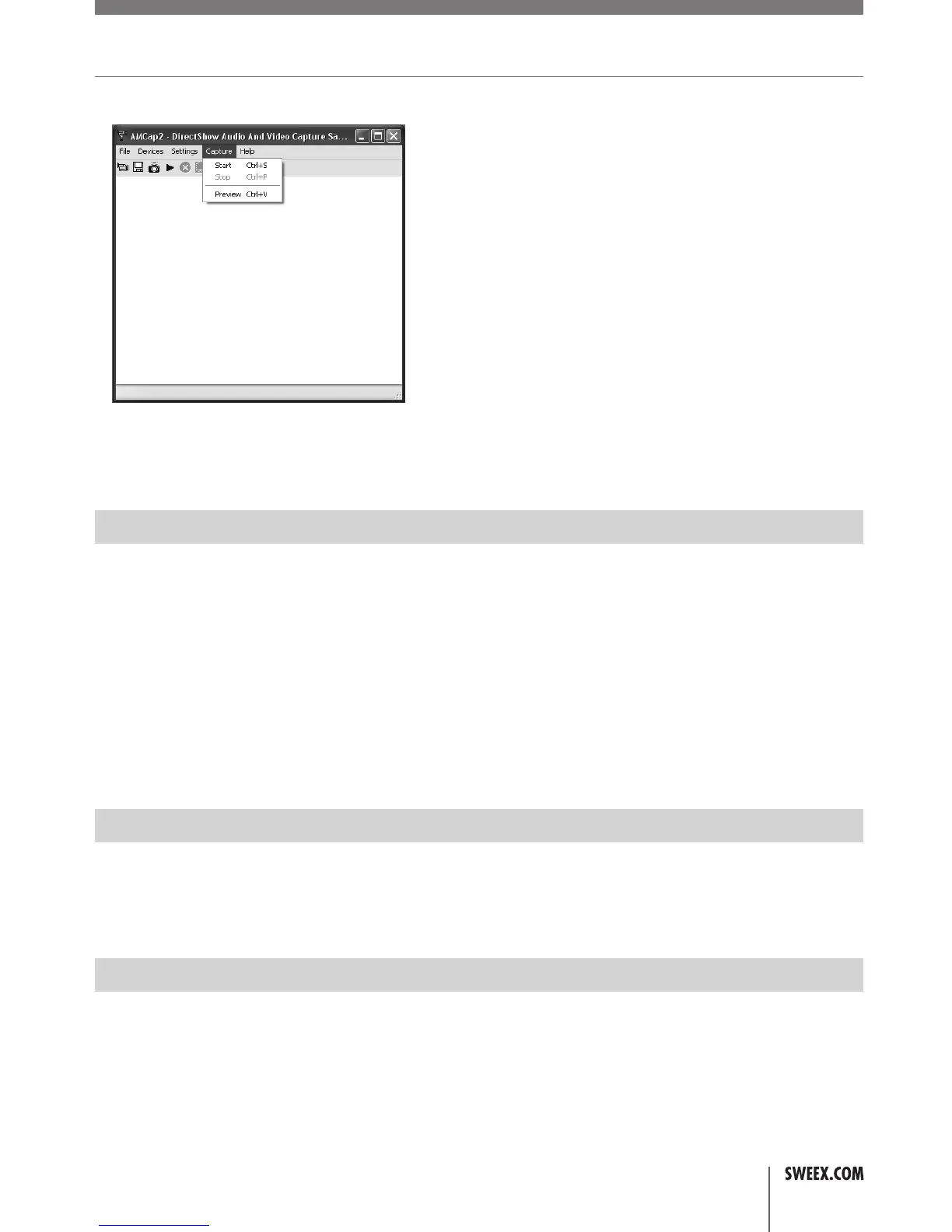
InAmCap2,openthe“Devices”tab.Makesuretoselectthecorrectwebcam:“USBVideodevice”/“SweexWebcamUSB”.
InAmCap2,openthe“Options”menu.Select“Preview”.Thisoptionenablesyoutoviewthepicture.
Inthesamemenu,the“VideoCaptureFilter…”and“VideoCapturePin…”optionsenableyoutochangethesettingsofthewebcam.
Microphone
TheSweexMultiLEDWebcamwithMicrophoneUSBcontainsaseparatemicrophoneconnection.Thismustbeinsertedinthesoundcard(“micin”).
Note!Whenusingtheexternalmicrophone,Windowsmusthaveselecteditasanactiverecordingdevice.Youcancheckthisasfollows:
ViaSTARTgoto“Programs”,thengoto“Accessories”and“Entertainment”.
Open“VolumeControl”andvia“Options”goto“Properties”.Here,select“Recording”.Checkwhetherthe“Microphone”hasbeenselectedasan
activerecordingsource.
Snapshot button
TheSweexwebcamfeaturesa‘snapshotbutton’.HavingviewedtheimageofthewebcambymeansofAmCaporanotherprogramme,aphotocan
betakenbypressingthisbutton.Theinstallationisactivatedafterthecomputerisrestarted.Thebuttoncanbefoundontopofthewebcam.
Night Vision+ LED lighting
TheSweexwebcamcontains6whiteLEDs.Thisenablesyoutovideoandvoicechat,evenindarksurroundings.TheintensityoftheLEDscan
beregulatedbymeansofaregulatorintegratedinthecord.ByturningiteithertotheleftorrighttheLEDScanbeturnedofforintensifiedto
maximum.
WC031V3_Manual.indd 3 08-02-10 17:21


 To Next Page
 Loading...