This document describes the Swiss Cougar New York Bluetooth Noise-Cancelling Headphones (TECH-5146), a device designed for wireless audio enjoyment with active noise cancellation.
Function Description
The Swiss Cougar New York headphones offer a range of functionalities for an enhanced audio experience. Primarily, they are Bluetooth Noise-Cancelling Headphones, allowing for wireless connection to various devices while actively reducing ambient noise. Key features include:
- Noise-reducing capability: Minimizes external distractions for a more immersive listening experience.
- Hands-free Calling: Integrated microphone enables making and receiving calls without needing to interact directly with the connected phone.
- True Stereo Sound: Delivers high-quality audio output.
- Volume Controls: Allows users to adjust audio levels directly from the headphones.
- Bluetooth Connectivity: Provides wireless freedom from tangled cables.
- Up to 16 Hours Playtime: Extended battery life for prolonged use.
The headphones can also be used in a wired mode by plugging one end of the included stereo audio cable into the 3.5 mm jack on the headphones and the other end into any audio device with a standard 3.5 mm headphone jack. However, the built-in microphone and noise-cancelling functionality will not work when the headphones are used in wired mode.
Important Technical Specifications
The headphones boast several specifications that contribute to their performance:
- Bluetooth Version: 4.0
- Supported Profiles: A2DP, AVRCP, HFP, HSP (These profiles enable various functionalities like stereo audio streaming, remote control, and hands-free calling).
- Operating Distance: 10 meters (This is the maximum range for wireless connection).
- Battery: 300 mAh Rechargeable Li-Ion (Provides the power for the device).
- Charging Time: 3 Hours (Time required to fully charge the battery).
- Playtime:
- At 50% volume & ANC off: 16 Hours
- (Specific playtime with ANC on or at higher volumes is not explicitly stated but can be inferred to be less).
- Driver Unit: Ø40 mm (Indicates the size of the speaker drivers, influencing sound quality).
- Sensitivity: 105 dB (A measure of how efficiently the headphones convert electrical signals into sound).
- Frequency Range: 20 Hz – 20 kHz (The range of audio frequencies the headphones can reproduce, covering the typical human hearing range).
- Noise Reduction Performance: Up to 20 dB (Quantifies the effectiveness of the noise-cancelling feature).
Usage Features
The headphones are designed for ease of use with intuitive controls and pairing processes:
Charging the Headphones
- The headphones must be fully charged before first use.
- Connect the USB Charging Cable to any powered USB Port and to the Micro USB Port on the left ear cup.
- A Red LED will illuminate while charging, and a Blue LED will light up when fully charged. The LED will turn off when the headphones are ready for use.
Switching On/Off
- To turn "ON", press and hold the Bluetooth Button for approximately 3 seconds. The headphones will play a short tone, the Blue LED Light will remain on for 2 seconds, then start flashing Green and Blue (hereafter a short high pitch tone is heard).
- To turn "OFF", press and hold the Bluetooth Button for approximately 4 seconds. The headphones will make a low pitch tone then turn off.
Pairing with Bluetooth Devices
The headphones need to be paired to a Bluetooth device before they can be used wirelessly. This is a one-time process for each device.
- For iPhone, iPad, and iPod Touch:
- Go to Settings on your device.
- Select Bluetooth. If Bluetooth is not on, turn it on.
- The iPhone / iPad / iPod will automatically search for new devices.
- For Android™ Phones and Tablets:
- Go to the Settings Menu on your device.
- Select Bluetooth (on older Android devices Bluetooth is found in the Wireless & Networks Menu). If Bluetooth is not on, turn it on.
- Select "Search for Devices" if your phone or tablet does not automatically search for new devices.
Once the device is searching, open the Bluetooth Menu on the headphones (by pressing the Bluetooth Button for more details). Some devices may require you to select "Search for Devices" or "Add New Device" to create a Bluetooth pairing. When the headphones are turned off, press and hold the Bluetooth Button for approximately 3 seconds until the headphones play a short low tone then a short high pitch tone. The LED Light will flash Green and Blue simultaneously while the headphones are in pairing mode. Wait until you see "TECH-5146" on your device screen. Select "TECH-5146" on your device and follow any further prompts to pair. Once pairing is complete and a connection is established, the headphones will chime and the Blue LED Light will flash at a slower rate.
Connecting with Paired Devices
Once the headphones have been paired, they will automatically connect with the last paired Bluetooth device that is on and within range. If they do not connect automatically, open the Bluetooth Menu on your device and select "TECH-5146" from the Bluetooth device list.
Controls
The headphones feature several controls for managing audio and calls:
- Adjusting The Volume:
- Increase Volume: Short press the Next Track / + Volume Up Button. The volume reaches the minimum or maximum level, the headphones will produce a short tone.
- Decrease Volume: Short press the Previous Track / - Volume Down Button. The volume reaches the minimum or maximum level, the headphones will produce a short tone.
- Note: Volume can be adjusted only while media is playing or during a phone call.
- Audio Controls:
- Play or Pause Track: Short press the Bluetooth Button.
- Next Track: Long press the Previous Track / - Volume Up Button.
- Previous Track: Long press the Next Track / + Volume Down Button.
- Phone Calls:
- Answer Call: Press the Bluetooth Button.
- Reject A Call: Press and hold the Bluetooth Button for 2 seconds.
- End Call: Press the Bluetooth Button.
- Note: If you answer or make a call while listening to media, the media will be paused until the call has ended.
Identifying Parts
The manual provides a diagram identifying the following parts:
- Cushion
- Next Track / Volume Up Button
- Bluetooth Button
- Previous Track / Volume Down Button
- Bluetooth LED
- ANC Button
- ANC LED
- 3.5 mm Port
- Microphone
- USB Charging Port
Maintenance Features
Proper care and cleaning are essential for the longevity of the headphones:
- Before Cleaning: Ensure that your New York Bluetooth Noise-Cancelling Headphones are not charging before cleaning or maintaining them.
- Cleaning: Wipe down the surface of your New York Bluetooth Noise-Cancelling Headphones using a soft, slightly damp cloth.
- Avoid Harsh Chemicals: Do not use any harsh or abrasive cleaning chemicals or materials on your New York Bluetooth Noise-Cancelling Headphones as doing so may damage or scratch the surface finish.
- Storage: Do not expose your New York Bluetooth Noise-Cancelling Headphones to direct sunlight or high temperatures for extended periods of time. Do not store in temperatures over 140 °F (60 °C).
Safety Precautions
- The product should only be used with parts provided by the manufacturer.
- This product is intended for indoor use only.
- Never use the headphones near water or in areas where they can come into contact with water. Never handle the headphones if they have been dropped in water or any other liquid. If the product comes into contact with water while still plugged in, this is a safety hazard.
- Always make sure your hands are dry before touching the USB Cable or power connections.
- Do not operate the product with a damaged cable, after it malfunctions, has been dropped or damaged in any manner.
- The headphones are intended for personal use only. Commercial use invalidates the warranty and the supplier cannot be held responsible for injury or damage caused when using the device for any other purpose than that which it was intended for.
- The headphones are not intended for use by children, or persons with reduced physical, sensory or mental capabilities, or lack of experience and knowledge, unless they have been given supervision or instruction concerning use of the device by a person responsible for their safety. Extreme caution must be exercised.
- Children should be supervised to ensure that they do not play with the headphones. Packaging must never be left within reach of children since it is potentially dangerous.
Troubleshooting
The manual provides solutions for common issues:
- My mobile phone cannot find any new Bluetooth devices?
- Ensure the Device has entered the pairing mode.
- Ensure the Device is within effective working range.
- Bluetooth device cannot pair up?
- Ensure your mobile phone allows new connections and has not reached the maximum number of allowed devices.
- The Device does not play music or answer calls when it is connected to a Bluetooth mobile phone.
- Ensure your mobile phone supports A2DP and HSF (Hands-free) profiles.
- Ensure your mobile phone is within effective working range.
- When paired with my computer, Windows asks for a new driver. Can you supply this?
- The manual recommends finding compatible drivers for your computer online.
- Why can I not remotely control the pause, play function when music is playing?
- This feature needs the Bluetooth device paired with the headphones to support AVRCP (Audio / Video Remote Control Profile). Please ensure your device supports this.
Environmentally Friendly Disposal
Do not dispose of electrical appliances as unsorted municipal waste. Use separate collection facilities. Contact your local government for information regarding the collection systems available. If electrical appliances are disposed of in landfills or dumps, hazardous substances can leak into the groundwater and get into the food chain, damaging your health and well-being.
Warranty
These Swiss Cougar New York Bluetooth Noise-Cancelling Headphones come with a standard 12-month limited warranty against manufacturing defects and faults. Should your product be unboxed with any faulty parts, poor finishing or visible damage, or fail to perform due to a manufacturing defect or poor workmanship, please return it with your proof of purchase (till slip or invoice) to the store of purchase for an exchange, or repair, depending on the store's returns policy. This warranty commences from the date of purchase. Kindly retain your proof of purchase as well as the packaging for your warranty period.
NOTE: The Warranty does not apply to a product that:
a.) Has failed due to excessive wear and tear beyond what is considered to be reasonable.
b.) Has been misused or neglected.
c.) Has been damaged accidentally or by acts of God including fire and flooding.
d.) Has been used or operated contrary to operating or maintenance instructions outlined in this manual.
The Store of Purchase / Seller cannot accept any returned products that have not been returned in accordance with this warranty or which do not follow their own Returns Policy. Please refer to the Store of Purchase / Sellers Returns Policy for details. Should you require any further assistance or have any questions on your warranty, please contact the store of purchase.

 Need help?
 General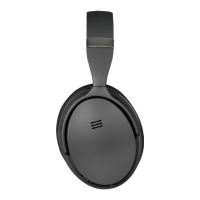

 To Next Page