94
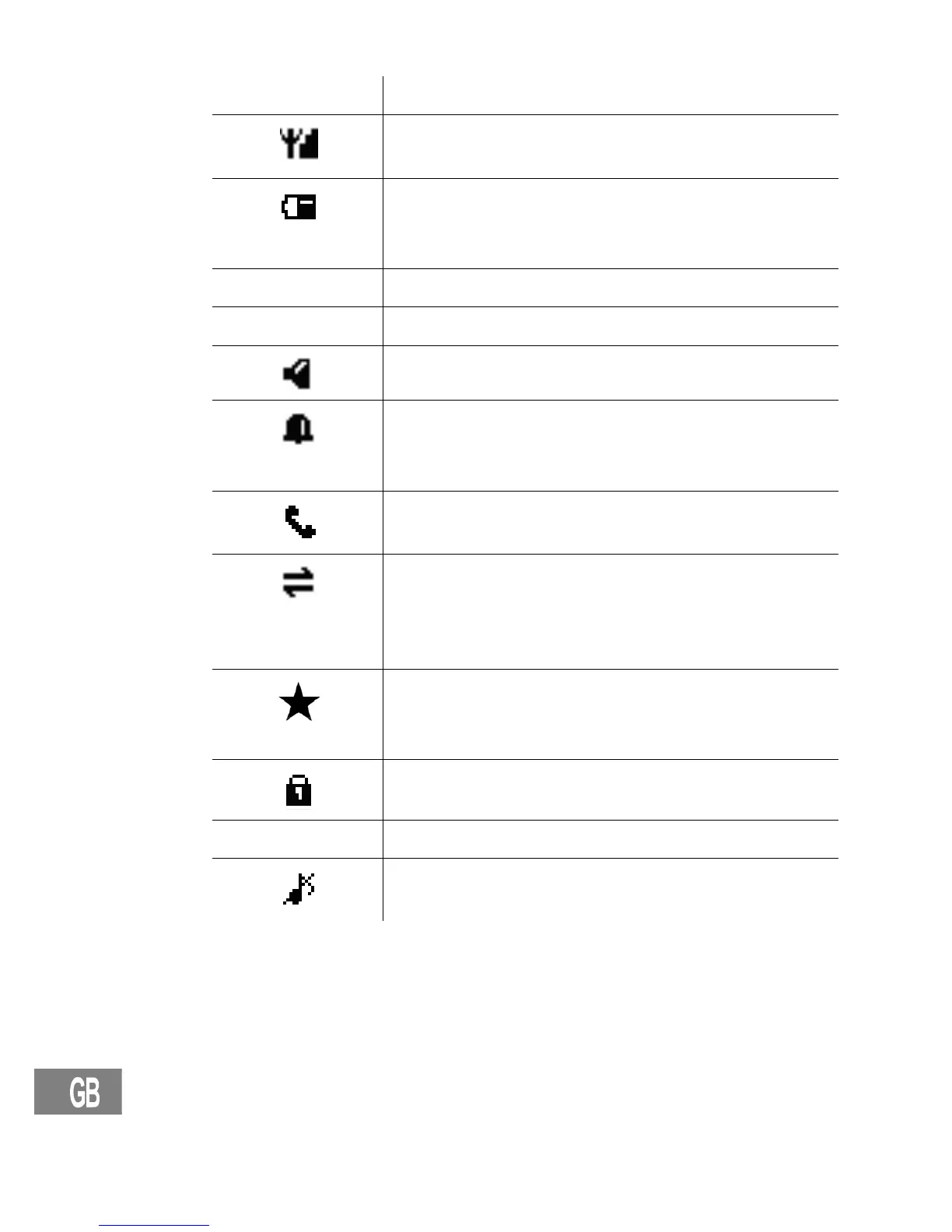
Icons in the handset display
Icon Description
On: The connection to the base station is good.
Flashing: The connection to the base station is lost.
On: Indicates the battery charge status.
Scrolling while handset in base: Battery is being
charged.
DD−MM Displays the date; Page 102.
HH:MM Displays the time; Page 102.
Handsfree mode is activated.
On: The alarm function is activated.
Flashing: The alarm is ringing.
Page 103.
On: A call is currently being made.
Flashing: A call has been received.
You can conduct an internal call (only with several
handsets registrated on the base station);
Page 98.
Incoming internal call.
While browsing call list: New call.
While playback from the answering machine: New
message.
The key lock is activated; Page 99.
Call Muted The microphone is muted; Page 98.
The ringing tone has been switched off;
Page 100.


 To Next Page