1 - Product Manual
1
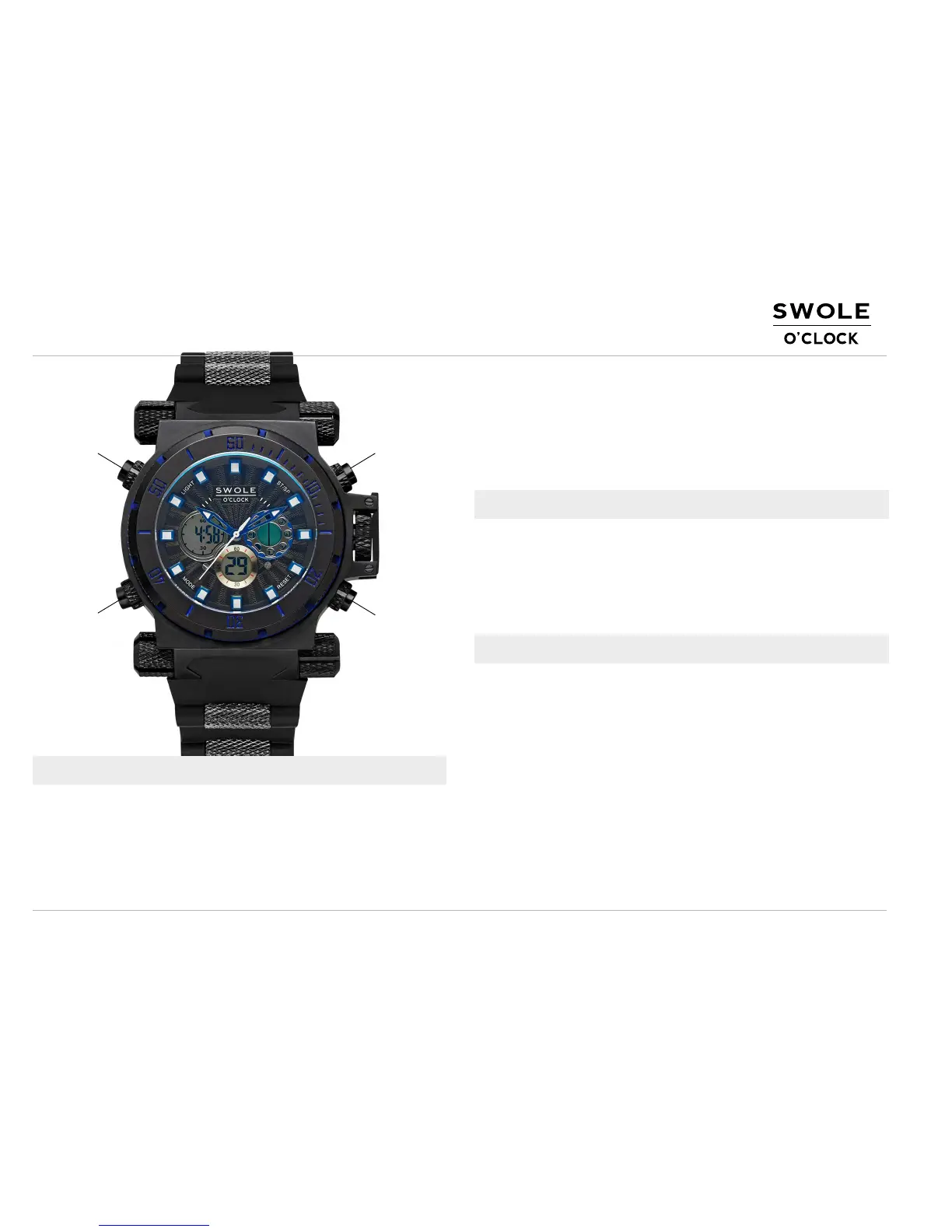
L1
L2 R2
R1
FEATURE SELECTION
Default - shows the time: hours (12 or 24 hours system), minutes,
month, date, and the day of the week
Press L1 - the display light turns on
Press R1 - shows month, date, and the day of the week
1.
2.
3.
4.
5.
6.
HOW TO SET ANALOG TIME
Open the latch (pull up) on the right side of the watch face between
R1 and R2, and pull out the crown gently
Rotate the crown left/right to adjust the time
Once set, push the crown back in and close the latch.
1.
2.
3.
While on the default display, press L2 three times. Display will
change to Time Set Mode. You will see seconds digits flashing,
press R1 to reset the seconds to zero (00).
Press R2 once: Minutes digits will flash. Press R1 to set up
minutes.
Press R2: Hour digits will flash, press R1 to set the hour. Advance
to the desired hour. Keep pressing R1 to cycle trough the 1-12
AM/PM (the 12 hours mode - A and P will show next to the hour) to
get to the 24 hours mode (H will show on display). Press R2 to
keep setting date or Press L2 to return to the default display.
1.
2.
3.
Press L2 once - enter Stopwatch mode
Press L2 twice - enter Alarm Set Mode (hours display will flash)
Press L2 three times - enter Time Set Mode (seconds display will
flash)
Press R2 - shows currently set Alarm Time.
HOW TO SET DIGITAL TIME/CALENDAR



 To Next Page
 Loading...