CONNECTING TO MOBILE
1
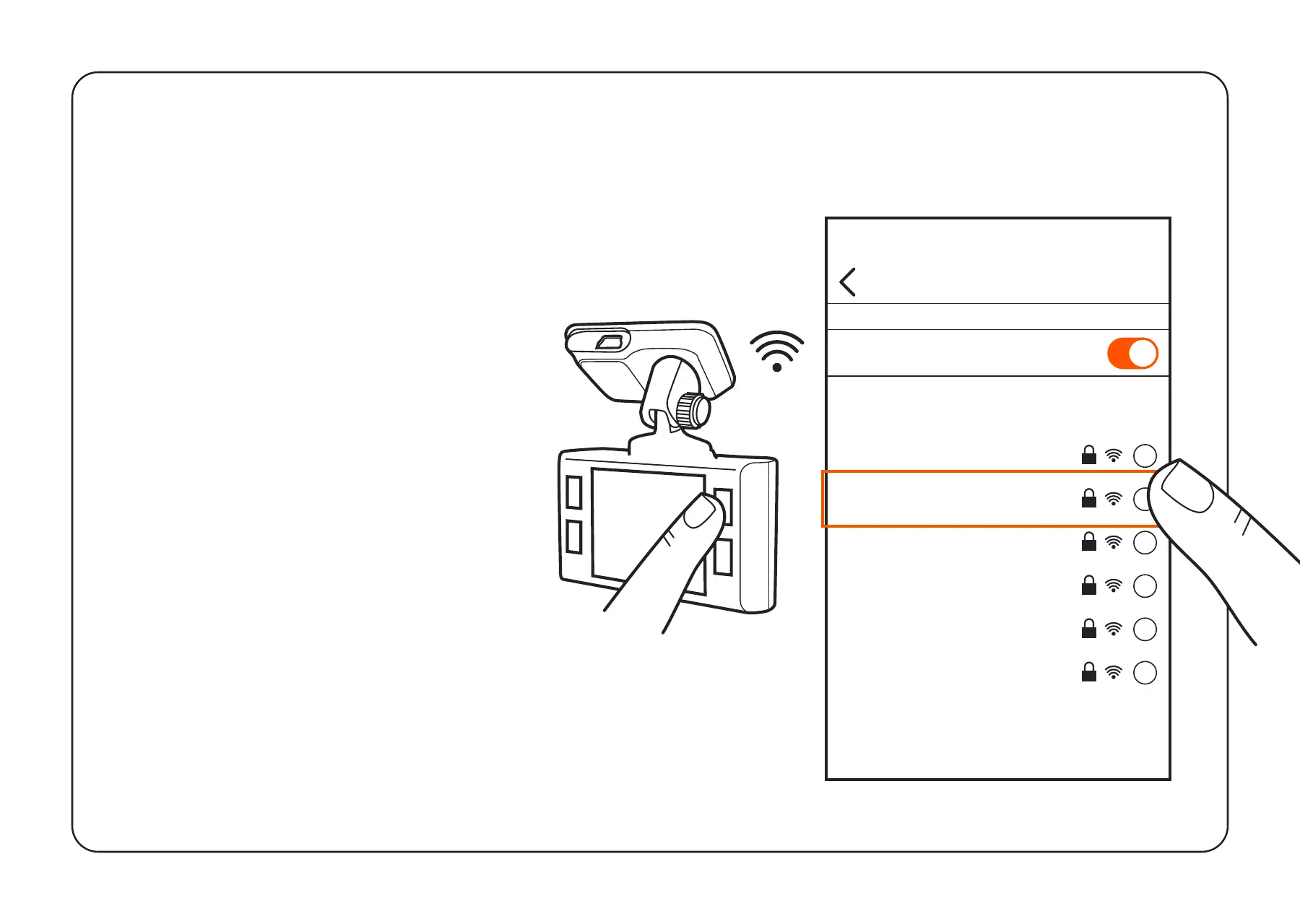
Hold down power button to
switch on dash camera.
2 Press UP arrow for 3 seconds
to open Wi-Fi hotspot details
screen.
3 Open your phone’s Settings.
4 Tap on Wi-Fi or Connections.
5 Select the dash camera
hotspot and enter the
password that is displayed on
the dash camera.
6 You are now connected to
your device.
Wi-Fi
Wi-Fi
CHOOSE A NETWORK...
Settings
SAMPLE_NETWORK
i
DashcamPlus
i
SAMPLE_NETWORK
i
SAMPLE_NETWORK
i
SAMPLE_NETWORK
i
SAMPLE_NETWORK
i
Other...



 To Next Page