Module Calibration
See the PCB Layout for location of each Trim Pot.
Oscillator Calibration
Calibration is done with 2 trim pots - base frequency and scale.
Attach a frequency counter to the oscillator output.
Attach a precision voltage source to the oscillator control input.
Set the voltage source to 0V.
Set the frequency vernier to 0.
Set the range switch to 5.
Adjust the base frequency trim pot to 8Hz.
Adjust scale trim pot so each 1V doubles the frequency.
Turn scale counterclockwise in 1/8 turn increments to bring the 2
frequencies together. Clockwise to move them apart.
Frequency at 6 volts should 512Hz within 1Hz.
Voltage Reference Calibration
Set Stage #1, Oscillator off.
Turn Row A X switch to X1.
Turn Row A, stage #1 pot full clockwise.
Adjust the trim pot to achieve exactly 2 volts at the row A output.
Power Connector
6 pin .1” MTA type connector made
by AMP. Available from Mouser
Electronics or Digi-Key. Modules
have a male PCB mount connector
and cable harnesses have a female.
Part Numbers:
Female cable mount: #6404416
Male PCB mount: #6404566
Pinout:
1 = +15v
2 = key (pin removed)
3 = +5v
4 = gnd
5 = -15v
Not all voltages are used on all mod-
ules.
24-Stage Operation using a Q962
One of the primary purposes of the Q962 sequential switch is to alternately select between the 3 row out-
puts of the Q960 to effectively create a 24 stage sequence. Patch the trigger output from stage 1 into the
shift input of the Q962. Patch 2 or 3 rows from the Q960 to the Q962's switch inputs. Now the Q962's out-
put will be the 24-stage sequencer output.
Multi-Sequencer Triggering
Of course, you can patch trigger outputs and inputs between multiple sequencers to achieve truely com-
plex and bizarre sequences.
Using the Q128 Switch to Select Cross Triggers
Use the Q128 Switch to select various triggering under voltage control. The Q128 can be controlled from
any source including a keyboard, another sequencer, a Q962 switch, an oscillator, etc. The results can be
amazing.
Pseudo-Random Stage Selection
Since the Q960 is a shifting style sequencer, the only way to get true random stage selection is to have a
source of multiple random triggers. A similar effect can be achieved by patching the output of a Q110
Noise module into the Q960 Shift input. The result is actually random shift timing but it acts similar to ran-
dom stage selection if tuned correctly.
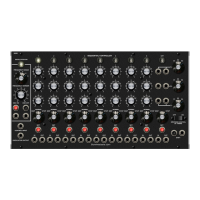
Q960 Sequential Controller
Sep 2014


 To Next Page
 Loading...