TPMS TT02 User Guide
Sysgration Confidential 23
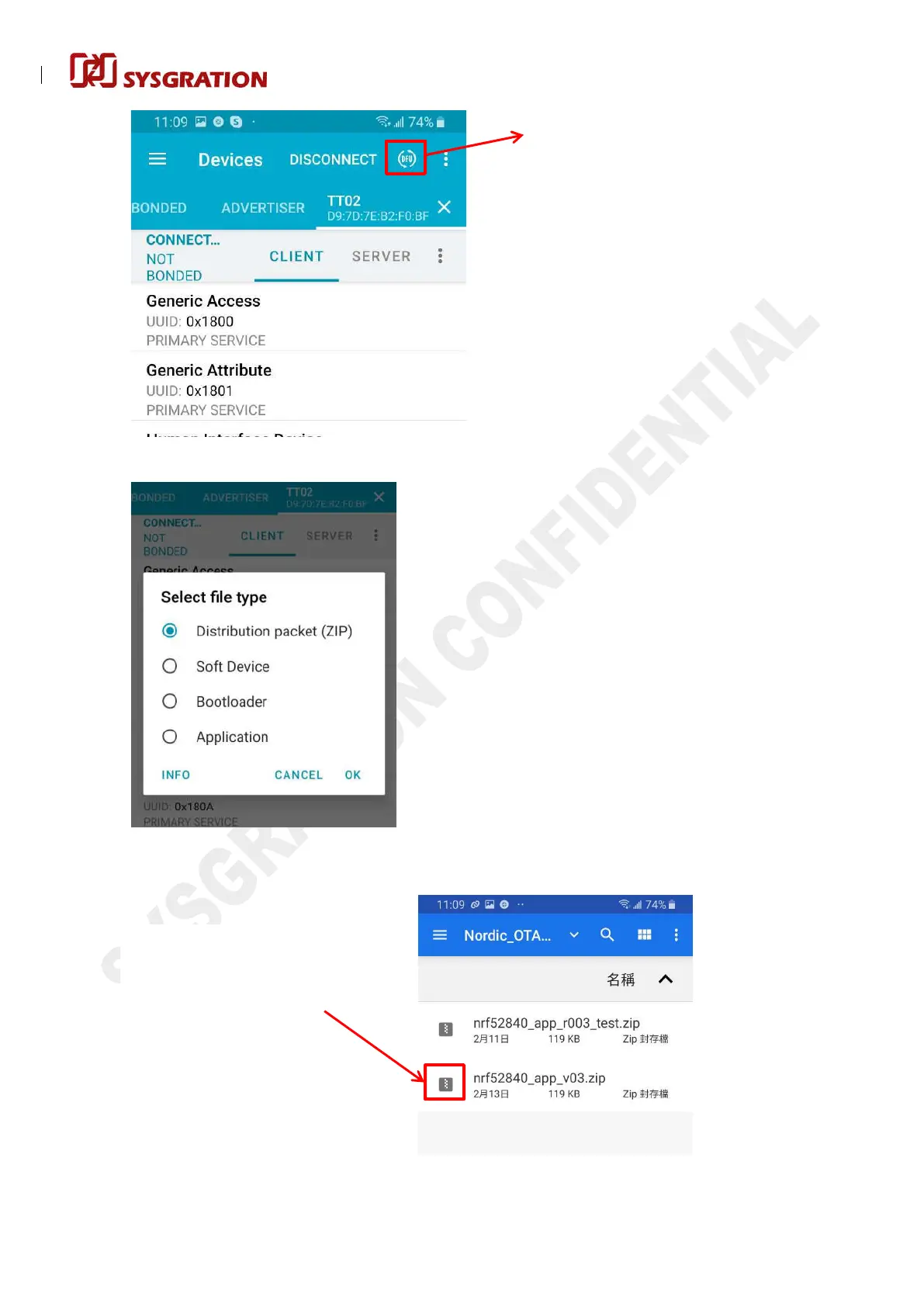
1.6. Click the DFU icon:
1.7. Select OTA file type, choose the “ZIP” then click “OK”:
1.8. Select the updated OTA file, click the icon in red box as below if confirm the file is what you
needed:
Click this icon to enter the DFU process
For example: If you want to
select “nrf52840_app_v03.zip” ,
you can click the
icon in red
box.


 To Next Page