NU25
User Manual
Features
• Lightweight multi-output rechargeable headlamp
• Specially designed for outdoor activities
• Utilizes a CREE XP-G2 S3 LED to emit a maximum output of 360 lumens
• OnboardHighCRIwhitelight(CRI≥90,colourtemperatureof4500K)andauxiliaryredlight
• Mainlightutilizesanorangepeelreectorforauniformandsoftbeam
• Maximumbeamintensityupto1650cdandbeamdistanceupto81meters
• Built-in 610mAh Li-ion polymer battery
• Highecientconstantcircuitwithruntimeupto160hours
• 4brightnesslevels,3lightsourcesand3specialmodesselectable
• IntelligentLi-ionbatterychargingcircuit(viaMicro-USBchargingport)
• Built-in power indicator reports remaining battery power
• Aoodlightingsystemprovides100°beamangle
• Tiltingmechanismallowsfor60°adjustment
• Made from durable PC material
• IP66 rating
• Impact resistant to 1 meter
Specications
Size:2.19”×1.36”×0.91”(55.5mm×34.6mm×23.2mm)(holderincluded)
Weight:0.99oz(28g)(holderincluded)
Accessories
Headband,USBcable
Technical Parameter
FL1 STANDARD
Turbo High Mid Low
Auxiliary
White Light
Red Light
(low)
Red Light
(high)
Red Caution
Light
SOS Beacon
360
LUMENS
190
LUMENS
38
LUMENS
1
LUMEN
20
LUMENS
0.9
LUMEN
13
LUMENS
13
LUMENS
360
LUMENS
360
LUMENS
*30min 5h 8h 160h 6h15min 68h 7h45min 13h ─ ─
81m 61m 27m 3.8m 5.5m ─ 4m ─ ─ ─
1650cd 950cd 190cd 3.7cd 7.5cd ─ 4cd ─ ─ ─
1m(ImpactResistance)
IP66 Rating
NOTICE: Theabovedatahasbeenmeasuredinaccordancewiththeinternationalashlighttestingstandards
ANSI/NEMAFL1usingabuilt-inLi-ionbattery(3.7V610mAh)underlaboratoryconditions.Thedatamayvary
slightlyduringreal-worlduseduetobatterytype,individualusagehabitsandenvironmentalfactors.
* The runtime for Turbo mode is the testing result before starting temperature regulation.
Operation Instruction
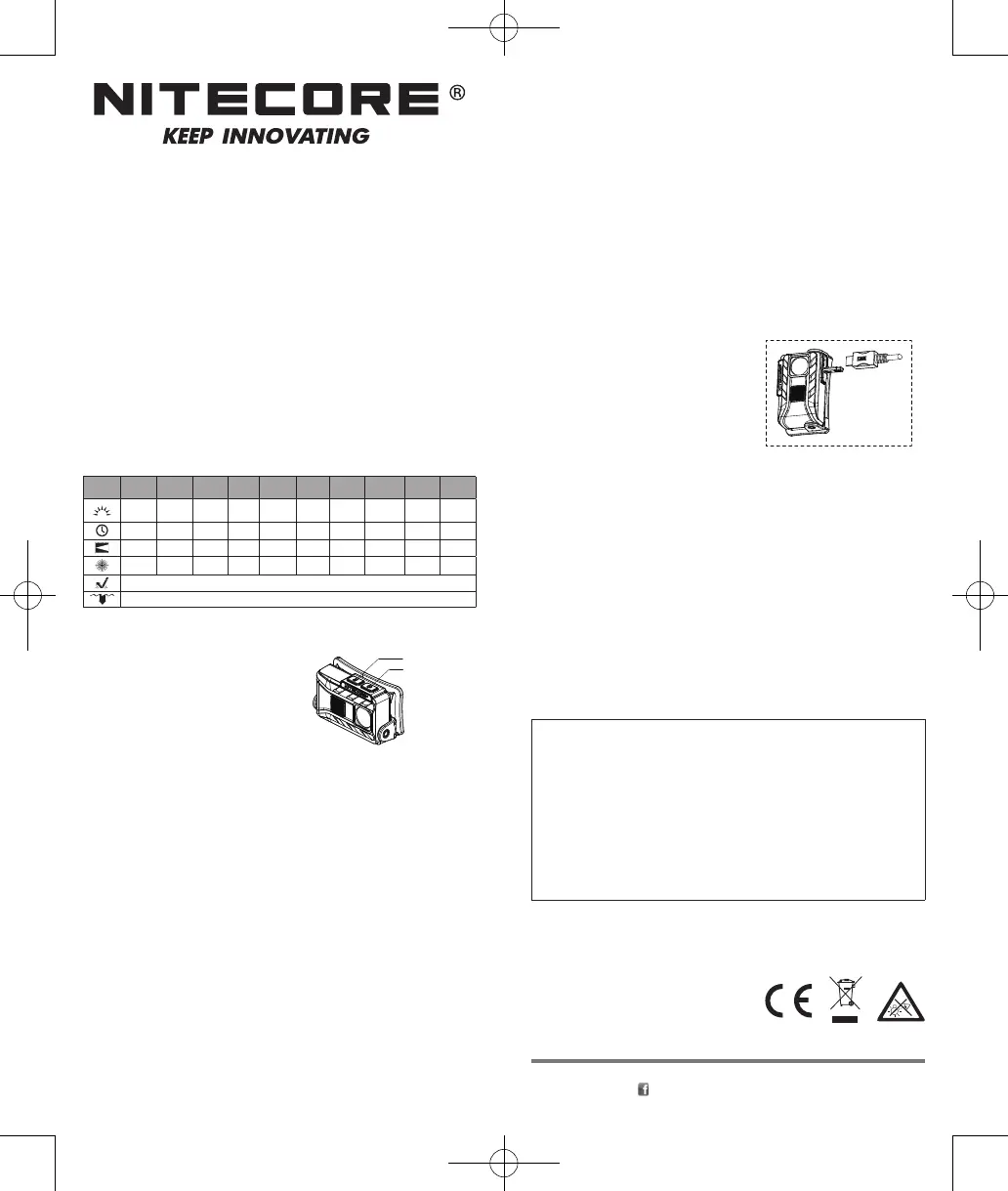
NU25hastwoswitchesasshowninthediagram:
Main Light
ON/OFF
Turnon:Whenthelightiso,tapthemainswitchtoturnonthe
main light and enter the lowest brightness level.
Turno:Afterthelightisswitchedon,eitherwaitfor3secondsthenpressanyswitchtoturnothelight,or
pressandholdtheredlightswitchtoturnothelightrightaway.
Changing Brightness Level of Main Light
Within3secondsafterthelightisturnedon,tapthemainswitchinsuccessiontocyclethroughLow-Mid-High-
OFF.
Auxiliary White Light
ON/OFF
Turnon:Whenthelightiso,pressandholdthemainswitchfor1secondtoturnontheauxiliarywhitelight.
Turno:Afterthelightisswitchedon,eitherwaitfor3secondsthenpressanyswitchtoturnothelight,or
pressandholdtheredlightswitchtoturnothelightrightaway.
Auxiliary Red Light
ON/OFF
Turnon:Whenthelightiso,taptheredlightswitchtoentertheredlight(low).
Turno:Afterthelightisswitchedon,eitherwaitfor3secondsthenpressanyswitchtoturnothelight,or
pressandholdtheredlightswitchtoturnothelightrightaway.
Changing Brightness Level of Auxiliary Red Light
Within3secondsaftertheredlightisturnedon,taptheredlightswitchinsuccessiontocyclethroughRedLight
(low)-RedLight(high)-RedCautionLight-OFF.
Direct Access to Turbo
Whenthemainlightison,pressandholdthemainswitchfor1secondtoenterTurbo(360lumens).
NOTE: The Turbo mode will run for 30 second before it steps down to prevent overheating. The TURBO mode
canbereactivatedimmediately,butiftheNU25isstilloverheated,thelightwillremainatlowerleveltoprotect
the components and prevent damage caused by overheating.
SOS/Location Beacon
Inanystate(non-locking),pressandholdthemainswitchfor3secondstoenterSOS,pressthemainswitch
againwithina3secondintervaltoactivatelocationbeacon.Pressthemainswitchagainwillturnothelight.
Toexistspecialmodesatanytime,waitfor3secondsthenpressanyswitchtoturnothelight.
Main Switch
Lockout/Unlock
Inanystate(non-locking),pressthetwoswitchessimultaneouslytolockouttheNU25.Aredindicatorwillblink
oncetonotifytheuser.Inlockoutstate,theNU25cannotbeturnedon.Ifanyswitchispressed,theredindicator
will blink once to notify user.
Tounlock,pressthetwoswitchessimultaneouslyagaintoactivatetheNU25andentertheLowmode.
Power Tips
WhentheNU25isturnedo,pressandholdtheredlightswitch,theredindicatorwillblinktoreportits
remaining power:
1.3ashesrepresentbatterylevelabove50%.
2.2ashesrepresentbatterylevelbelow50%.
3.1ashrepresentsbatterylevelbelow10%.
NOTE: RechargetheNU25whenitsoutputappearstobedimortheashlightbecomesunresponsive.
Recharging
This product is USB rechargeable. Connect one end of the USB
cabletothechargingportoftheNU25andtheotherendtoa
power supply as shown in the diagram. Under normal charging
conditions,aredindicatorwillilluminatesteady.Whencharging
iscomplete,theNU25willautomaticallyterminatechargingand
the red indicator will turn green. It takes approximately 2 hours
tofullychargetheheadlamp.Afterfullycharged,thestandby
time is approximately 1 year.
Caution
1. Avoid direct eye exposure.
2.Donotassembleormodifythisproduct,asdoingsovoidsthewarranty.
Warranty Service
All NITECORE
®
products are warranted for quality. DOA/defective products can be exchanged for replacement
throughalocaldistributor/dealerwithinthe15daysofpurchase.After15days,alldefective/malfunctioning
NITECORE
®
productswillberepairedfreeofchargeforaperiodof24monthsfromthedateofpurchase.After24
months,alimitedwarrantyapplies,coveringthecostoflaborandmaintenance,butnotthecostofaccessoriesor
replacement parts.
Thewarrantyisnulliedinallofthefollowingsituations:
1.Theproduct(s)is/arebrokendown,reconstructedand/ormodiedbyunauthorizedparties.
2.Theproduct(s)is/aredamagedthroughimproperuse.
※ For the latest information on NITECORE
®
productsandservices,pleasecontactyournationalNITECORE
®
distributororsendanemailtoservice@nitecore.com.TheNITECOREocialwebsiteshallprevailincaseof
any product data changes.
Worldwide Warranty Service
Model number Date of purchase
————————————————————— —————————————————————
Serial number Store Stamp
————————————————————— —————————————————————
This is the certicate of authenticity if this item and we conrm that it has been subjected to the most
exacting quality controls by SYSMAX Innovations Co., Ltd.
NOTE:
Please ensure this warranty card is fully completed by the distributor or retailer after purchasing the
product. Should the product fail to operate correctly during the warranty period, it may be returned with
the completed warranty card and original sales receipt to the retailer or local distributor for replacement
or repair.
Customer Service Email: service@nitecore.com
SYSMAX Innovations Co., Ltd.
TEL: +86-20-83862000
FAX: +86-20-83882723
E-mail: info@nitecore.com
Web: www.nitecore.com
Address
:
Unit 6355, 5/F, No. 1021 Gaopu Road,
Tianhe District, Guangzhou, 510653, Guangdong, China
ThanksforpurchasingNITECORE!
Pleasefindusonfacebook:NITECOREFlashlight
MadeinChina
NU06062522


 To Previous Page
 Loading...