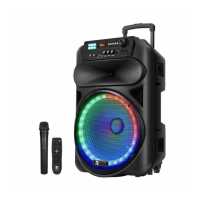
This product has a built-in battery. A fully charged battery lasts up to 5 hours
depending on product usage. While charging the battery the LED indicator in
the front panel shows a red light, when the battery is fully charged the LED
indicator switches to green. The PB120B Party Box Speaker supports
playing music while charging.
Battery & Charging
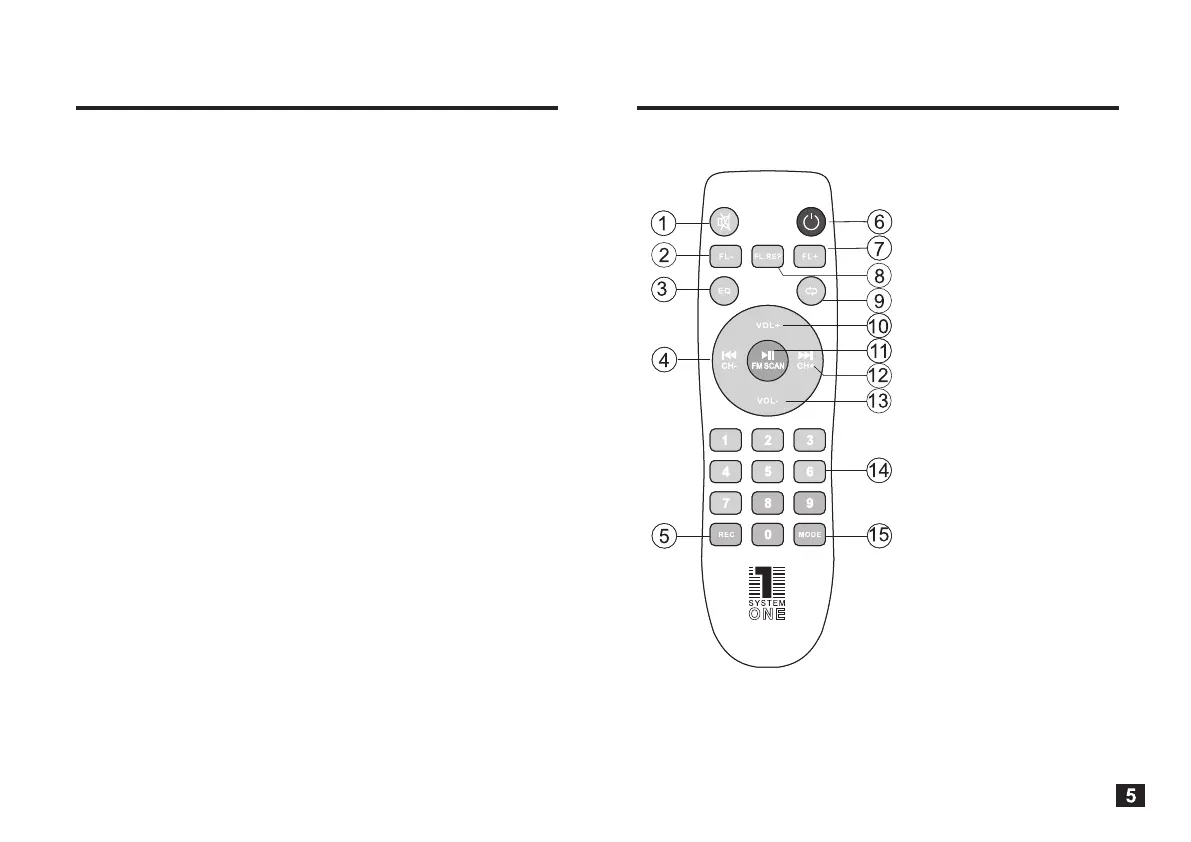
Speaker Remote Control
Make sure to charge the battery before using the Party Box Speaker without
the power cable. Charging time is 8 hours. More charging time may damage
the battery and can significantly reduce its lifetime.
There is a built-in intelligent power circuit that automaticly switches from
battery usage when connecting the product to an electrical outlet. The battery
will charge simultaneously and the same intelligent power circuit will switch the
power source back to the battery when the product is disconnected from the
electrical outlet.
When using the unit in battery mode, if the battery power runs low, turn the
product off with the front panel power switch before the battery fully runs out
and then charge the battery within 24 hours to avoid permanently damaging
the battery.
If the product is not in use during a long period of time, please make sure to
charge the battery every 6 months to prolong the battery life. The battery time
shortens due to excessive charging and over time. When a fully charged
battery life seems short or if the battery is no longer rechargeable, please
contact your local System One dealer to purchase a dedicated replacement
battery.
1. Mute key
2. Prev folder key
3. EQ mode key
4. FM ch- / previous key
5. Record key
6. Standby key
7. Next folder key
8. Folder repeat key
9. Repeat key
10. Volume increase key
11. Play / pause key
12. FM ch+ / next key
13. Volume decrease key
14. Tracks select key
15. Mode key
(input signal source)


 To Next Page
 Loading...