
 Need help?
Do you have a question about the SYTIRY B09QC3QVRK and is the answer not in the manual?
Provides a general introduction to the treadmill console.
Explains data displayed on console: time, speed, calories.
Details operation of various control buttons on the console.
Covers startup, countdown modes, and preset programs for operation.
Explains how to measure and interpret heart rate during exercise.
Details procedure and data for body fat analysis.
Describes the automatic sleep mode and how to wake the console.
Explains the operation and importance of the safety key.
Details the adjustable parameters for exercise like speed and time.
Guidance for new users and consulting health professionals before exercise.
Instructions on how to walk and adjust speed/incline during exercise.
Recommendations for warm-up, cool-down, and intensity progression.
General cleaning instructions for the treadmill unit and deck.
Recommendations for lubricating the running belt and deck.
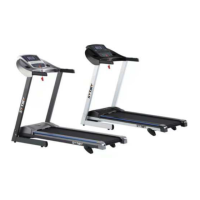
This document is an owner's manual for a SYTIRY Motorized Treadmill, providing instructions for assembly, operation, maintenance, and troubleshooting.
The SYTIRY Motorized Treadmill is designed for indoor exercise, offering various workout programs and features to help users achieve their fitness goals. It allows for walking, jogging, and running, with adjustable speed and pre-set programs. The treadmill includes a console for displaying workout data and controlling settings. A safety key mechanism ensures immediate stop in case of an emergency. The treadmill also features a body fat test mode to help users monitor their BMI.
Assembly: The manual provides step-by-step instructions for assembling the treadmill, starting with placing the main frame on a level ground. It details how to attach the computer frame and uprights using bolts and lock washers, emphasizing the importance of supporting the uprights to prevent falling. The final step involves placing the safety key on the console to enable operation. Users are advised not to power on the unit before complete assembly.
Operation Guide: The console features various buttons for control:
Start-up (Manual Mode): After powering on and attaching the safety lock, the treadmill starts at the lowest speed after a 3-second countdown. Speed can be adjusted using the SPEED buttons. The machine stops by pressing the STOP button or removing the safety lock.
Countdown Mode: Users can select time, distance, or calorie countdown modes. Data can be set using the SPEED buttons, and the machine starts when the START button is pressed. It stops smoothly when the countdown reaches zero or by pressing STOP/removing the safety key.
Preset Programs (P1-P36): These programs are divided into 20 sections, with exercise time calculated as setting time/20. The machine automatically adjusts speed according to the program's section data. Speed and incline can be manually changed during a program, but the machine will revert to the current program speed for the next section.
Heart Rate Monitoring: By holding the hand pulse sensors for 5 seconds, the pulse window displays heart rate. For accurate readings, it's recommended to test for over 30 seconds while the machine is stopped. Heart rate data is for reference only and not for medical use.
Body Fat Test: In 'FAT' mode, users input SEX, AGE, HEIGHT, and WEIGHT using the MODE and SPEED buttons. After inputting all parameters, holding the hand pulse sensors for 5 seconds displays the BMI data. The manual includes a BMI comparison table (Too thin, normal, overweight, Too fat).
Sleep Function: The treadmill enters sleep mode after 10 minutes of inactivity. Pressing any key wakes up the console.
Safety Key Function: Removing the safety key immediately stops the machine, resets all data to zero, and displays "---". The treadmill will only operate when the safety key is in place.
Folding and Unfolding: The treadmill can be pulled up at position A until a sound indicates the air pressure bar B is locked into the round tube for storage. To pull down, support position A with a hand and kick the air pressure bar, allowing the main frame to fall automatically. Users are advised to keep people and pets away during this process.
Cleaning: Regular cleaning prolongs the treadmill's life. This includes dusting and cleaning exposed parts of the deck, walking belt sides, and side rails to prevent foreign material buildup. The motor cover should be removed and vacuumed at least once a year after unplugging the treadmill.
Running Belt and Deck Lubrication: The treadmill has a pre-lubricated, low-maintenance deck system requiring periodic lubrication.
Running Belt Adjustment: The running belt's tightness is crucial for preventing slipping and excessive abrasion.
Troubleshooting: The manual includes a troubleshooting list for common error codes (E01-E07) and their solutions:

 To Next Page
 General