Need help?
Do you have a question about the t.a.c. TAC Xenta 911 and is the answer not in the manual?
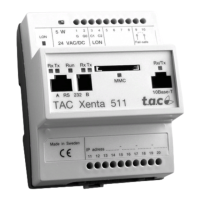
Mandatory steps for establishing web browser contact with the Xenta 511.
Information required for configuration, like IP address and DNS.
Electrical connections for power supply and serial communication.
Steps to assign a fixed or dynamic IP address using hyperterminal.
How to connect a PC to the Xenta 511 using a Local Area Network.
Procedure for updating the TAC Xenta 511 system program.
Mandatory steps for establishing web browser contact with the Xenta 911.
Information required for configuration, like IP address and DNS.
 General
| Mounting | DIN rail |
|---|---|
| Product type | Server |
| Communication | Ethernet |
| Protocols | TCP/IP |
| Supply voltage | 24 V DC |
| Operating temperature | 0°C to +50°C |
| Memory | Flash |
| Storage | Flash |
| RAID Support | No |
| Network | Ethernet 10/100BaseT |
| Power Supply | Internal |
| Form Factor | Compact |


 To Next Page