10
Eng
To warm up your buns, croissants or any kind of bread. Can also
be used to cook foods like eggs or bacon!
• Place the food on the tray in the top oven.
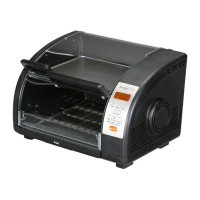
WARMER function/Use of top oven
(This cooking mode can be used separately by pressing the “Warmer” button or while using
one of the other 3 cooking modes)
Using the top oven on its own for cooking or reheating:
• With the Warmer function, you cannot choose the cooking
temperature.
• The top heating element of the main oven is used.
• Close the door.
Setting the cooking time:
• Press the “WARMER” button; the default reheat time, “0:15”, will
be shown blinking on the display.
• Adjust the cooking time in one second steps by pressing the “+”
or “-” buttons.
• Press “START”; the appliance will beep and reheating or
cooking will start.
• The time will be counted down in one-minute intervals.
• At the end of the cooking time, the appliance will beep three
times and reheating or cooking will stop.
• You can stop the cooking at any time by pressing the “STOP”
button.
Changing the time during cooking:
• The cooking time is counting down.
• Press the “TIME” button; the time display will start to blink.
• Reheating or cooking continues.
• Adjust the cooking time as desired by pressing the “+” or “-”
buttons.
• Press the “TIME” button again to enter the new time in the
system.
• Reheating or cooking continues for the new time required.


 To Next Page
 Loading...