EasyManua.ls Logo

tacwise A11 Eco - User Manual

tacwise A11 Eco
2 pages
Print Icon
To Next Page IconTo Next Page
Loading...
EN
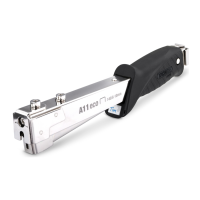
A11 Eco Hammer Tacker
Operating Instructions
For models: 0322, 1179, 1185, 1778, 1783
IMPORTANT: Please make sure that the person using this tacker
carefully reads and understands these instructions before use.
Features:
1. Pin
2. Magazine pusher
3. Magazine channel
4. Personalisation window
5. Magazine
6. Staple mouth
eco
46 3
21
5
Reassembling the magazine
1. Reposition the metal magazine back into its original place,
inserting it from the staple mouth and aligning the holes
in the handle.
2. Insert the pin through the hole until it is fi rmly back in place.
Ensure the pin is fully inserted. TIP: To make it easier to
insert the pin, gently squeeze the magazine into the metal
housing to fully align the holes.
3. Re-insert the magazine pusher.
eco
3
eco
3
4
Removing the magazine
NOTE: Ensure the staple mouth is facing away from you
to reduce the risk of personal injury.
1. Remove the magazine pusher and remove any loose
fastenings.
2. Using a suitable narrow object, push the pin through from
the reverse side of the handle.
3. Pull the pin out. TIP: To make it easier to remove the pin,
gently squeeze the magazine into the metal housing to
release the pressure on the pin.
4. Remove the metal magazine from the top end of the tool.
eco
1 2
eco
eco
1
eco
3
2
Loading the tool with staples
NOTE: Do not load fasteners of different lengths together.
NOTE: Ensure the magazine is facing away from you and others.
1. Push the magazine pusher end in and up, then pull the
magazine pusher out fully.
2. Insert the staple strip along the magazine channel inside
the handle, sitting the staples on top of the rail with legs
facing down.
3. Push the magazine pusher back in and down over the metal
latch in the handle. Ensure the pusher is fi rmly latched back
into position securely.
NOTE: We strongly recommend that you only use approved/
genuine Tacwise staples, for reliable stapling.
Removing jammed staples
NOTE: You must remove any jammed staples before using the
tool any further as you could cause damage to the mechanism.
NOTE: Ensure the magazine is facing away from you and others.
1. Press the magazine pusher end in and up, then remove
the magazine pusher.
2. Tilt the tool to remove any unused staples in the channel
(you can use pliers for ease), this should clear the jammed
staple(s). If not, then remove the magazine as per the
instructions below.
3. Do not insert the damaged staple(s) back into the magazine.
4. Always carefully test the tool function before fully proceeding
with any work.
Unloading the tool
1. Remove the magazine pusher (see previous section).
2. Tilt the tool with the handle end down to remove any unused
staples in the channel.
3. Re-insert the magazine pusher (see previous section).
Personalisation window
1. Remove the plastic cover.
2. Write your initials or name on the card insert before replacing
the plastic cover.
Operating the tool
1. Hold the hammer in your hand with a fi rm grip, as you
would a conventional hammer.
2. Select the area to be stapled and bring the hammer down
in a striking motion.
3. Repeat the procedure for additional stapling.
eco

Question and Answer IconNeed help?

Do you have a question about the tacwise A11 Eco and is the answer not in the manual?

Overview

This document provides operating instructions for the Tacwise A11 Eco Hammer Tacker, models 0322, 1179, 1185, 1778, and 1783. It is crucial for users to carefully read and understand these instructions before using the tacker.

Function Description

The Tacwise A11 Eco Hammer Tacker is a tool designed for fastening staples into various materials. It operates by a striking motion, similar to a conventional hammer, to drive staples. The tool features a magazine for holding staple strips, a magazine pusher to feed staples, and a staple mouth from which staples are ejected. It also includes a personalization window, allowing users to insert their initials or name.

Important Technical Specifications

While specific technical specifications like staple gauge or maximum staple length are not explicitly detailed in this document, the instructions emphasize the importance of using approved/genuine Tacwise staples for reliable stapling and to prevent jamming or damage to the tool. The document also highlights that fasteners of different lengths should not be loaded together.

Usage Features

  • Loading Staples:

    1. Push the magazine pusher end in and up, then pull it out fully.
    2. Insert the staple strip along the magazine channel inside the handle, ensuring staples sit on top of the rail with legs facing down.
    3. Push the magazine pusher back in and down over the metal latch, ensuring it is firmly latched.
    • Note: Only use approved/genuine Tacwise staples. Do not load fasteners of different lengths together. Ensure the magazine is facing away from you and others during loading.
  • Operating the Tool:

    1. Hold the hammer tacker with a firm grip, like a conventional hammer.
    2. Select the area for stapling and bring the hammer down in a striking motion.
    3. Repeat for additional stapling.
  • Unloading Staples:

    1. Remove the magazine pusher.
    2. Tilt the tool with the handle end down to remove any unused staples from the channel.
    3. Re-insert the magazine pusher.
  • Personalisation Window:

    1. Remove the plastic cover.
    2. Write your initials or name on the card insert.
    3. Replace the plastic cover.

Maintenance Features

  • Removing Jammed Staples:

    • Note: Jammed staples must be removed immediately to prevent damage to the mechanism. Ensure the magazine is facing away from you and others.
    1. Press the magazine pusher end in and up, then remove it.
    2. Tilt the tool to remove any unused staples from the channel. Pliers can be used for ease. This should clear most jammed staples.
    3. If staples remain jammed, proceed to remove the magazine as per the instructions below.
    4. Do not re-insert damaged staples into the magazine.
    5. Always test the tool function carefully before resuming work.
  • Removing the Magazine (for stubborn jams or maintenance):

    • Note: Ensure the staple mouth is facing away from you to reduce the risk of personal injury.
    1. Remove the magazine pusher and any loose fastenings.
    2. Using a suitable narrow object, push the pin through from the reverse side of the handle.
    3. Pull the pin out. Tip: To ease pin removal, gently squeeze the magazine into the metal housing to release pressure.
    4. Remove the metal magazine from the top end of the tool.
  • Reassembling the Magazine:

    1. Reposition the metal magazine back into its original place, inserting it from the staple mouth and aligning the holes in the handle.
    2. Insert the pin through the hole until it is firmly back in place, ensuring it is fully inserted. Tip: To ease pin insertion, gently squeeze the magazine into the metal housing to fully align the holes.
    3. Re-insert the magazine pusher.

Warning/Caution

  • Eye Protection: The operator and nearby persons must wear CE or UKCA approved eye protection/goggles.
  • Safe Operation: Do not fire the tool unless it is aligned to the workpiece to prevent injury.
  • Staple Compatibility: Only use Tacwise staples to avoid jamming or damage.
  • Storage: Store out of reach of children and pets.
  • Work Area: Keep the work area clean and well lit.
  • Awareness: Always be aware of your actions and surroundings.
  • Clothing/Jewellery: Do not wear loose clothing or jewellery that could get caught in the tacker.
  • Direction of Swing: Do not swing the hammer tacker towards others.
  • Material Awareness: Be aware of the materials you are stapling and potential hazards.
  • Balance: Do not overreach; maintain proper footing and balance.
  • Electrical Cables: Do not use this tool to fasten electric cables. It is not designed for this purpose and could damage cables, leading to electric shock or fire hazards.

Troubleshooting

  • Staples Jammed in Tool:

    • Use genuine Tacwise staples.
    • Ensure staple type and length are suitable for the material.
    • Clear/clean the magazine and staple mouth.
  • Tool Does Not Fire Staples:

    • Load staples into the magazine.
    • Use genuine Tacwise staples.
    • Clear/clean the magazine and staple mouth.
    • Check the magazine pusher is firmly secured.
  • Tool Does Not Drive Staples Fully:

    • Choose the appropriate staple length for the material.
    • It may be necessary to use more force when firing the tool.

Guarantee

Tacwise tackers undergo stringent quality control. This product comes with:

  • One Month Guarantee: If unsatisfied or if the product is faulty/damaged on purchase, an exchange or full refund will be provided within 28 days of purchase. Proof of purchase (original receipt) and the complete tacker as purchased must be returned to the point of purchase. This does not affect statutory rights.
  • Three-Year Standard Warranty: Tacwise guarantees to replace the tool free of charge if it becomes defective due to faulty materials or workmanship within 36 months from the date of purchase.
    • Exclusions: This warranty does not cover unauthorized changes/additions, defects caused by non-genuine Tacwise accessories/components/spare parts/staples, or component parts subject to natural wear and tear from use in accordance with operating instructions.
    • Proof of Purchase: An original receipt is required for warranty claims.

tacwise A11 Eco Specifications

General IconGeneral
Brandtacwise
ModelA11 Eco
CategoryTools
LanguageEnglish