Need help?
Do you have a question about the Tacx FLOW Operating computer and is the answer not in the manual?
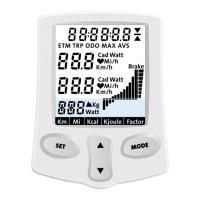
Explains how to use keys for device setup and configuration.
Details the operation of device keys while training.
Instructions on how to clear and reset training information.
Guides users through setting body weight, speed, and energy units.
Steps to calibrate the brake for accurate power measurement.
Explains how to use the MODE key to cycle through speed and cadence data.
Details using the MODE key for power and heart rate information.
Explains the function of the average performance indicator.
Guides users on adjusting slope and power output for training.
Details the meaning and function of the brake indicator.
Provides information on where to find solutions for error messages.
 General
| Brand | Tacx |
|---|---|
| Model | FLOW Operating computer |
| Category | Fitness Electronics |
| Language | English |

 To Next Page