Need help?
Do you have a question about the Takamine AD Series and is the answer not in the manual?
Steps to correctly install the required AA batteries into the preamp.
Guide on connecting the preamp to an amplifier or PA system.
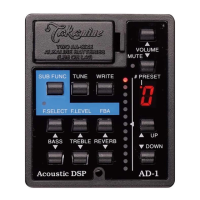
Overview of fundamental controls for immediate sound adjustments.
Explanation of the volume adjustment and its display feedback.
Details on bass and treble boost/cut controls for tone shaping.
How to adjust the level of the built-in digital reverb effect.
Choosing between 'bright' and 'dark' reverb sound characteristics.
Understanding alerts for low battery voltage and proper maintenance.
Accessing secondary control functions via the SUB FUNC button.
Detailed control over EQ center frequency and boost/cut amount.
Using the circuit to tune out unwanted acoustic feedback.
Selecting pre-programmed sound settings from the factory.
Procedure for saving personalized EQ, reverb, and volume settings.
Technical data including AD/DA conversion, frequency response, and battery life.
 General
| Type | Acoustic Guitar Amplifier |
|---|---|
| Channels | 2 |
| Effects | Reverb, Chorus |
| Power Output | 30W |
| Speaker Size | 8" |
| EQ Controls | 3-band (Bass, Middle, Treble) |

 To Next Page