www.aebikes.com.au
|
sales
@
aebikes.com.au
|
page 05
COMPONENT FUNCTIONS
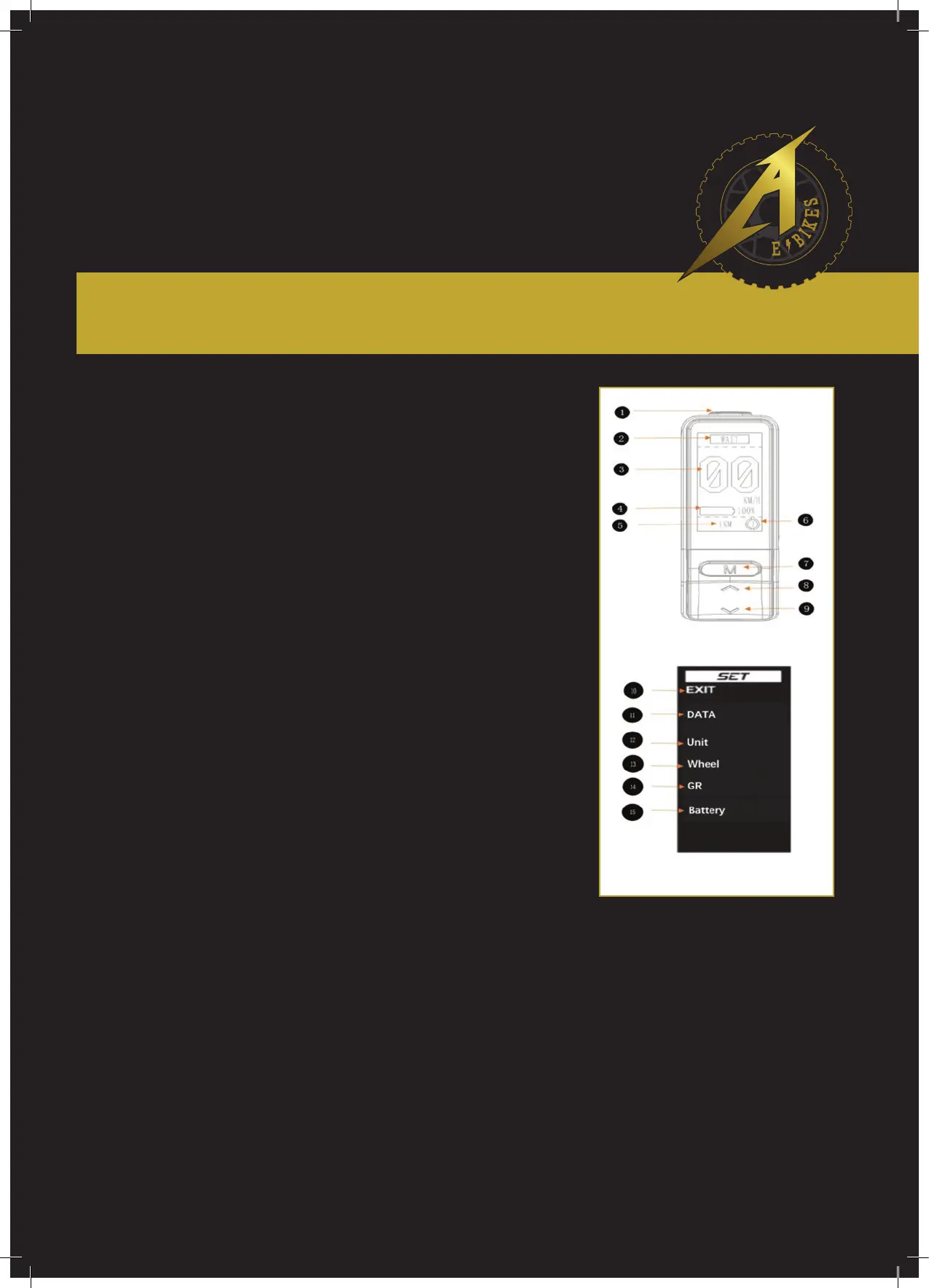
4-1 Setting Button (Not available while riding)
4-2 Status Display (including WAIT/READY/ECO/SPORT/ERROR).
4-3 Real-Time Speed
4-4 Battery Display
4-5 Single Range
4-6 Re-Gen Levels Indicator (1,2,3,4, re-gen levels can be set).
4-7 Button M (when the electric motorcycle is switched on and stationary,
hold down the setting button for a while to enter into the dash setting.
Once the dash setting is nished, press button M to conrm and save the
dash setting. Besides this, button M is also used to switch the riding modes
between ECO and SPORT).
4-8 & 4-9 Selection Buttons (Up/down) (When the electric motorcycle
is switched on and stationary, hold down the setting button for a while to
enter into the dash setting. Then, you can use the selection buttons to select
the setting by up and down. Besides this, regularly, the selection buttons are
also used to select the re-gen levels).
4-10 EXIT (exit any settings).
4-11 Riding DATA (Including average energy consumption, maximum
speed, average speed, startup running, time, mileage).
4-12 Switch for KM/H and MPH.
4-13 Wheel Diameter Setting (17" or 19").
4-14 Gear Ration Setting.
4-15 Battery Pack Information (Battery voltage, capacity, cycle index).
Illustration 4


 To Next Page