Recording Intervals & Estimated Maximum Recording Times
Recording Intervals & Estimated Maximum Recording Times
Recording
Interval
1 sec 30 sec 5 min
10 min
(default)
15 min 60 min
Estimated
Time
About
8 hours
About
10 days
About
100 days
About
200 days
About
1 year
About
3.5 years
Recording Interval in Vaccine Mode:
The 1-hour interval is not available.
Auto-Upload Intervals & Corresponding Estimated Battery Life
In general, the shorter the upload interval, the shorter the battery life. Also, it is possible to reduce
battery consumption by setting time to pause auto-upload in [Power Saving Settings].
Upload Interval 1 min 10 min 1 hr 6hrs or more
Battery Life About 5 days About 1.5 months About 7.5 months About 18 months
* All estimates are based on operations carried out with a new battery and are in no way a guaran-
tee of actual battery life.
* When Auto Upload is used frequently on TR71A2, the measurement of the internal sensor may
rise by around 0.3
℃.
Thermocouple Sensor Type (TR75A2 only)
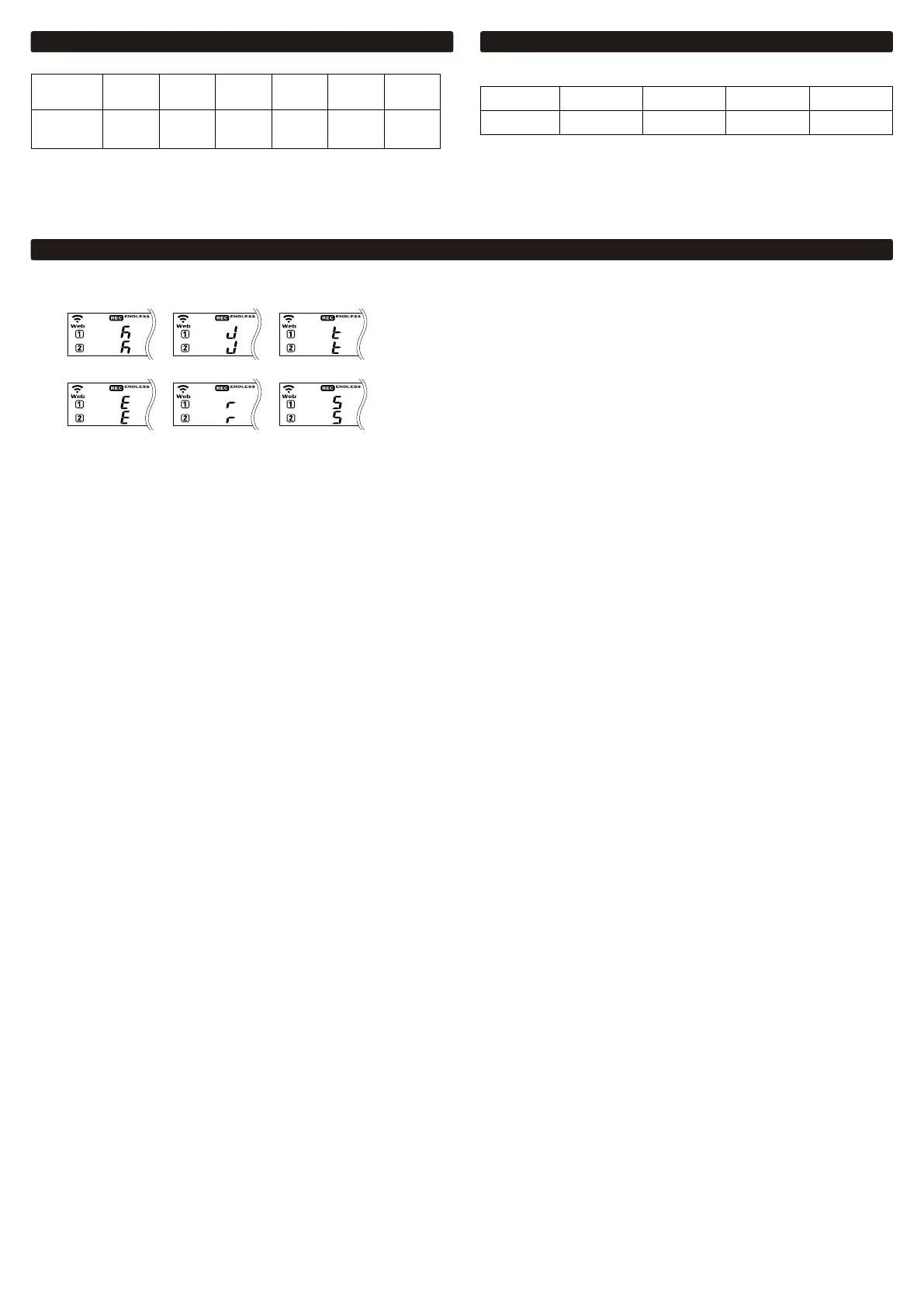
By pressing and holding the <DISPLAY> button when in xed display mode for Ch1/Ch2 current values, you can see which sensor type is currently set for each channel as shown below.
It is possible to use dierent types of
sensors for Ch1 and Ch2.
The factory default setting is "K" for both channels. Depending on the thermocouple type you’re going to use, make settings or changes using the PC software “TR7 for Windows”,
mobile app “T&D Thermo”, or cloud-based “T&D WebStorage Service”.
Type K
Type E
Type J
Type R
Type T
Type S


 To Next Page
 Loading...