EasyManua.ls Logo

Tandy TRS-80 4D - Page 17

Default Icon
48 pages
Print Icon
To Next Page IconTo Next Page
To Previous Page IconTo Previous Page
Loading...
Starting
Up
Your
Computer
Turn
on
any
additional
equipment first.
Then
push your
computer's
power
switch forward
to
turn
on
the computer.
The switch
is
on the
bottom
of the computer
on the right
side.
After
you turn
on the
computer,
one of
the fol-
lowing
happens:
You'll
hear
a
whir
coming
from
the drive.
The
sound
stops in
a few
seconds.
•You'll
see
a
"Diskette?"
prompt
on the
screen.
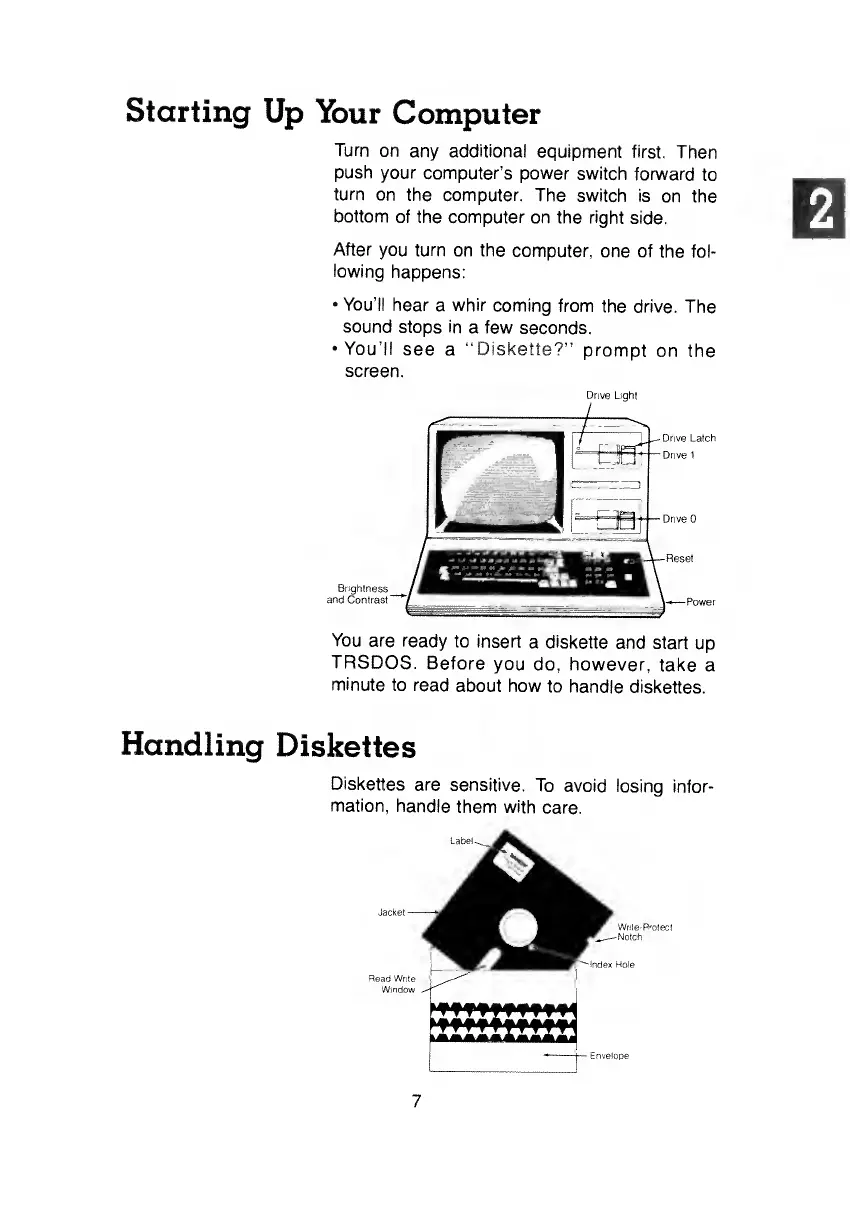
Drive Light
i /
L
~- Drive Latch
LJU
j
-
f
I
?w~^=-=|fc3-i.
Drive
Brightness
and
Contrast
~
You
are ready
to insert
a diskette
and start
up
TRSDOS.
Before
you
do, however,
take a
minute
to read
about how
to
handle diskettes.
Handling
Diskettes
Diskettes
are
sensitive.
To
avoid losing
infor-
mation,
handle
them with
care.