JP
NOTE: This equipment has been tested and found to comply with the
limits for a Class B digital device, pursuant to part 15 of the FCC Rules.
These limits are designed to provide reasonable protection against
harmful interference in a residential installation. This equipment
generates uses and can radiate radio frequency energy and, if not
installed and used in accordance with the instructions, may cause
harmful interference to radio communications. However, there is no
guarantee that interference will not occur in a particular installation.
If this equipment does cause harmful interference to radio or television
reception, which can be determined by turning the equipment off
and on, the user is encouraged to try to correct the interference by
one or more of the following measures:
- Reorient or relocate the receiving antenna.
- Increase the separation between the equipment and receiver.
- Connect the equipment into an outlet on a circuit different from
that to which the receiver is connected.
- Consult the dealer or an experienced radio/TV technician for help
Changes or modications not expressly approved by the party
responsible for compliance could void the user's authority to operate
the equipment. This device complies with Part 15 of the FCC Rules.
Operation is subject to the following two conditions:
(1) this device may not cause harmful interference, and(2) this device
must accept any interference received, including interference that
may cause undesired operation.
EN The Bluetooth
®
word mark and logos are
registered trademarks owned by the Bluetooth
SIG, Inc. and any use of such marks by Sunvalleytek International
Inc.
is under license. Other trademarks and trade names are those of
their respective owners.
DE Die Marke Bluetooth
®
und das Bluetooth Logo sind eingetragene
Markenzeichen der Bluetooth SIG, Inc. und jegliche Verwendung
dieser Marke durch Sunvalleytek International Inc. ist lizensiert. Die
Rechte an anderen Markenzeichen liegen beim jeweiligen
Eigentümer.
FR Le terme et les logos Bluetooth
®
sont la propriété de Bluetooth
SIG, Inc. et toute utilisation de ces marques par Sunvalleytek
International Inc. se fait sous licence. Les autres désignations
commerciales et marques mentionnées sont détenues par leur
propriétaire respectif.
ES La marca Bluetooth
®
y los logotipos son de propiedad de
Bluetooth SIG, Inc. y se encuentra autorizado cualquier uso de estas
marcas por parte de Sunvalleytek International Inc. Otras marcas y
nombres comerciales son aquellas de sus respectivos propietarios.
IT La parola e i loghi Bluetooth
®
sono marchi di fabbrica registrati di
proprietà di Bluetooth SIG, Inc. e qualsiasi utilizzo di questi marchi da
parte di Sunvalleytek International Inc. avviene su licenza. Gli altri
marchi di fabbrica e nomi commerciali appartengono ai rispettivi
proprietari.
JP Bluetooth®のワードマークおよびロゴはBluetooth SIG, Inc.が所有する
登録商標であり 、Sunvalleytek International Inc.はこれらのマークおよびロ
ゴをライセンスに基づいて使用しています。その他の 商標およびトレードネー
ムは、それぞれの所有者に帰属します。
Funciones de Control
Función
Encender / Apagar
Reproducir / Pausa /
Contestar / Colgar
Llamadas Telefónicas
Rechazar Llamadas
Telefónicas
Volver a Marcar
Volumen + / -
Pista Anterior / Siguiente
Operación
Mantenga presionado el Botón de Encendido
hasta que el indicador LED parpadee / se
apague
Presione el Botón de Encendido una vez
Presione y sostenga el Botón de Encendido
por 2 segundos
Presione el Botón de Encendido dos veces
Presione el Botón de Volumen + / -
Mantenga presionado el Botón de Volumen
+ / -
2) Premere e tenere premuto il Pulsante Multifunzione per 5 secondi
per portare le cufe in modalità di accoppiamento. L'indicatore
LED lampeggerà di blu e rosso.
3) Attivare la funzione Bluetooth® sul proprio telefono e cercare le
connessioni Bluetooth® nelle vicinanze.
4) Trovare “TaoTronics TT-BH040” nei risultati di ricerca. Premere sul
nome per collegare. Una volta collegate le cufe, l'indicatore LED
lampeggerà di blu ogni 3 secondi.
Nota:
·Le cufe Bluetooth® possono ricordare i dispositivi accoppiati in
precedenza. Se le cufe sono già state accoppiate con un
dispositivo, sarà sufciente accendere il dispositivo e le cuff ie,
che si collegheranno automaticamente al dispositivo senza dover
attivare la modalità di accoppiamento.
Funzioni di Controllo
Funzione
Accendere / spegnere
Riproduzione / Pausa /
Rispondere a /
Riattaccare una
chiamata
Riutare una chiamata
Ricomposizione
Volume + / -
Traccia Precedente /
Successiva
Operazione
Premere e tenere premuto il Pulsante di
Accensione nché l'indicatore LED
lampeggia / si spegne
Premere una volta il Pulsante di Accensione
Premere e tenere premuto il Pulsante di
Accensione per 2 secondi
Premere due volte il Pulsante di Accensione
Premere il Pulsante Volume + / -
Premere e tenere premuto il Pulsante Volume
+ / -
内容物
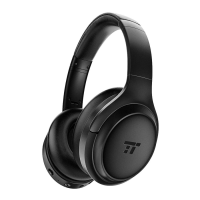
1xTaoTronicsワイヤレスANCヘッドフォン(TT-BH040)
1xUSB充電ケーブル
1x3.5mmオーディオケーブル
1xAirlineアダプター
1xトラベルポーチ
1xユーザーガイド
使い方
1.充電
1)充電ポートをお持ちのUSB充電アダプターまたは電源の入ったコンピュータ
ーのUSBポートに接続します。
2)充電は自動的に開始され、LEDインジケータが赤に変わります。
3)LED表示が消えたらヘッドフォンの充電は完了です。
2.ペアリング
1)ヘッドフォンとお使いのBluetooth®機器を隣同士に置きます(1メートル以内)。
2)電源ボタンを5秒間長押しして、ヘッドフォンをペアリングモードにします。
ペアリングモードになるとLEDインジケータは青と赤に点滅します。
3)スマートフォンのBluetooth®機能をオンにし、Bluetooth®接続を検索します。
4)“TaoTronicsTT-BH040”を探し、見つけたらタップして接続します。正常に接続
するとLEDインジケータは、青いライトが3秒ごとに点滅します。
注意:
·Bluetooth®ヘッドフォンは、以前ペアリングをした機器を記憶します。電源を入
れると、一度ペアリングをした機器とは自動的に接続されます。
コントロール機能
機能
電源オン/オフ
再生/一時停止/応答/通話終了
通話拒否
リダイヤル
音量+/-
戻る/進む
操作
電源ボタンをLEDインジケータが点滅
(オン)/消灯(オフ)するまで長押しします。
電源ボタンを1度押します。
電源ボタンを2秒間押します。
電源ボタンを2度押します。
音量+/-ボタンを押します。
音量+/-ボタンを長押しします。
IT
Contenuto della Confezione
1 Paio di Cufe Wireless ANC TaoTronics (Modello: TT-BH040)
1 Cavo di ricarica USB
1 Cavo Audio da 3,5mm
1 Adattatore per Aereo
1 Custodia da Viaggio
1 Manuale Utente
Modalità di Utilizzo
1. Ricarica
1) Connettere la porta di ricarica con qualsiasi adattatore di ricarica USB
o con una porta USB attiva del computer.
2) La ricarica inizierà automaticamente con l'indicatore LED che
diventerà rosso.
3) La cufe sono completamente cariche quando l'indicatore LED si spegne.
2. Accoppiamento
1) Assicurarsi che le cufe e il proprio dispositivo Bluetooth® siano vicini
(entro 3 piedi / 1 metro).
FR
Contenu de la Boîte
1 x TaoTronics Casque Sans Fil ANC (TT-BH040)
1 x Câble de Charge USB
1 x Câble Audio 3.5mm
1 x Adaptateur pour Avion
1 x Sacoche de Transport
1 x Guide d’Utilisateur
Comment l’Utiliser
1. Charge
1) Branchez le port de charge à n’importe quel adaptateur USB de
charge ou un port USB d’ordinateur actif.
2) La charge se lancera automatiquement avec le voyant à LED
s’allumant en rouge.
3) Le casque est entièrement chargé lorsque le voyant à LED s’éteint.
2. Appairage
1) Assurez-vous que la casque et votre appareil Bluetooth® sont proches
l’un de l’autre (moins de 3 pieds / 1 mètre).
2) Appuyez et maintenez le Bouton d’Alimentation pendant 5 secondes
pour passer le casque en mode appairage avec le voyant à LED
clignotant en bleu et rouge.
ES
Contenidos del Paquete
1 x Auriculares Inalámbricos ANC de TaoTronics (TT-BH040)
1 x Cable de Carga USB
1 x Cable de Audio de 3,5 mm
1 x Adaptador para Avión
1 x Bolsa de Viaje
1 x Guía del Usuario
Cómo Utilizar
1. Carga
1) Conecte el puerto de carga a cualquier adaptador de carga USB o
puerto USB de un ordenador.
2) La carga se iniciará automáticamente y el indicador LED se iluminará
en rojo.
3) Los Auriculares están completamente cargados cuando el indicador
LED se apaga.
3) Activez la fonction Bluetooth® sur votre téléphone et recherchez les
appareils Bluetooth® à proximité:
4) Trouvez “TaoTronics TT-BH040” dans la liste. Touchez pour vous y
connecter. Une fois connecté, le voyant à LED clignotera en bleu
toutes les 3 secondes.
Note:
·Le casque Bluetooth® peut se souvenir des appareils précédemment
connectés. Si vous avez déjà appairé le casque avec un appareil,
il suft d’allumer l’appareil et le casque, ils se connecteront ensemble
automatiquement sans passer par le mode appairage.
Fonctionnalités
Fonction
Allumage / Extinction
Lecture / Pause /
Répondre / Raccrocher
Rejeter un appel
Rappeler le dernier
appelant
Volume + / -
Piste précédente /
suivante
Opération
Appuyez et maintenez le Bouton d’Alimentation
jusqu’à ce que le voyant à LED clignote / s’éteigne
Appuyez sur le Bouton d’Alimentation une fois
Appuyez et maintenez le Bouton
d’Alimentation pendant 2 secondes
Appuyez sur le Bouton d’Alimentation deux fois
Appuyez sur le Bouton Volume + / -
Appuyez et maintenez le Bouton Volume + / -
2. Emparejamiento
1) Asegúrese de que los auriculares y su dispositivo Bluetooth® estén
uno al lado del otro (dentro de 3 pies / 1 metro).
2) Mantenga presionado el Botón Multifunción durante 5 segundos
para poner los auriculares en modo de emparejamiento, el
indicador LED parpadeará en azul y rojo.
3) Active la función Bluetooth® en su teléfono y busque las conexiones
Bluetooth® más cercanas:
4) Encuentre " TaoTronics TT-BH040 " en los resultados de búsqueda.
Toque el nombre para conectarse. Una vez conectado, el
indicador LED parpadeará en azul una vez cada 3 segundos.
Nota:
• Los auriculares Bluetooth® pueden recordar dispositivos
previamente emparejados. Si ya han emparejado los auriculares con
un dispositivo, simplemente encienda su dispositivo y los auriculares,
estos se conectarán al último dispositivo conectado
automáticamente sin entrar en el modo de emparejamiento.


 To Next Page
 Loading...