UKUS CA
UKUS CA
DE
FR
ES JP
I T
Package Contents
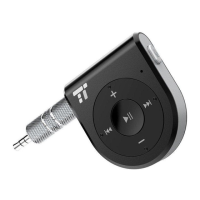
· 1×TaoTronics TT-BR06 Wireless Receiver
· 1×USB Charging Cable
· 1×3.5mm Audio Cable
· 1×3.5mm Audio Adapter
· 1×User Guide
How to Use
1. Charging
1) Connect the charging port with any USB charging adapter or active computer USB port.
2) Charging will start automatically with the LED indicator turning green.
3) The receiver is fully charged when the LED indicator turns off.
Note: Charge the receiver at least once every 6 months when not using for a long time.
2. Pairing
1) Make sure the receiver and your Bluetooth
®
device are next to each other (within 3 feet/1 meter).
2) The first time you use the receiver, press and hold the Multifunction Button until the LED indicator flashes red and
blue alternately to start pairing.
3) Activate Bluetooth
®
function on your phone and search for the nearby Bluetooth
®
connection: Find “TaoTronics
TT-BR06” in the search results. Tap on the name to connect. Once connected, only the blue LED will flash.
Note: 1.The Bluetooth
®
receiver can remember previously paired devices.
2.For optimal hands-free calls when using the TT-BR06 Wireless Receiver, face the microphone at a 45 degree angle
and stay within 50 cm / 23.6 in.
Control Functions
DE
Package Contents
· 1×TaoTronics TT-BR06 Wireless Empfänger
· 1×USB-Ladekabel
· 1×3.5mm Audiokabel
· 1×3.5mm Audioadapter
· 1×Bedienungsanleitung
Bedienung
1. Laden
1) Verbinden Sie den Ladeanschluss mit irgendeinem USB-Ladeadapter oder aktiven PC mit USB-Anschluss.
2) Der Ladeprozess wird automatisch starten und die LED-Anzeige leuchtet grün.
3) Der Empfänger ist vollständig geladen, wenn die LED-Anzeige nicht mehr leuchtet.
Hinweis: Laden Sie den Empfänger mindestens alle sechs Monate einmal, wenn Sie ihn für längere Zeit nicht
benutzen.
2. Kopplung
1) Stellen Sie sicher, dass der Empfänger und Ihr Bluetooth
®
-Gerät sich nebeneinander befinden (innerhalb von
einem Meter).
2) Wenn Sie den Empfänger das erste Mal benutzen, halten Sie den Multifunktionsknopf gedrückt bis die
LED-Anzeige abwechselnd rot und blau leuchtet, um mit der Kopplung zu beginnen.
3) Aktivieren Sie die Bluetooth
®
-Funktion auf Ihrem Telefon und suchen Sie nach Verbindungen in der Nähe. Tippen
Sie “TaoTronics TT-BR06” in den Resultaten an. Sobald die Verbindung besteht, blinkt die LED nur blau.
Hinweis: 1.Der Bluetooth
®
-Empfänger speichert gekoppelte Geräte ab.
2.Für optimales freihändiges Telefonieren mit dem TT-BR06 Wireless Empfänger, drehen Sie sich zum Mikrofon in
einem 45 Grad Winkel und bleiben Sie innerhalb einer Reichweite von 50 cm.
Kontrollfunktionen
3.5mm Audio Output Port
Previous Track
Power Button/LED Indicator
Microphone
Volume +
Next Track
Volume -
Micro USB Charging Port
①
②
③
④
⑤
⑥
⑦
⑧
Product Diagram
3.5mm Audioausgangsanschluss
Vorheriges Lied
Power-Knopf/LED-Anzeige
Mikrofon
Lautstärke +
Nächstes Lied
Lautstärke -
Mikro USB-Ladeanschluss
①
②
③
④
⑤
⑥
⑦
⑧
Produktdiagramm
Port de Sortie Audio 3.5mm
Piste Précédente
Bouton d’Alimentation/Voyant à LED
Micro
Volume +
Piste Suivante
Volume -
Port de Charge Micro-USB
①
②
③
④
⑤
⑥
⑦
⑧
Description du Produit
Porta Output Audio da 3.5mm
Traccia Precedente
Tasto Accensione/Indicatore LED
Microfono
Volume +
Traccia Successiva
Volume -
Porta di Ricarica Micro-USB
①
②
③
④
⑤
⑥
⑦
⑧
Schema del Prodotto
Puerto de salida de audio de 3.5mm
Pista anterior
Botón de Encendido / Indicador LED
Micrófono
Volumen +
Pista siguiente
Volumen -
Puerto de carga micro USB
①
②
③
④
⑤
⑥
⑦
⑧
Diagrama del Producto
3.5mmオーディオ出力ポート
前 のトラック
電源ボタン/LED インジケーター
マイク
ボリューム+
次 のトラック
ボリューム-
マイクロUSB充電ポート
①
②
③
④
⑤
⑥
⑦
⑧
製品図
Halten Sie den Power-Knopf gedrückt, bis die LED-Anzeige blinkt/ausgehtPower an/aus
Press and hold the Power Button until the LED Indicator flashes/turns offPower on/off
Function Operation
Drücken Sie den Power-Knopf einmal
Halten Sie den Power-Knopf für 2 Sekunden gedrückt
Drücken Sie den Power-Knopf zweimal
Drücken Sie den Lautstärke +/- Knopf
Drücken Sie den Nächstes/Vorheriges Lied Knopf
Wiedergabe/Pause/Anrufe
entgegennehmen/auflegen
Anrufe ablehnen
Wahlwiederholung
Lautstärke +/-
Vorheriges/Nächstes Lied
Funktion Operation
Play/Pause/Answer/Hang up
phone calls
Reject phone calls
Redial
Volume +/-
Previous/Next Track
Press the Power Button once
Press and hold the Power Button for 2 seconds
Press the Power Button twice
Press the Volume +/- Button
Press the Previous Track/Next Track Button
TAOTRONICS WIRELESS RECEIVER
User Guide
TT-BR06_V1.8
EUROPE
E-mail:
support.uk@taotronics.com(UK)
support.de@taotronics.com(DE)
support.fr@taotronics.com(FR)
support.es@taotronics.com(ES)
support.it@taotronics.com(IT)
EU Importer: ZBT International Trading GmbH
Address: Halstenbeker Weg 98C, 25462 Rellingen, Deutschland
NORTH AMERICA
E-mail : support@taotronics.com(US)
support.ca@taotronics.com(CA)
Tel : 1-888-456-8468 (Monday-Friday: 9:00 – 17:00 PST)
US Distributor: SUNVALLEYTEK INTERNATIONAL INC.
Address:46724 Lakeview Blvd, Fremont, CA 94538
Manufacturer: Shenzhen NearbyExpress Technology Development Co.,Ltd.
Address: 333 Bulong Road, Shenzhen, China, 518129
MANUFACTURER
Learn more about the EU Declaration of Conformity:
https://www.taotronics.com/downloads-TT-BR06-CE-Cert.html
ASIA PACIFIC
E-mail: support.jp@taotronics.com(JP)
JPImporter:株式会社SUNVALLEYJAPAN
Address:〒104-0032東京都中央区八丁堀3丁目18-6PMO京橋東9F
www.taotronics.com
MADE IN CHINA
Model: TT-BR06

 Need help?
 General

 To Next Page