07
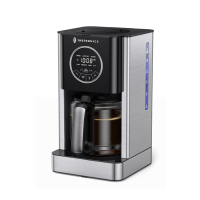
Coffee Maker
08
Coffee Maker
Control Panel
Brew/Auto
OFF Button
Minute Button
Program Button
1-4/MuteCarafe
Temperature
Clean Button
Hour Button
LED Display
LED
DISPLAY
Display time and functions.
Blinking means setting, solid means confirmed.
HR/MIN
BUTTON
In standby status, tap to enter time settings.
When setting time, tap to increase time, hold for quick increase.
· Standby & Reservation: 0-12 AM/PM
· Keep-warm: 0-4 hours
BREW/AUTO
OFF BUTTON
Brewing: Tap to start/cancel brewing coffee.
Reservation: Tap to confirm/exit reservation.
Cleaning: Tap to start/cancel cleaning.
CLEAN
BUTTON
Tap to enter/exit clean mode.
CARAFE
TEMP
BUTTON
Tap to select keep-warm level among Low/Medium/High.
Hold to enter keep-warm time settings
(Default keep-warm time: 30 min).
PROG
BUTTON
Tap to enter/exit reservation mode.
1-4/MUTE
BUTTON
· Tap to brew with/without 1-4 cup function.
*1-4 cup function: Drip more slowly to increase concentration.
· Hold to mute/unmute button tone.
*BREW/AUTO OFF button cannot be mute.


 To Next Page
 Loading...