11
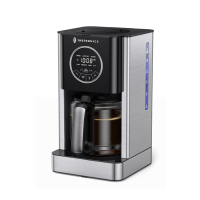
Coffee Maker
12
Coffee Maker
Reservation for Brewing
Always align clock time with local time before setting the preset time.
1. In standby status, tap PROG button to enter reservation mode.
2. Tap HR/MIN button to set the preset time, and the time is confirmed with blinking for 5s, then
start with BREW/AUTO OFF button.
3. Tap CARAFE TEMP button to set the keep-warm level. When the clock runs to the preset time,
it will start brewing automatically.
· When PROG light blinks, tapping PROG button or no operation in 10s will
exit the reservation settings.
· Tap PROG button again to show the preset time.
· Tap BREW/AUTO OFF button again to cancel the preset time.
Additional Features
1. Clock Settings
1. In standby status, tap HR/MIN button once to enter clock settings.
2. Tap HR/MIN button to increase 1 increment by each tap; Hold HR button to increase rapidly.
3. No operation in 5s indicates that clock setting is done.
2. Keep Warm Settings
2.1 Keep-warm time settings
Set the keep-warm time before setting the preset time as it cannot be
changed during brewing process.
1. In standby status, hold the CARAFE TEMP button to enter keep-warm time settings.
2. When AUTO OFF light is blinking, set the keep-warm time with HR/MIN buttons.
3. No operation in 10s will confirm the keep-warm time and exit keep-warm time settings.
2.2 Keep-warm levels
· The default keep-warm level is Medium.
· Tap CARAFE TEMP button repeatedly to select keep-warm level among Low/Medium/High.
· Tap CARAFE TEMP button to display current keep-warm level when level light is off.
TEMPERATURE
RANGE FOR
KEEP-WARM LEVELS
Low temperature: ≥75°C
Medium temperature: ≥78°C
High temperature: ≥81°C
3.CLEAN Function
After using for certain times, the CLEAN light will start blinking indicating the appliance needs
cleaning. After the CLEAN function is performed completely, the CLEAN light stops blinking.
When this light illuminates or you want to perform cleaning, take the following steps:
1. Fill the tank with cold water to the Max water level line. Tap CLEAN button and
BREW/AUTO OFF button to enter CLEAN mode.
2. The appliance will work for 1 min and stop for 2 min repeatedly, until one beep is heard.
3. Under CLEAN mode, tap CLEAN or BREW/AUTO OFF to exit the mode, CLEAN light goes off.
4. Restore to Factory Settings
In standby status, press and hold HR and MIN button simultaneously, 3 beeps will be heard, the
coffee maker restores to factory settings.
Coffee Sharing !


 To Next Page
 Loading...