Programmering af Knapper
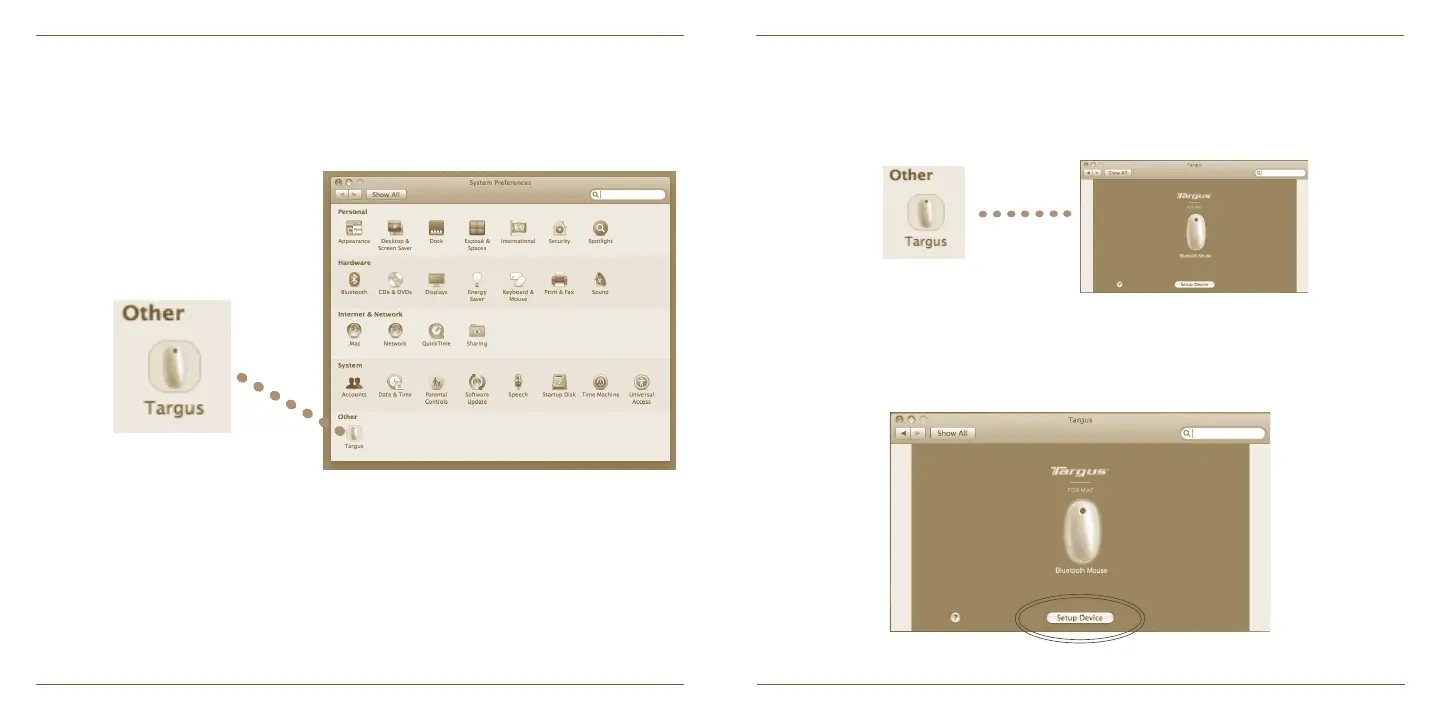
Klik for at fremhæve billedet af apparatet og tryk derefter på “Indstilling af
Apparat” for at starte konfigureringssoftwaren.
Klik på Targus logoet for at starte applikationen.
Et Targus ikon vil kunne ses i Systempræferencer.
Når softwaren er installeret, skal du genstarte din computer for at afslutte
softwareinstallationen.


 To Next Page