Targus Bluetooth Comfort Laser Mouse
20
Targus Bluetooth Comfort Laser Mouse
21
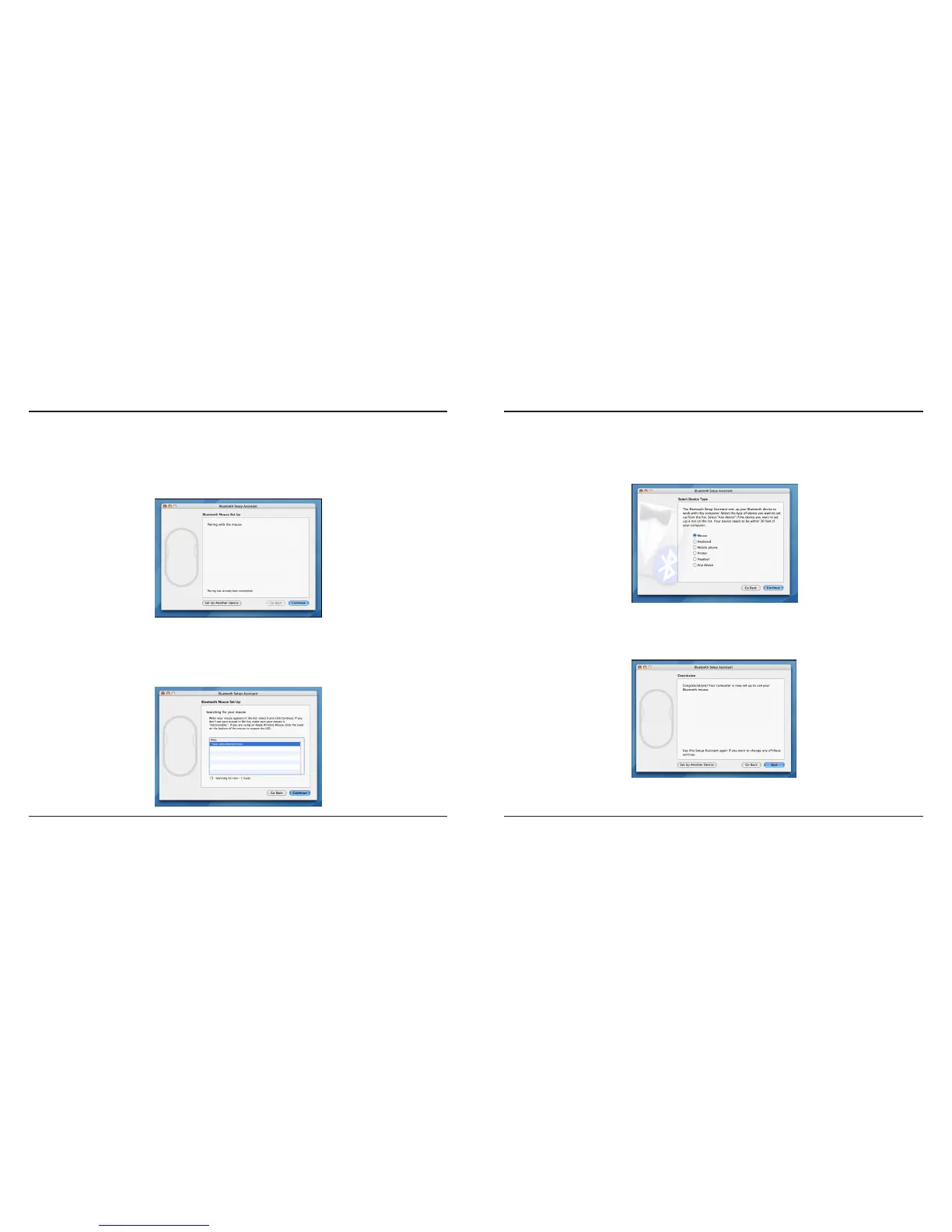
4. Select “mouse” and click continue to proceed with setup. Your mouse will need to be
in “discovery” mode to connect. Power on the mouse and it will automactically go
into discovery mode.
5. Your computer will begin to search for the mouse. Once the mouse is found, it will
show up in the list. Highlight your mouse and press continue.
6. The Bluetooth mouse will now begin pairing. Click continue to proceed.
7. Congratulations. Your Bluetooth mouse is setup and ready to use. You can choose to
setup another device or click Quit to exit setup.



 To Next Page