Targus Bluetooth Comfort Laser Mouse
8
Targus Bluetooth Comfort Laser Mouse
9
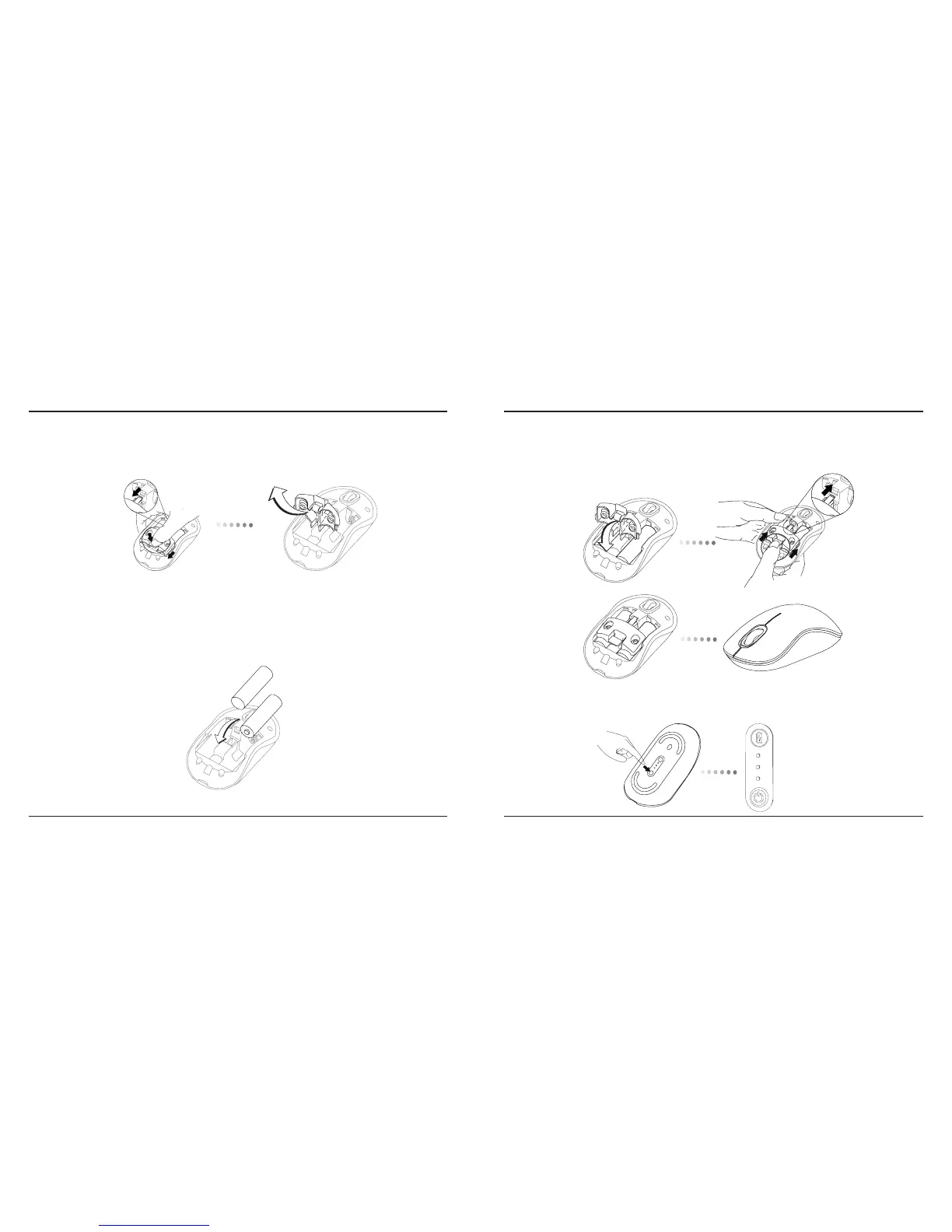
3. Slide and lift to remove the battery holder as shown.
4. Insert the two AA batteries, making sure that the positive (+) and
negative (-) ends of each battery match the polarity indicators inside
the battery compartment.
6. Turn on the mouse by pressing the power On/Off button on the bottom
of the mouse. Hold for 3 seconds and then release.
5. Replace the battery safety clip and by sliding it forward until it clicks into
place and then replace the battery cover.
Power button



 To Next Page