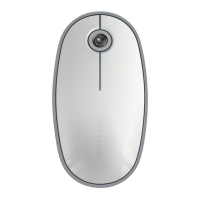
Targus Wireless Mouse
2 3
folding linefolding line
(UG) AMB581GL-50_410-4167-001A
Targus Wireless Mouse
Open size: 9”W x 4.5”H Folded Size: 4.5”W x 4.5”H Material: 80gsm woodfree paper Color: Grayscale
Diecut
GB - Introduction
Thank you for your purchase of the Targus Compact Multi-Device Wireless Mouse. The USB receiver
conveniently attaches to the mouse for ease of use while traveling or on the go. This is a plug and play
device so no additional software is required.
Contents
• Targus Wireless Mouse
• 1 x AA Energizer Battery
• USB Receiver
• User Guide
System Requirements
Hardware
• USB A port
Operating System
Windows® 10
macOS®
iOS®
Android™
Installing the Battery
1. Open the battery cover at the top of the mouse.
2. Insert the AA-size battery, making sure that
the positive (+) and negative (-) ends of only
one battery match the polarity indicators inside
the battery compartment.
NOTE: THE BATTERY WILL NEED TO BE IN THE SECURE, LOCKED POSITION BEFORE THE BATTERY COVER CAN BE PUT BACK IN PLACE.
Product Name
Operation Frequency
(MHz)
Maximum EIRP
Power (dBm) (EU)
Working
distance
Wireless Mouse: AMB581 2402-2480MHz 0.65 10M
Wireless Mouse Receiver:
AMB581R
2403-2480MHz 0.65 10M
3. Close the battery cover, carefully fit the cover
until it clicks into place.
Use the “ON/OFF” switch to power the mouse
on or o. Turn OFF to save battery power.
4. When the battery is low , the lower power
indicator light on the top will flash to indicate
the battery need to be replaced.
FPO



 To Next Page