Metal scan
The position where you start is important. To work, the scan-
ning must start away from metallic objects. Choose the mode
button to set the tool to metal scan function section. The scan-
ning procedure is same as in stud mode.
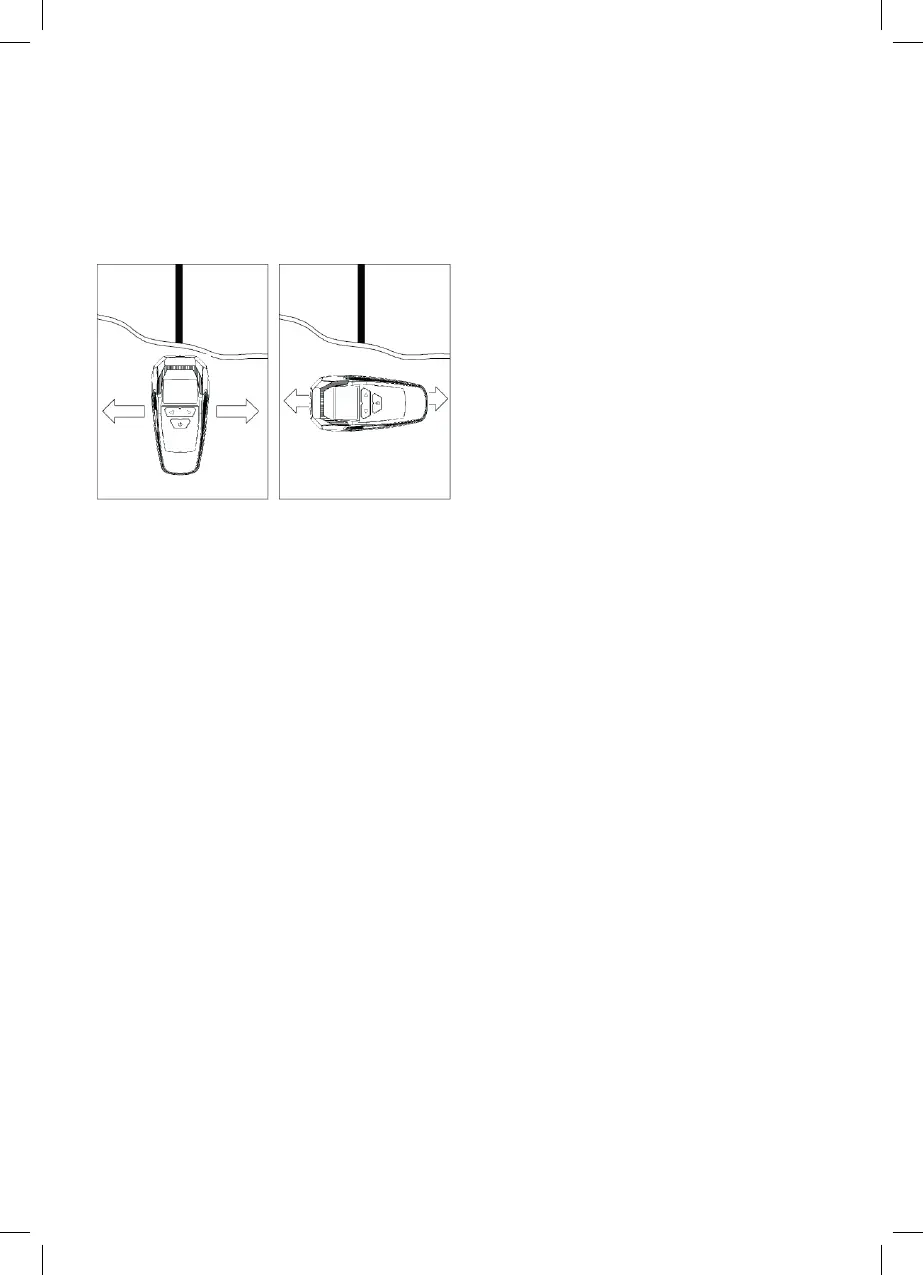
REMARK: When doing metal scanning, scan in both horizontal
and vertical directions. Metal sensitivity increases when metal
object is parallel to sensor.
AC detection
The Multi-Scanner scans for position of hot wires. The position
where you start is important. For maximum sensitivity, begin by
placing the tool at some position away from hot wiring. Choose
the mode button to set the tool to AC function section .The
scanning procedure is same as in stud mode.
REMARK: when doing AC scanning, scan in both horizontal and
vertical directions. AC sensitivity increases when AC object is
parallel to sensor.
When hot unshielded AC wiring presence is detected, the
“lighting” symbol will be displayed and pitch sound will be
generated.
Caution:
*If the wires are deeper than 4cm from surface they might not
be detected. Always turn o the power when working near
electrical wires.
*Static charge may spread voltage detection as much as 30cm
laterally from actual wire location.
*IF you suspect there are wires but find none, they may be
shielded. Use metal scan to find metal conduit.
* When using AC mode detection and studs and hot wires are in
close position, it may aect the detecting accuracy.
Maintenance:
1. Avoid exposing the tool to continuous vibration or extreme
hot or cold temperatures.
2. Always keep the tool free of dust and liquids.
3. Check the batteries regularly to avoid deterioration. Always
remove the batteries from the tool, if it is not going to be used
for an extended period of time.
4. When the battery is close to empty, the low battery icon will
begin to flash.
321962_rakenneilmaisin_ko_fi-sv-en-et-lv-lt-ru_A5.indd 6 21.5.2019 10.15.33


 To Next Page
 Loading...