EasyManua.ls Logo

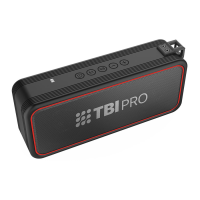
TBI PRO Engineering BANG X7 - User Manual

TBI PRO Engineering BANG X7
8 pages
Print Icon
To Next Page IconTo Next Page
Loading...
WHAT’S IN THE BOX?
buttons
Connections
function key
KEY FEATURES
AND ADVANTAGES OVER ANALOGUES
3.5 mm Audio Cable
Lifting Rope 2.3 Ft
6. Charging Port 7. USB flash disk 8.AUX IN
1 - Power ON/ OFF
2 - Bluetooth Mode Selection/ Line In/ USB Flash
Disk/ TWS Option
3 - Play/ Pause/ Answer or Reject Phone Call
4 - Volume - / Previous Track
5 - Volume + / Next Track
1. Bluetooth 4.2 + EDR Version: fast and stable
connection (up to 66 feet in an open area without
obstacles (20 m).
2. IPX7 waterproof function.
3. Ultra-long working time up to 24 hours (battery
capacity: 3.7v/ 3600 mAh, lithium polymer
rechargeable battery).
4. Battery indicator for iOS and Android (shows
battery level).
5. Crystal clear sound and clear deep bass with small
size and light weight.
6. It can be used as a power bank for charging
devices.
7. True wireless stereo system (TWS): 2 identical
speakers can be interconnected.
8. Fast charge time up to 3 hours.
9. 20 W power (2 speakers of 10 W each).
10. It can be charged using USB 5V/ 1 A from
various devices, as well as from power sources that
have a voltage of 5 V and a current of 1A - 2.4A.
11. Plays mp3 from memory card (supports memory
cards up to 64GB).
12. NFC function (for quick and easy connection).
13. AUX output - input for the audio source (AUX IN)
to connect sound sources (mp3 players, etc.).
14. Noise-canceling microphone for calls.
USB Charging Cable
BANG х7
user manual
WATERPROOF WIRELESS
BLUETOOTH SPEAKER
Key Opertion
MODE
VOL- /
PREV
Function
1. Press once to decrease volume.
2. Hold for 2 seconds to skip to the previous
track.
1. Press to select Bluetooth/ USB Flash Disk/
AUX modes.
2. Long press for 2 seconds to enter TWS
function. In the TWS mode, long press for 2
seconds to disconnect.
ON/
OFF
1. Short press to turn on.
2. Long press for 3 seconds to turn off.
3. Long press for 8 seconds to reset.
PLAY/
PAUSE
2. Hold for 2 seconds to reject an incoming call.
1. Press once when music is playing/ paused to
answer an incoming call or hand up the phone.
VOL+ /
NEXT
1. Press once to increase volume.
2. Hold for 2 seconds to skip to the next
track.
Question and Answer IconNeed help?

Do you have a question about the TBI PRO Engineering BANG X7 and is the answer not in the manual?

Summary

Speaker Buttons and Controls

Power ON;OFF

Controls the device power ON/OFF and reset functionality.

Mode Selection

Selects Bluetooth, Line In, USB Flash Disk, or TWS modes.

Play;Pause and Call Management

Manages music playback and answers or rejects phone calls.

Volume and Track Navigation

Adjusts volume and navigates between previous/next tracks.

Connectivity Ports

Charging Port

Port for charging the device via USB cable.

USB Flash Disk Port

Accepts USB flash drives for media playback.

AUX IN Port

Connects external audio sources via a 3.5mm cable.

Function Key Operations

Power Operations

Details short press for ON, long press for OFF, and long press for reset.

Mode and TWS Functions

Explains mode selection and TWS pairing/disconnection.

Playback and Call Handling

Describes play/pause, answer/reject call operations.

Volume and Track Control

Details volume adjustments and track skipping operations.

Key Features and Advantages

Bluetooth Connectivity

Fast and stable Bluetooth 4.2 + EDR connection up to 66 feet.

Waterproof and Durability

IPX7 waterproof rating and durable construction.

Battery Life and Charging

Up to 24 hours playback, 3.7V/3600mAh battery, 3-hour fast charge.

Audio Quality and Power

Crystal clear sound, deep bass, 20W total power.

Advanced Functions

TWS, power bank capability, NFC, MP3 playback from memory card.

Technical Characteristics

Speaker Specifications

Lists IPX7 waterproof, Bluetooth version, power, playback time, and size.

Power and Battery Details

Input power, charging time, battery capacity, and low battery threshold.

Microphone and Distortion

Details microphone type and audio distortion levels.

LED Indicator Guide

Bluetooth Connection Indicator

Blue LED status for connection waiting and successful pairing.

Charging Indicator

Red LED status for charging and when fully charged.

Matching Mode Indicator

Yellow LED status for matching mode transition and success.

Bluetooth Pairing Procedure

Initiating Pairing

Turn on speaker, blue LED blinks, find 'X7' in device settings.

Alternative Audio Modes

USB Flash Disk Mode

Supports USB flash disks up to 64GB for automatic audio playback.

AUX Mode

Switches to AUX mode by inserting a 3.5mm audio cable.

True Wireless Stereo (TWS)

TWS Explanation

Definition of TWS: pairing two speakers for synchronized stereo sound.

Pairing Two Speakers

Step-by-step guide for pairing two speakers for TWS operation.

NFC Pairing

NFC Connection Method

Pairing via Bluetooth search by placing device near the speaker's NFC area.

Device Support and Safety

Supported Devices

Confirms compatibility with all wireless devices.

Safety Instructions

Essential guidelines for safe usage, handling, and environmental precautions.

Contact and Support Information

Customer Support Channels

Provides email, live chat, phone, and Skype contact details.

QR Code Usage

Instructions on scanning QR codes for easy contact via iPhone or Android.

TBI PRO Engineering BANG X7 Specifications

General IconGeneral
BrandTBI PRO Engineering
ModelBANG X7
CategorySpeakers
LanguageEnglish