5. How to use under Linux. (we use TBS6902 as example)
5.1. Install TBS6902 into PC
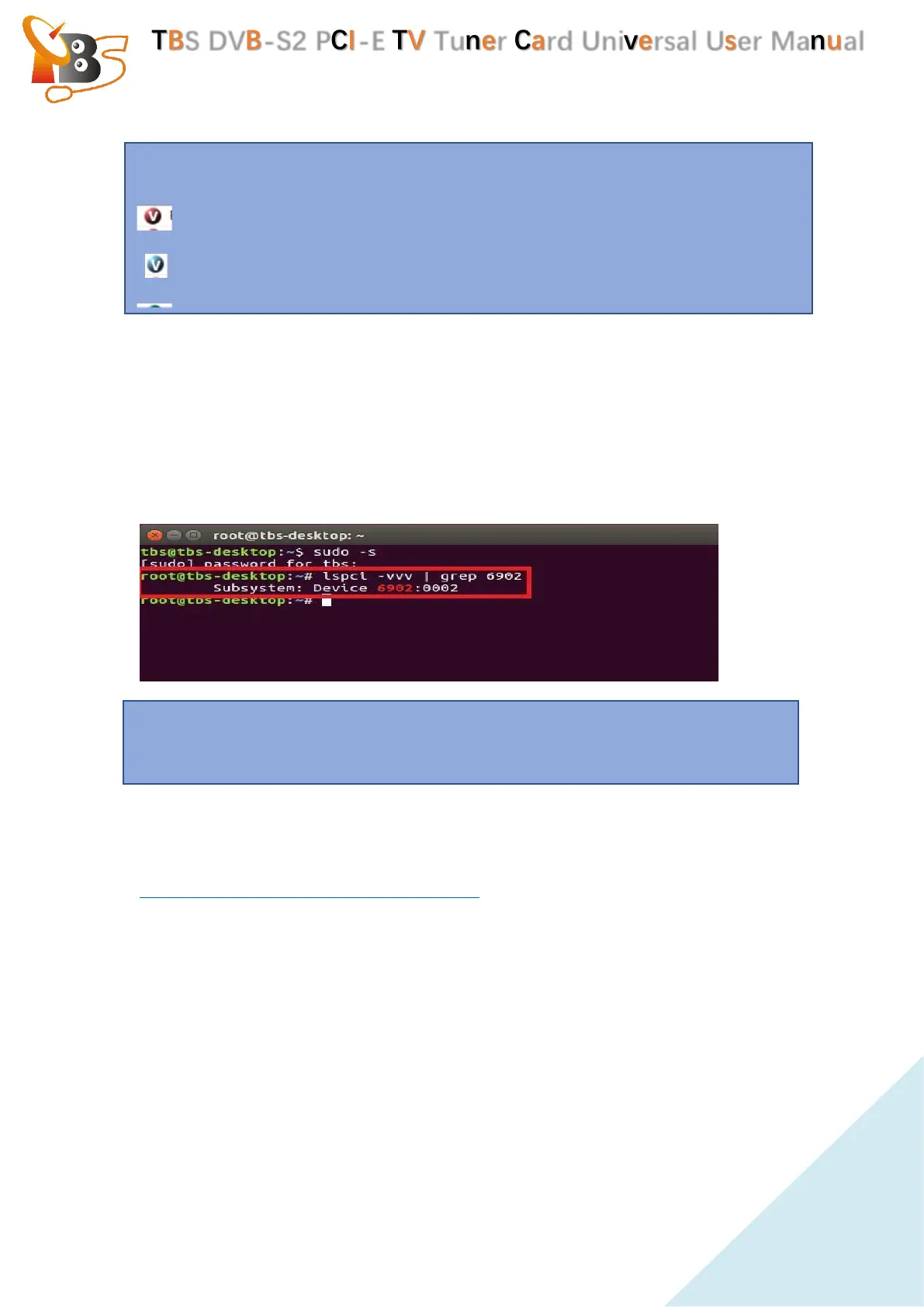
Install your TBS6904se into a PCI-E slot , turn on the PC , run the command “#
lspci -vvv | grep 6902” to see whether the card has been detected by the
motherboard.
If the card is recognized, it will show like this :
5.2. Install Linux Driver.
Please download the TBS6902 Linux driver from this link:
https://github.com/tbsdtv/linux_media/wiki
Install the Linux driver:
# git clone https://github.com/tbsdtv/media_build.git
# git clone --depth=1 https://github.com/tbsdtv/linux_media.git -b latest ./media
# cd media_build
# make dir DIR=../media
# make allyesconfig
# make -j4
# sudo make install
Attention: We can see an icon in front of each program,
means encrypted channels
means free channels
means only have sound , no pictures.
Attention :Please install the tuner card when the computer turned off. It’s not
allowed to insert/unplug the tuner card while the computer is running.


 To Next Page
 Loading...