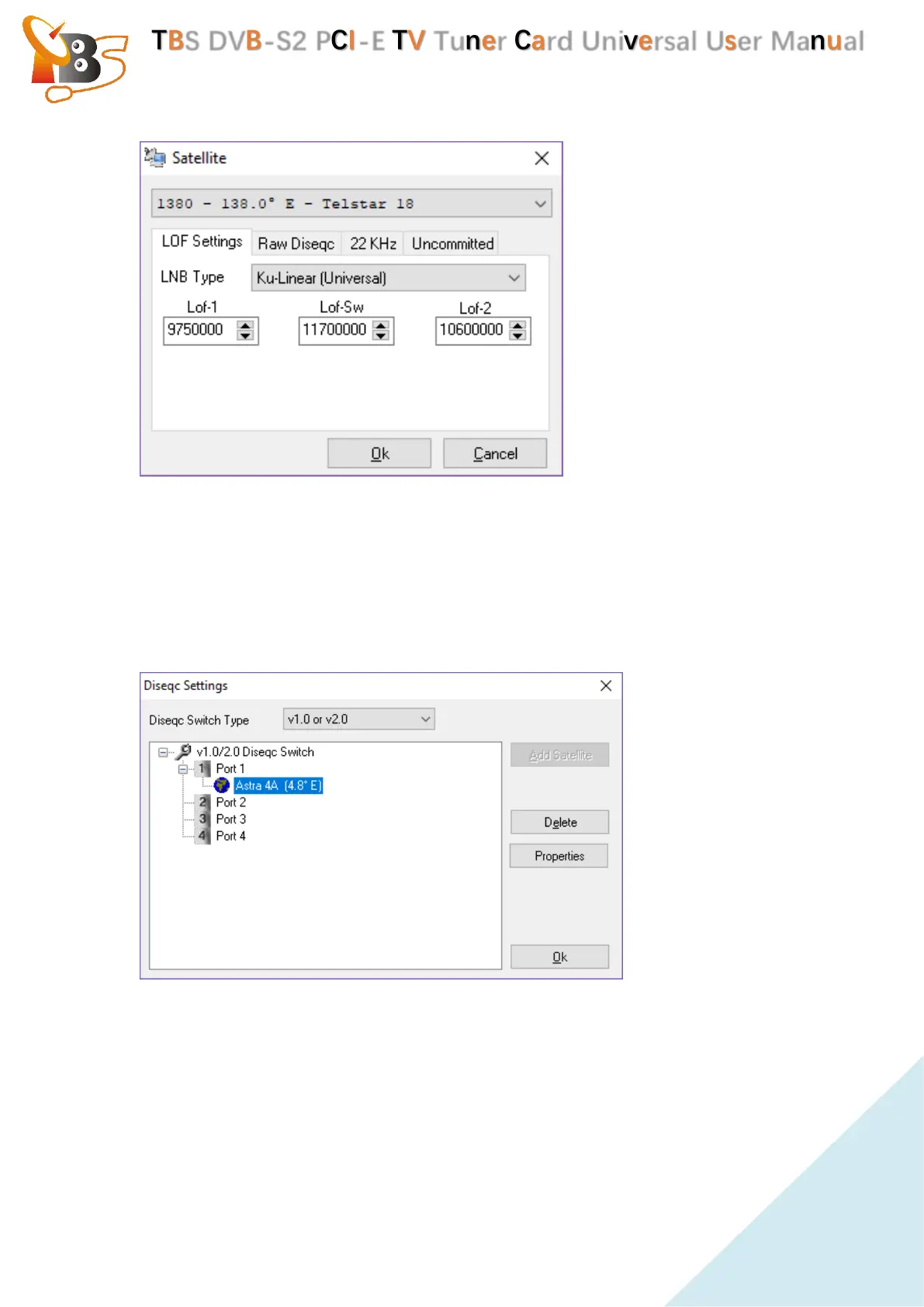
Select the correct Satellite to which our signals belongs, click “LOF Settings”,
select the correct “LNB type”and put the corresponding frequency parameters
(You can get the corresponding frequency parameters from the instruction of the
purchased LNB) . Once finished the setting , click “OK”.
If we use Diseqc to connect with multiple LNBs, Select the corresponding Diseqc
version for setting like below:
Choose the correct port, click “Add satellite”, then choose “properties”, to
make the same settings as before.
4.2.3. How to scan channels.
After setting up the LNBs, we can scan channels. there are two methods to scan
channels: auto scan and Manual scan.


 To Next Page
 Loading...