This document serves as a comprehensive guide for setting up, operating, and maintaining your new TCL Google TV, ensuring a seamless and enjoyable viewing experience. It also provides important safety information, warranty details, and troubleshooting tips.
Function Description
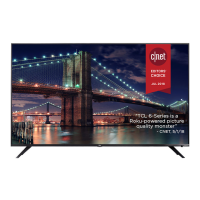
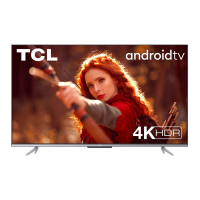
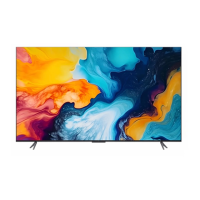
The TCL Google TV is a smart television designed to provide a rich entertainment experience. It integrates the Google TV platform, offering access to a vast array of streaming services, apps, and content, all managed through an intuitive interface. The TV supports various input sources, allowing you to connect cable boxes, Blu-ray players, gaming consoles, and other external devices. It also features built-in Wi-Fi for internet connectivity, enabling streaming and smart functionalities. The remote control is equipped with a Google Assistant microphone for voice commands, simplifying content search and TV navigation. The TV is available in multiple screen sizes, ranging from 43 to 75 inches, catering to different room sizes and viewing preferences.
Usage Features
Initial Setup and Connectivity:
- Easy Unboxing: The guide emphasizes careful removal of the TV from its packaging due to its weight, recommending placement on a soft, cushioned surface to prevent screen damage during stand installation.
- Stand Installation: Detailed instructions are provided for attaching the TV stands using four screws, with a note to ensure correct orientation and to remove any protective film.
- Wall Mounting (Optional): For those preferring a wall-mounted setup, the manual outlines the necessary steps, including removing specific screws from the TV back and using VESA adapters for certain models. It provides VESA mounting hole measurements for various TV sizes and stresses the importance of using a professional installer and a wall mount capable of bearing at least five times the TV's net weight.
- Powering On: Instructions guide users to connect the power cable to the TV and then to a wall outlet.
- Remote Control Setup: The remote requires two AAA batteries, and users are instructed to insert them with correct polarity.
- External Device Connection: The manual details various ports on the TV, including HDMI, USB, Ethernet, AV In, Headphone Out, and Optical (Digital Audio Out), explaining their functions and how to connect external devices like cable boxes, Blu-ray players, and sound systems.
- Guided Smart Setup: Once powered on, the TV offers a guided setup process. Users can quickly set up the TV using the Google Home app on an Android or iOS phone by scanning a QR code, or they can follow on-screen instructions using the remote. A reliable broadband internet connection, a Google Account, and a TCL account are required to access all smart features.
Remote Control Functionality:
The remote control is designed for intuitive navigation and interaction:
- Input Selection: A dedicated button allows users to select input sources and display a quick panel.
- Google Assistant: The remote features a Google Assistant button and microphone, enabling voice commands for content search and other functions.
- Power Control: A button for turning the TV on and off.
- Profile Selector: For switching between user profiles.
- Settings: Accesses the dashboard menu for TV settings.
- Circular D-Pad: Navigation buttons (Up/Down/Left/Right) for menu navigation.
- OK Button: Confirms entries or selections.
- Back Button: Returns to the previous screen.
- Home Button: Accesses the TV homepage.
- Live Guide: Opens the Live TV Electronic Programming Guide (EPG).
- Volume Control: Buttons to raise and lower the volume.
- Channel Control: Buttons to change channels.
- Quick Settings: Opens a quick menu for common adjustments.
- Mute Button: Mutes the sound.
- TCL Home: Accesses the TCL Home smart hub.
- Virtual Keyboard: Displays an on-screen keyboard for text input.
- Information: Displays program information when in TV source mode.
- Remote Pairing: The guide advises users to follow on-screen instructions to pair the remote with the TV when pressing the Google Assistant button for the first time.
Smart TV Features:
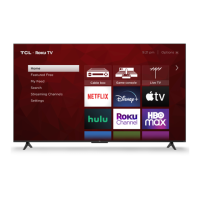
- Google TV Platform: Provides a personalized home screen, streaming app lineup, and access to movies and shows.
- TCL Home App: Encourages downloading the TCL Home App to turn your smartphone into a smart hub for your TCL devices.
- Streaming Services: Access to various streaming apps, though some may require a paid subscription, and availability can vary by country.
Troubleshooting:
The manual includes a dedicated troubleshooting section for common issues:
- Wireless Network Connection: Tips include verifying the network name and password, relocating the router, and rebooting the router.
- Cable Box/Antenna Connection: Recommends using HDMI for best performance, ensuring secure cable connections, selecting the correct input, and performing a channel scan.
- Remote Code: Directs users to the TCL website for universal or cable box remote control codes.
- Parental Control Password: Instructions on how to set up, change, or reset the parental control password (using 0423 as a reset code).
- Text-to-Speech (TTS): Steps to turn TTS on or off via the Accessibility settings.
- Voice Control Pairing: Instructions for pairing the remote for voice control by pressing and holding the HOME and OK buttons simultaneously, keeping the remote within 3 feet of the TV.
Maintenance Features
General Care:
- Cleaning: The TV should be cleaned only with a dry cloth.
- Ventilation: Emphasizes the importance of not blocking ventilation openings and maintaining specific clearance from walls and other surfaces to prevent overheating.
- Heat Sources: Advises against installing the TV near heat sources or exposing it to external heat sources like candles or lamps.
- Moisture: Warns against exposing the product to rain, moisture, dripping, or splashing, and not placing liquid-filled objects on it.
- Power Cord Protection: Instructions to protect the power cord from being walked on, pinched, or abraded, and to ensure it's not damaged when in use.
- Lightning Storms/Unused Periods: Recommends unplugging the apparatus during lightning storms or when unused for long periods.
Battery Maintenance:
- Battery Type: For best results, use alkaline-type batteries.
- Mixing Batteries: Do not mix alkaline, standard (carbon-zinc), or rechargeable (nickel cadmium or nickel metal hydride) batteries.
- Replacement: Always replace depleted batteries with two new batteries of the same brand and manufacturer. Never use damaged batteries.
- Heat Exposure: Batteries should not be exposed to excessive heat, direct sunlight, open flame, or fire, as this can lead to explosion or leakage.
- Air Pressure: Avoid exposing batteries to extremely low air pressure.
- Polarity: Insert batteries with correct polarity to prevent leakage or shortened lifespan.
- Disposal: Batteries should be recycled or disposed of according to state and local guidelines. Do not dispose of batteries in fire, hot ovens, or by mechanical crushing or cutting.
- Remote Overheating: If the remote becomes warm/hot during use, discontinue use and contact customer support.
Product Longevity:
- Stable Placement: The TV should be placed on a firm, flat surface, not soft carpeting, to ensure proper ventilation and prevent reduced product lifespan from overheating.
- Furniture Stability: If using a stand, ensure it is of adequate size and strength to prevent accidental tipping.
- Children's Safety: Provides extensive warnings about preventing children from climbing on furniture or reaching TV controls, and advises securing furniture and routing cables to prevent accidents.
- Burn-In Coverage: The TCL Protection Plan includes pixel repair and burn-in coverage to prevent shadows or off pixels from affecting viewing.
Warranty and Support:
- Sales Receipt: Keep your sales receipt for warranty parts, service, and proof of purchase.
- Product Registration: Encourages registering the product online or by text to protect the purchase and access special offers on TCL Protection Plans.
- TCL Protection Plans: Offers "PROTECT" and "PROTECT PLUS" plans with benefits like extended manufacturer coverage, priority service, product replacement, genuine TCL parts & service, no deductible, pixel repair, accidental damage protection, complimentary remove & reinstall (for 65" and larger TVs), and remote replacement.
- Customer Support: Provides contact information (phone number and website) for TCL support, advising users to contact support first before returning the TV to the store.
- Recycling Information: Directs users to the TCL website for information on recycling old TVs, sound bars, and packaging, promoting environmentally responsible disposal.
This comprehensive guide ensures that users can confidently set up, operate, and maintain their TCL Google TV, maximizing their entertainment experience while adhering to safety and warranty guidelines.

 Need help?
 General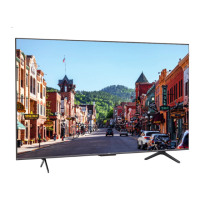

 To Next Page