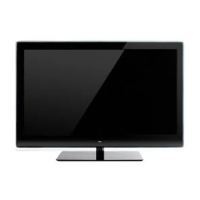
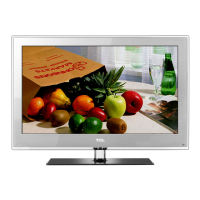
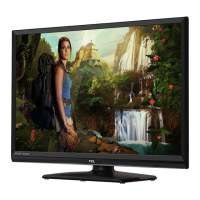
This document outlines the service and operational details for the TCL L32M9HD LCD TV, built on the MT62B LA chassis. It provides comprehensive information covering technical specifications, alignment procedures, troubleshooting, and accessory details.
Function Description:
The TCL L32M9HD is an LCD television designed for home entertainment. It supports a wide array of input sources, making it versatile for various multimedia setups. The TV integrates ISDB-T for digital terrestrial television broadcasting, alongside analog reception capabilities (PAL-M/N, NTSC-M). Its core functionality revolves around displaying high-definition video and producing clear audio. The television is equipped with a Mediatek (MTK5362 series) main chip, which handles video processing, signal management, and overall system control.
Important Technical Specifications:
Picture:
- Panel Size: 32 inches
- Category: LCDTV
- Aspect Ratio: 16:9
- Color Temperature: Warm / Normal / Cool
- Backlight Adjustable: Yes
- Scaler Mode: Supports 4:3, Full, Zoom, Cinerama, Expand
- Picture Effect: Personal, Vivid, Standard, Movie, Power Saver
- Picture Enhancement: 3D comb filter, high-quality scaling engine, 3-D video de-interlacer, edge-oriented adaptive algorithm for smooth low angle edges (DCDI™), Blue Stretch, Black Stretch, Motion Compensation, DLTI, DCTI, Dynamic Skin Correction, DNR, Naturalight (Dynamic Backlight Control), DCC (Dynamic Contrast Control).
- Display Resolution: 1366x768
- Brightness: 500 cd/m²
- Response Time: 8ms
- Viewing Angle (H/V): 178°/178°
- Life Time: 60,000 hours (min)
- Color: 16.7M (8 bit)
Sound:
- Speakers: Integrated speakers
- Audio Power Output: 5W+5W
- Sound Processing: BTSC; SAP; Stereo, DDAS (Digital Dynamic Audio System)
- Smart Volume: Yes
- SRS: Yes
- Sound Features: AV Stereo, AVC, BTSC, Equalizer
- Sound Control: Volume, Balance, 5 mode presets (Movies, Multimedia, Personal, Speech and Music)
- Component Video Format: Y, Pb/Cb, Pr/Cr up to 1080P
- DVI Video Format: Yes
- HDMI Video Format: Up to 1080P
- PC Compatibility: VGA, SVGA, XGA etc.
Terminals:
- Audio/CVBS Input (Composite): 1 R/L+1 Video: AV1 (Side)
- S-Video Input: 1 S-Video (Side)
- Audio Input for S-Video: Audio share with AV1
- YPbPr Input: 2
- Audio Input for YPbPr: 2
- YCbCr Input: Share with "YPbPr"
- Audio Input for YCbCr: Share with Audio for "YPbPr"
- VGA Input (RGB): 1 (D-Sub, 15 Pins)
- Audio Input for RGB: 1
- DVI: 1
- Audio Input for DVI: 1
- HDMI: 3 (HDMI1, HDMI2, HDMI3 (Side))
- Audio/CVBS Output (Composite): 1 (R/L+CVBS) (RCA)
- SPDIF Output: 1 (RCA)
- Headphone Output: 1 (Φ3.5mm) Side
- RF Input (Antenna): 1 (F Type)
- USB: 1 (USB2.0) (Only for SW Update)
Basic Info:
- TV System (ANALOG): NTSC-M, PAL M, N
- DTV System: ISDB-T
- AV System: PAL, NTSC
- Channels: Cable 125 (1~125), Antenna 68 (2~69), DTV Channel 7~69
- Chassis: MT62B-LA
- Certification: CB
- Power Supply: AC 100V-240V 50/60Hz
- Power Consumption (TV on): 150W
- Power Consumption (Standby): <1W
- Default Color of Front Cabinet: Black
- Keyboard Position: Side
- Base Stand Detachable: Yes, fixed stand
Usage Features:
The TV offers various user-friendly features:
- V-Chip and CCD (Closed Caption): Yes, for content control and accessibility.
- Teletext: Yes
- PIP/POP: No
- Macro Vision: Yes
- Calendar and Clock/Timers: Yes
- Lock Features: Hotel lock, Parental Control, Service Lock
- OSD Language: English/Portugal (default)
- OSD Features: Transparent adjustable (Off, Low, Mid, High)
- USB Functionality: Yes, only for SW Update
- Game: Yes
- Screen Saver: Yes
- Demo Function, Smart Switch (AIS), Picture Freeze.
Maintenance Features:
The manual provides troubleshooting guidance for common issues:
- No picture, no sound: Checks for fuse, power plug, and signal source.
- No color: Suggests adjusting color settings or trying another channel.
- Remote control not working: Advises checking batteries and main power connection.
- No picture, normal sound: Recommends adjusting brightness and contrast, or checking for broadcasting failure.
- Normal picture, no sound: Guides on increasing volume, checking mute settings, or broadcasting failure.
- Unorderly ripples on the picture: Suggests adjusting the antenna to minimize local interference.
- Blank screen in VGA mode: Recommends changing PC resolution settings.
- Snowy dots and interference: Advises adjusting antenna position/orientation or checking connections.
- Ignition interference: Explains that black spots or streaks can be caused by car ignition systems, neon lamps, or electric drills.
Factory Alignment and Service Procedures:
- Electrical Assembly Alignment: Includes preconditions for DC/DC checks to ensure proper voltage outputs before power-on.
- Software Download: Instructions for downloading MCU SW and FLASH SW using specific tools (Weltrend MCU ISP.exe, MTKTOOL.exe) and serial connections.
- Panel ID Check: Verification of panel ID in NVM, which can be corrected via Hyper-terminal with PC.
- DDC & EDID Test: Checks for correct EDID data and compliance with VESA Enhanced EDID 1.3 and EIA/CEA-861B for HDMI.
- HDCP Test: Verification of HDCP key settings for compliancy.
- Final Assembly Alignment:
- Entering "Factory Menu": Detailed steps using remote control keys (MENU, 9, 7, 3, 5 or Blue key) to access the factory menu for adjustments.
- ADC Calibration: Procedures for VGA and CMP inputs using "Auto Color" submenu with specific test signals (White-Black squares for VGA, 100% 8 steps Color Bar for CMP).
- White Balance Alignment: Instructions for color temperature adjustment (Normal, Cool, Warm) using a contact-less analyzer (e.g., Minolta CA-210) in a dark environment, emphasizing perpendicular probe placement and initial WB setup.
- Factory Menu Definition: Provides a detailed breakdown of menu items like System (Factory Hotkey, Warm Up, Power On Mode, NVM Reset, Shop, Reset Fac. CH, Logo), Feature (Project ID), ADC (Source, Auto Color, ADC Status, R/G/B Gain, R/G/B Offset), White Balance (Source, Color temperature, White Balance Init, R/G/B Gain, R/G/B Offset, Brightness, Contrast, Saturation), Param Setting (Volume curve, Contrast curve, Brightness curve, Other parameters like Back Light and Phase), and Version Info (SW version information, SIACP ver., Date, Time, Version).
- Factory Default Settings: Specifies that settings should follow OOB (Out Of Box) configuration.
- Appendixes: Include detailed instructions for downloading MCU SW and FLASH SW, and information on CVBS/RGB/CMP/VGA Relative Matrix Offsets and WARM/COOL Relative Matrix Offsets, which are to be handled in production by AOE. It also lists ICs that should be pre-copied before SMT process.
This manual serves as a critical resource for technicians and service personnel, ensuring proper setup, maintenance, and repair of the TCL L32M9HD television.

 Need help?

 To Next Page
 General