9
Gently lower the tone arm by slowly releasing the cur lever.
You can lower the tone arm manually if the cue lever has not
been raised.
5
When a record has already been set on the turntable, you can
start playback manually.
<
Manual playback isn’t possible when there is no record on the
turntable. You may have to select 1, 2, 3, 4 or R to set a record.
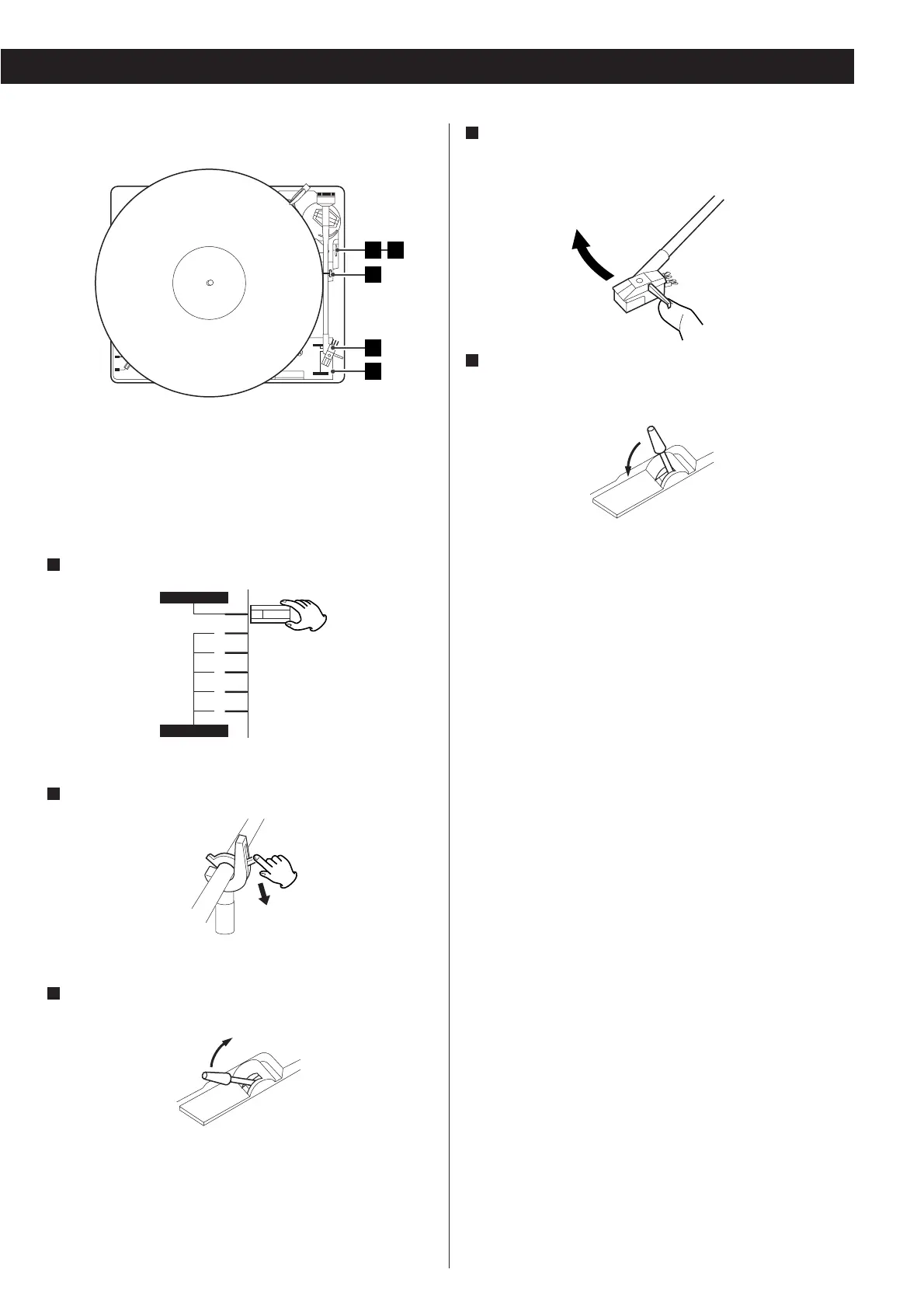
Select “manual”.
1
Gently push the clamper to release the tone arm.
2
Raise the cue lever to lift the tone arm off the tone arm
support.
3
Move the tone arm gently to the edge of the record (or the
starting point of a particular track).
The turntable will begin to turn.
4
When the playback has finished, lift the tone arm using the cue
lever and return it to the tone arm holder.
Manual Playback


 To Next Page