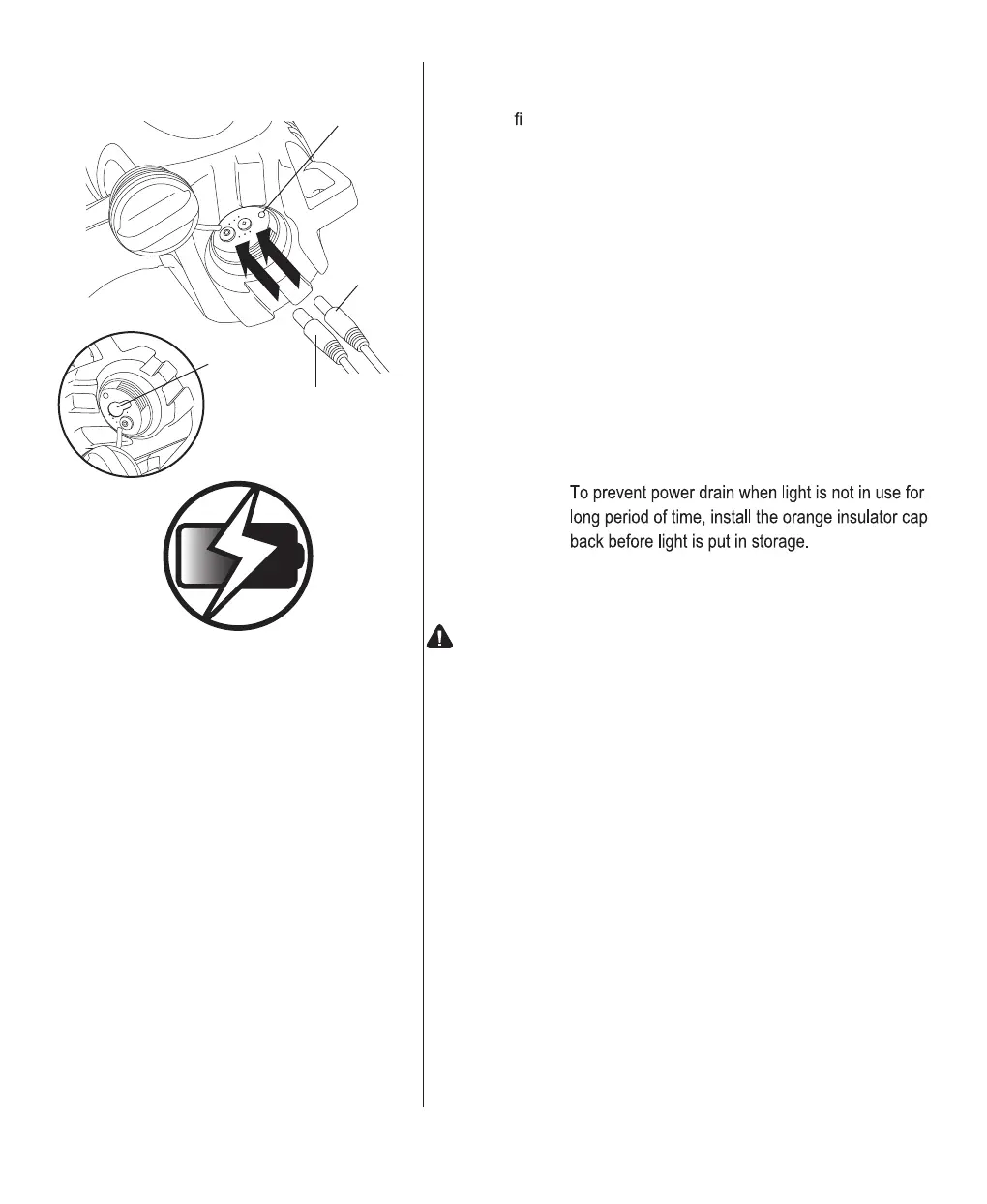
To Charge Spotlight:
Note: Remove insulator cap and charge the spotlight before
rst use.
Step 1: Make sure spotlight is Off.
Step 2: Plug the AC charger or DC charger/adapter into back of spotlight.
Note: L.E.D. Indicator light will turn on when battery is
charging from both AC and DC chargers.
Always Allow Battery to Fully Charge
Step 3: For DC Charger/Adapter - Allow battery to fully charge. Green
L.E.D. indicator on spotlight will automatically turn off when
battery is fully charged.
Note: L.E.D. Indicator light on DC charger/adapter stays
lit while in use.
For AC Ch
arger - Allow battery to fully charge. Red L.E.D.
indicator on spotlight will automatically turn off when battery is
fully charged.
Note:
WARNING:
DO NOT attempt to charge battery using both AC and DC
chargers at the same time. This will damage the battery.
3
To Charge
L.E.D. Indicator Light
AC Charger
DC
Charger/Adapter
Battery Saver Mode: Automatically
Reduces Brightness after 20 Minutes
to Extend Battery Life.
Insulator
Cap



 To Next Page
 Loading...