EasyManua.ls Logo

Technicolor TC4400 - User Manual

Technicolor TC4400
6 pages
Print Icon
To Next Page IconTo Next Page
Loading...
TC4400
Quick installation Guide
*DSL37520310*
DSL37520310

Other manuals for Technicolor TC4400

Questions and Answers

  • S
    Sharon WalterJul 27, 2025
    How to restart Technicolor TC4400 Network Router?
    • D
      Darren LongJul 27, 2025
      To restart your Technicolor TC4400, use a pen or an unfolded paperclip to briefly (maximum two seconds) press the recessed Reset button on the back panel.
  • J
    jessica24Aug 6, 2025
    How to reset factory default settings on Technicolor TC4400 Network Router?
    • S
      Samantha DennisAug 6, 2025
      To reset the factory default settings of your Technicolor TC4400, use a pen or an unfolded paperclip to push the recessed Reset button on the back panel for at least 10 seconds and then release it.
  • J
    Joseph MullinsAug 16, 2025
    What to do if DS and US LEDs are blinking at the same time on Technicolor Network Router?
    • R
      Ricky HernandezAug 16, 2025
      If the DS and US LEDs are blinking simultaneously on your Technicolor TC4400, wait until the upgrade has been completed. This might take several minutes. Do not power off your TC4400 or unplug any cables!

Summary

Before You Start

Safety and Regulatory Information

Read the Safety Instructions and Regulatory Notices document included in your package before installation.

Check the content of your package

Package Contents Verification

Verify that your package includes the TC4400, safety booklet, power adapter, and optional Ethernet cable.

Connect your TC4400 to your service providers network

Power on your TC4400

Powering On Instructions

Connect the power adapter and press the power button if available. The device may power on automatically.

Connect your Ethernet device to your TC4400

Wired Ethernet Connection

Use the included Ethernet cable to connect your device to the TC4400 for internet access.

Local Network Setup

To set up a local network, place a router between the TC4400 and your Ethernet devices.

Troubleshooting

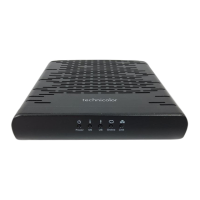
LED Overview

Understand the status of Power, DS, US, Online, and Link LEDs for troubleshooting.

Software Update Warning

Do not power off or unplug cables if DS and US LEDs blink, indicating a software update.

How to Restart or Reset your TC4400

Restarting the TC4400

Briefly press the recessed Reset button on the back panel to restart the device.

Resetting to Factory Defaults

Press and hold the recessed Reset button for at least 10 seconds to restore factory default settings.

Technicolor TC4400 Specifications

General IconGeneral
DOCSIS3.1
Max Upload Speed2 Gbps
Weight1.1 lbs
Downstream Channels32
Upstream Channels8
Max Download Speed5 Gbps
SecurityBPI+
CompatibilityCompatible with major cable providers
Ports1 Ethernet port, 1 RF connector

Related product manuals