5.2
Calling up the main menu and navigating through the menus /functions
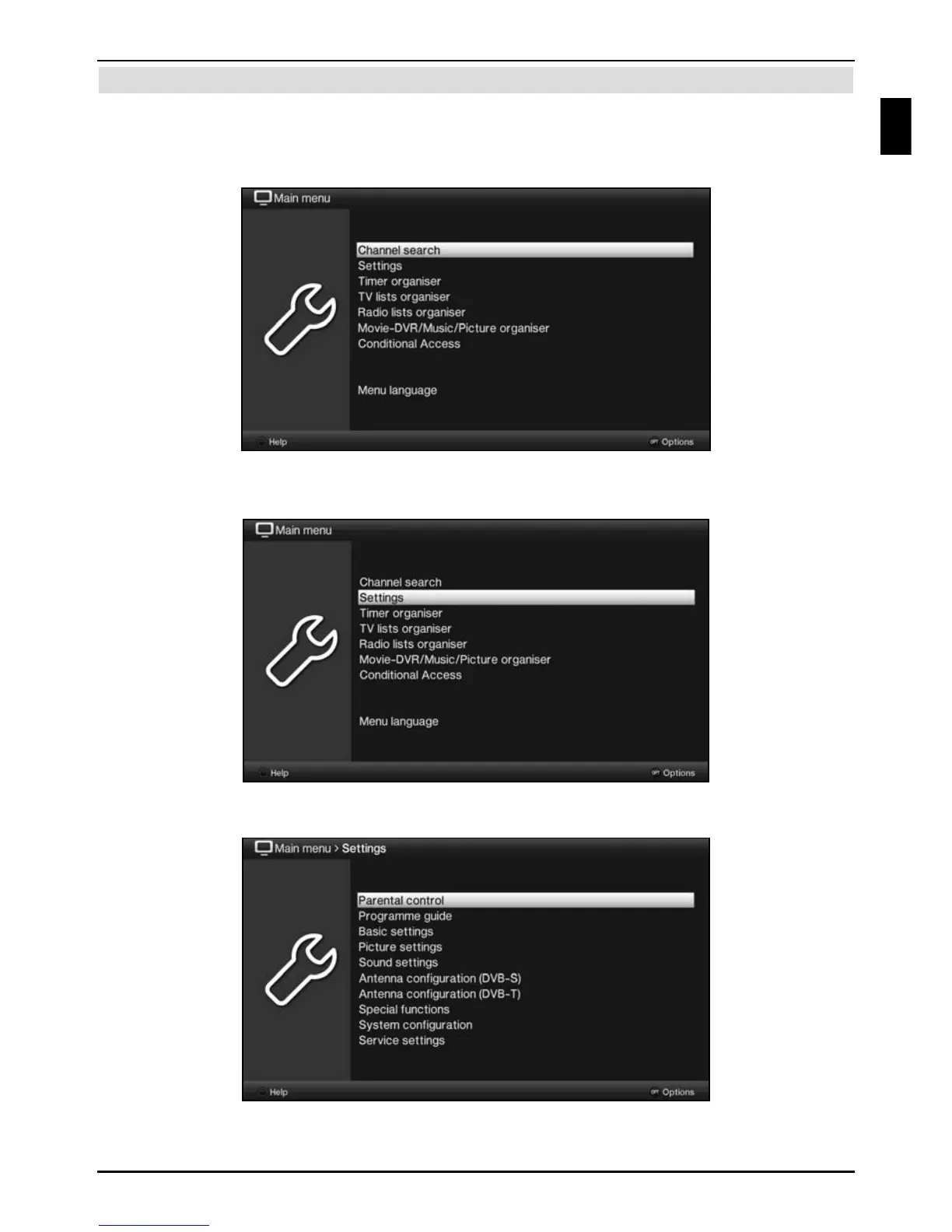
The following example will illustrate how you reach the main menu and call up a submenu.
The objective of the example is to call up the Picture settings menu.
> Press the Menu button. The main menu appears on the screen.
> Select the Settings menu item by moving the highlight over this item using the
arrow keys.
> Press the OK button to open the Settings menu.
Basic operation
13
EN



 To Next Page