Unit 11 / 18 Hinkler Court, Brendale Qld 4500 Ph 061 7 3205 9066
Levelling the Separator
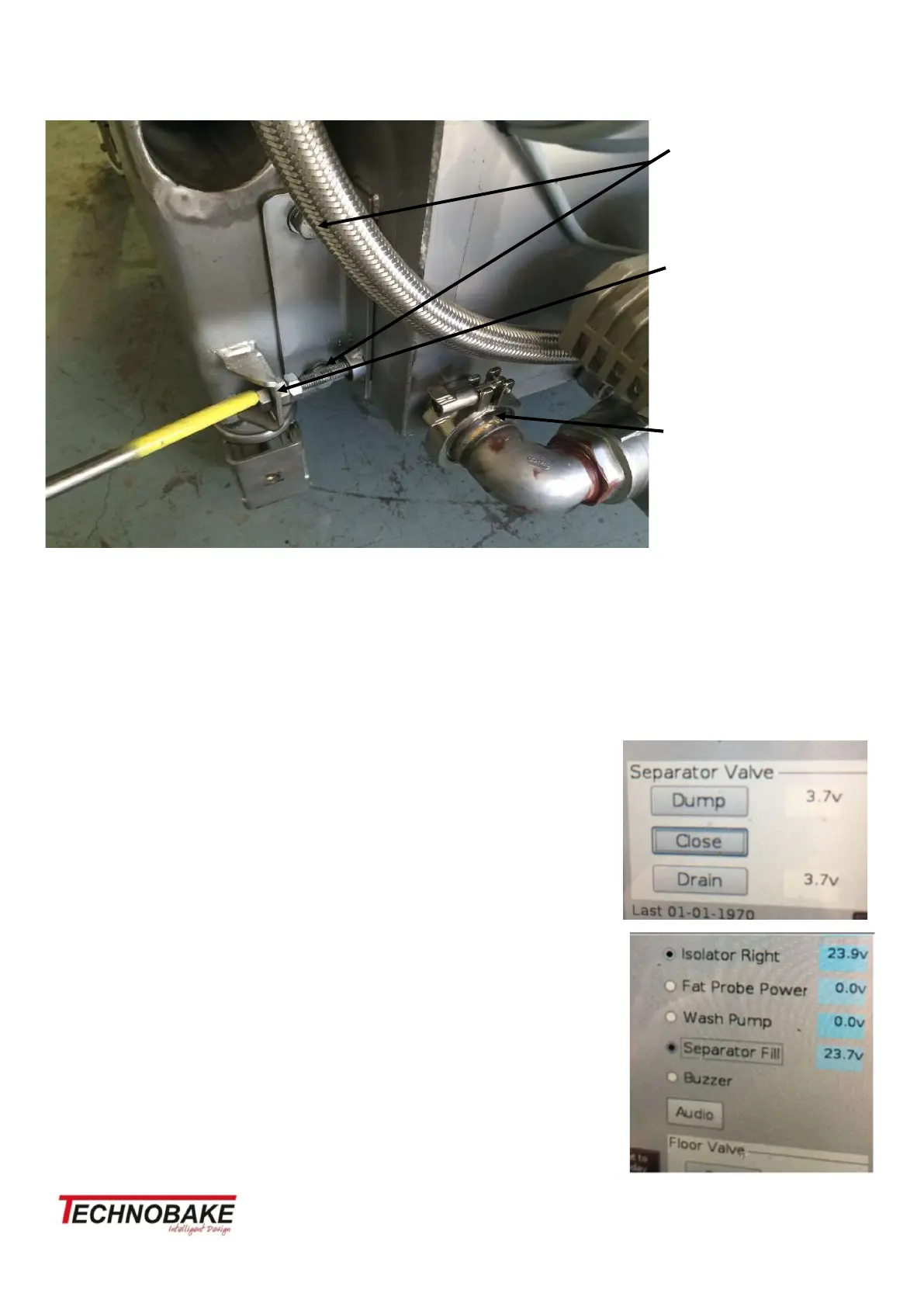
The two mounting bolts on the oven leg, affix the separator tank to the leg, ensuring that the bolts can be
loosened to make the setup of water level adjustment possible.
Check that oven is in its intended working position on the floor, level oven, lock leg jacks in place.
Connect water hose 1/2 inch braided hose to the flood solenoid.
Remove top inspection cover over the top weir. Connect oven to power and turn oven on.
After 3 minutes, access the DIAGNOSTIC function on the touch screen. It
will ask for a Code 2906 then press enter
Initial set up/adjustment
• With water turned on, from the diagnostic screen press CLOSE on the
separator valve control buttons
• Press Separator Fill button on screen (it only runs for 60 seconds so will
need to repeat this 4 times)
• When water fills to the top weir and with water flowing into the top weir
from inlet has stopped, the water level in the fat outlet should be 4 to 5
mm below the knife edge of the fat outlet.
• If adjustment is needed use the level adjustment bolt wind in or out as
needed. Loosen the leg fixing bolts to allow the tank to move.
• When correct tighten the all bolts.
Fixing bolts
Fat separator
level adjustment
bolt
Tri Clover fittings
with Gasket


 To Next Page
 Loading...