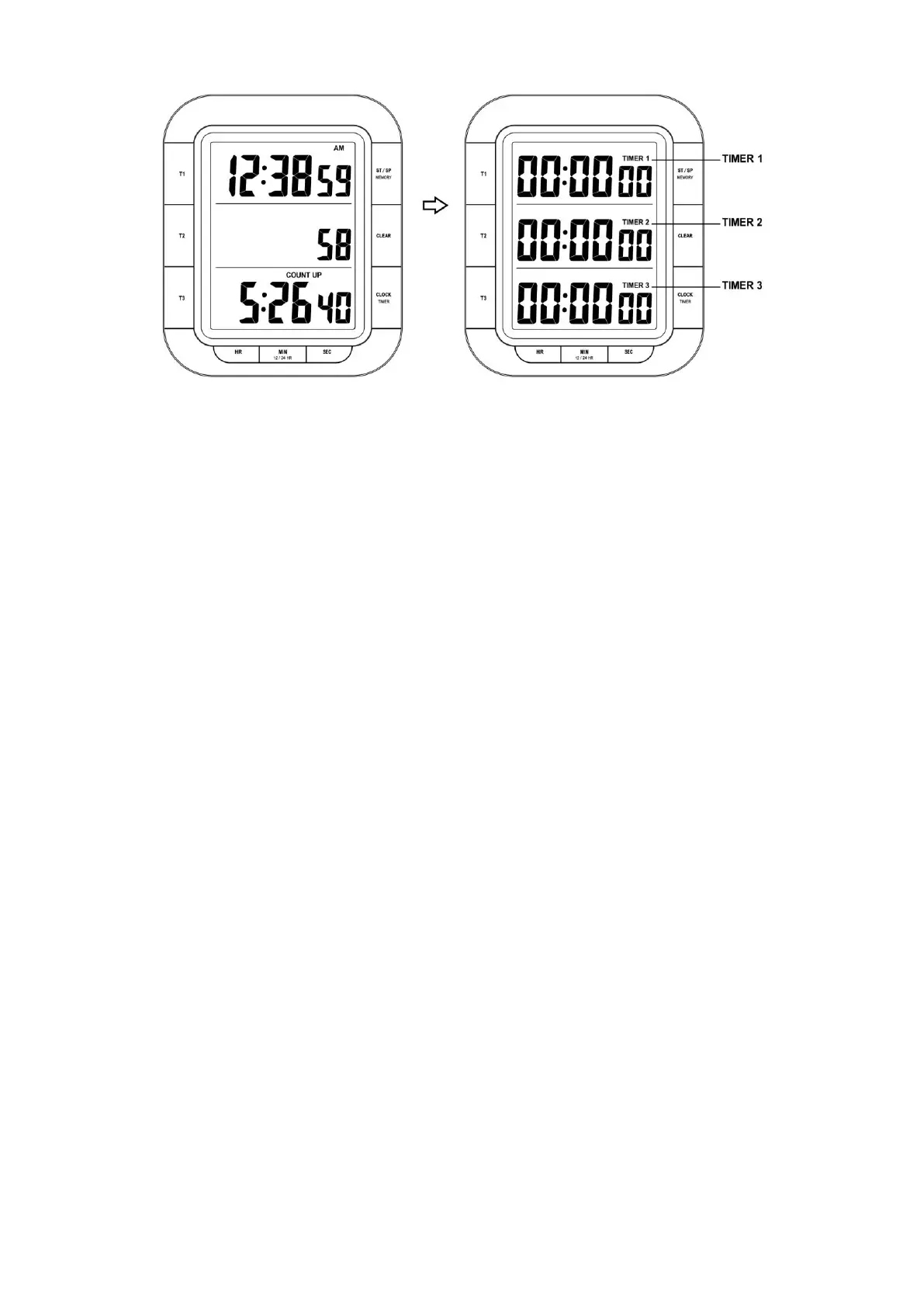
6.2.1 Setting Countdown Timer:
TIMER 1, 2 and 3 must be displayed. Press “CLOCK/TIMER”, if necessary.
Hold “ T1 (T2 or T3)” button until the numbers begin to flash
Use HR (hours), MIN (minutes), SEC (seconds) to set the timer.
Press “CLEAR” button reset to zero.
Press T1 (T2 or T3), to confirm and finish the setting, the timer display stop flashing
NOTE:
A countdown cannot last longer than a maximum of 19 hours, 59 minutes and 59 seconds.
You can set up to 3 countdowns. They can be stopped and started either simultaneously or staggered.
While you set times to be measured, no other settings can be made (For example toggle to time of day
etc.)
6.2.2 Countdown function
Timer function in countdown mode is carried out in the same way in all TIMER1, 2 &3 displays
Press “T1” (B1) to start / stop the countdown function of TIMER1.
Press “T2”(B2) to start / stop the countdown function of TIMER2
Press “T3”(B3) to start / stop the countdown function of TIMER3
When all timer in stop status, Press “START/STOP” (B4) button to start or stop all the timers (T1, T2 & T3)
in same time. (When one of the timer is running, this function is not available)
6.2.3 Countdown Timer Alarm
When the timer counts to zero, a signal sound will emit for around 1 minute, the icon “TIME’S UP” will
flash on the display.
Press “START/STOP” or the corresponding key (T1, T2 or T3) to deactivate the alarm sound.
6.2.4 Reset Countdown Timer
When the countdown timer in stop status, press “CLEAR” (B5) button to reset them to zero.
If one of the timer is still running, it will only reset for other timer, for example, Timer1 is running and
Timer2 & Timer3 are in stop status, only Timer2 & 3 will reset to Zero after pressing “CLEAR” (B5)
button. Timer1 will keep count down.


 To Next Page