EN24
D12: Weather forecast for the next four days
D13: Weather forecast for the following day
D14: Today's wind speed and direction
D15: Today's sunrise and sunset tomorrow
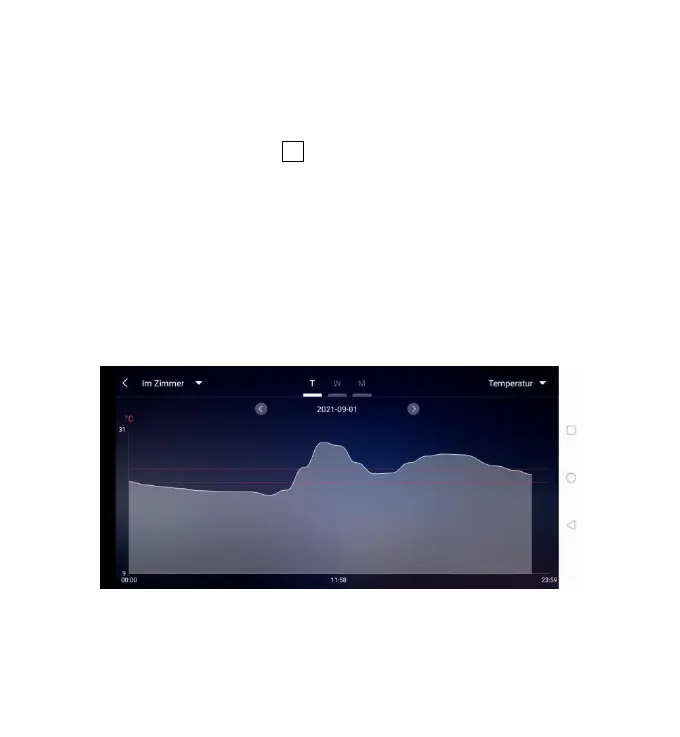
Data chart display:
Click on the bar diagram icon “D2” of < Start screen data display 1> and the APP
automatically jumps to < Data chart display >. Click the <MAIN> column in the
top left corner of the < Data chart display > and you can choose to view the data
chart of the base station or wireless remote sensor
Click on the "T" (day), "W" (week) and "M" (month) boxes on the top middle of the
< Data chart display >, and you can choose to view the daily, weekly and monthly
data charts, Slide the screen to the left or right to view data charts at different
times.
Click the "Temperature", "Humidity" and "Air pressure" on the top right side of
the screen and select the historical chart record of temperature, humidity, or air
pressure











 To Next Page