EN9
Commissioning
WARNING Choking hazard!
Children can put batteries in their mouths.
Keep batteries away from children. Seek medical attention immediately if a battery
is swallowed.
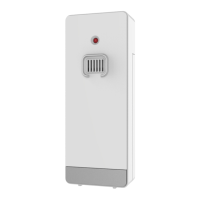
Open the wireless outdoor sensor battery compartment cover and push the chan-
nel selector switch in the battery compartment of the wireless outdoor sensor. Set
the correct channel and insert 2 x AA batteries observing polarity [ “+” and “–“
marks]. Channel 1 is recommended for the first sensor.
When you insert the batteries, all the icon on the LCD display will briefly light up for
3 seconds. The wireless outdoor sensor begins to switch to the normal working
mode, to detect the temperature and humidity in the environment. The sensor will
transmit channel 1 wireless signal, and the interval of about one minutes will auto-
matically transmit the channel 1 wireless signal. Each transmitted channel 1 wire-
less signal emission sensor indicator will flash one time.
APP software for installing base station:
Download App:
Hardware Requirements:
iPhone 4s (or above) or similar smart device
Software Requirements
iOS 7 (or above) or Android 4.3 (or above)
Download the preferred APP
This station is compatible with the apps DirektWetter and WeatherSense











 To Next Page