EasyManua.ls Logo

Technomate TM-55 HD POE - User Manual

Technomate TM-55 HD POE
2 pages
Print Icon
To Next Page IconTo Next Page
Loading...
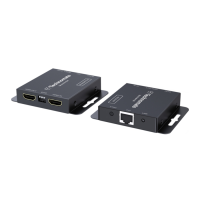
TM-55 HD POE
Please note: the Default EDID is 1080p@60Hz 2.1CH therefore the HDMI Receiver
will output the video & audio according to this. If your display supports a different
resolution and/or audio channel, please adjust the EDID as on Page 5.
We recommend to press the Sync button after you have finished connecting the units.
Mode DIP 1 DIP 2 DIP 3 EDID Info
1
2
3
4
5
6
7
8
0
1
0
1
1
0
0
0
1
1
0
1
0
0
1
0
1
720P@50Hz 2.1CH
720P@50Hz 7.1CH
720P@60Hz 2.1CH
1080i@60Hz 2.1CH
Default: 1080P@60Hz 2.1CH
1080i@60Hz 7.1CH
1080P@60Hz 7.1CH
Read & Save the EDID of the
HDMI Loop-Out Display
Note: 1 = Switch UP; 0 = Switch DOWN
6. CAT CONNECTIONS
1. Recommended Cabling:Full Copper shielded CAT5e/6
2. Connection Precautions:
To reduce video dropouts from fans and other EMI issues,
it is recommended that shielded CAT5/6 with shielded RJ45
connectors are used. Easy style connectors are not
recommended.
5 6
7. SPECIFICATIONS
Please note: the Default EDID is 1080p@60Hz 2.1CH therefore
the HDMI Receiver will output the video & audio according to
this. If your display supports a different resolution and/or
audio channel, please adjust the EDID as in the following table:
0 0 0
0
1 1
1
Resolutions Supported
480i@60Hz, 480p@60Hz, 576i@50Hz,
576p@50Hz, 720p@50/60Hz,
1080i@50/60Hz, 1080p@50/60Hz
HDCP 1.4
Transmission Distance
Up to 55m using Full Copper CAT6
IR
20 ~ 60 KHz
HDMI
1.3
Power Consumption
<3W (TX), <2W (RX)
Operating Temperature
0~60 °C
Power
DC5V 2A
Dimensions
82 x 67 x 15mm
Weight
~100g(TX),~100g(RX)
Question and Answer IconNeed help?

Do you have a question about the Technomate TM-55 HD POE and is the answer not in the manual?

Summary

Connection Details and Specifications

Connection Details

Details on TIA/EIA Standard 568-B wiring for HDMI connections, including pinout.

Specifications

Technical specifications of the HDMI Extender, including resolutions, HDCP, transmission distance, IR, HDMI version, power, dimensions, and weight.

CAT Connections

Recommended Cabling

Guidance on using Full Copper shielded CAT5e/6 cabling for optimal performance.

Connection Precautions

Recommendations to prevent video dropouts and EMI issues, emphasizing shielded CAT5/6 with shielded RJ45 connectors.

Important Safety Instructions

Connections Overview

Transmitter Connections

Description of connection ports on the HDMI Transmitter unit, including IR Blaster, CAT Output, Reset, and Power Input.

Receiver Connections

Description of connection ports on the HDMI Receiver unit, including Power Input, HDMI Output, IR Receiver, Sync, and CAT Input.

Installation Guide

Installation Steps

Step-by-step instructions for connecting the source device, transmitter, receiver, and display using CAT cable.

EDID Management

Technomate TM-55 HD POE Specifications

General IconGeneral
ModelTM-55 HD POE
CategoryExtender
TypeHDMI Extender
Power over Ethernet (PoE)Yes
HDMI Input1
HDMI Output1
ResolutionUp to 1080p
Ethernet Port1
FunctionExtends HDMI signal over Ethernet
Power Consumption5W
Operating Temperature0°C to 50°C
Storage Temperature-20°C to 60°C
Weight200g
PortsHDMI, Ethernet
Humidity10% to 90% RH (non-condensing)
Input Voltage48V DC