
 Need help?
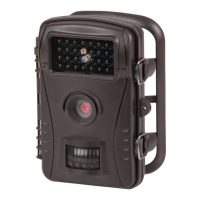
Do you have a question about the TECHVIEW QC-8041 and is the answer not in the manual?
Warns that camera, accessories, and packaging are not toys and pose risks of electrocution, poisoning, and suffocation.
Details risks of fire and electrocution from water ingress, damage, unauthorized modification, or incorrect power adapters.
Warns against leaving the camera in high temperatures or wrapping it, which can cause damage or fire hazards.
Step-by-step guide for opening the battery compartment and correctly inserting 8 AA batteries.
Procedure for inserting an SD/SDHC memory card into the camera's SD card slot.
Guide to adjusting various camera settings like mode, image size, video resolution, and interval.
Addresses issues like the camera not turning on, turning off automatically, or failing to turn off.
Covers solutions for SD card errors, choppy videos, and the camera not recording images.
 General
| Brand | TECHVIEW |
|---|---|
| Model | QC-8041 |
| Category | Scouting Camera |
| Language | English |

 To Next Page