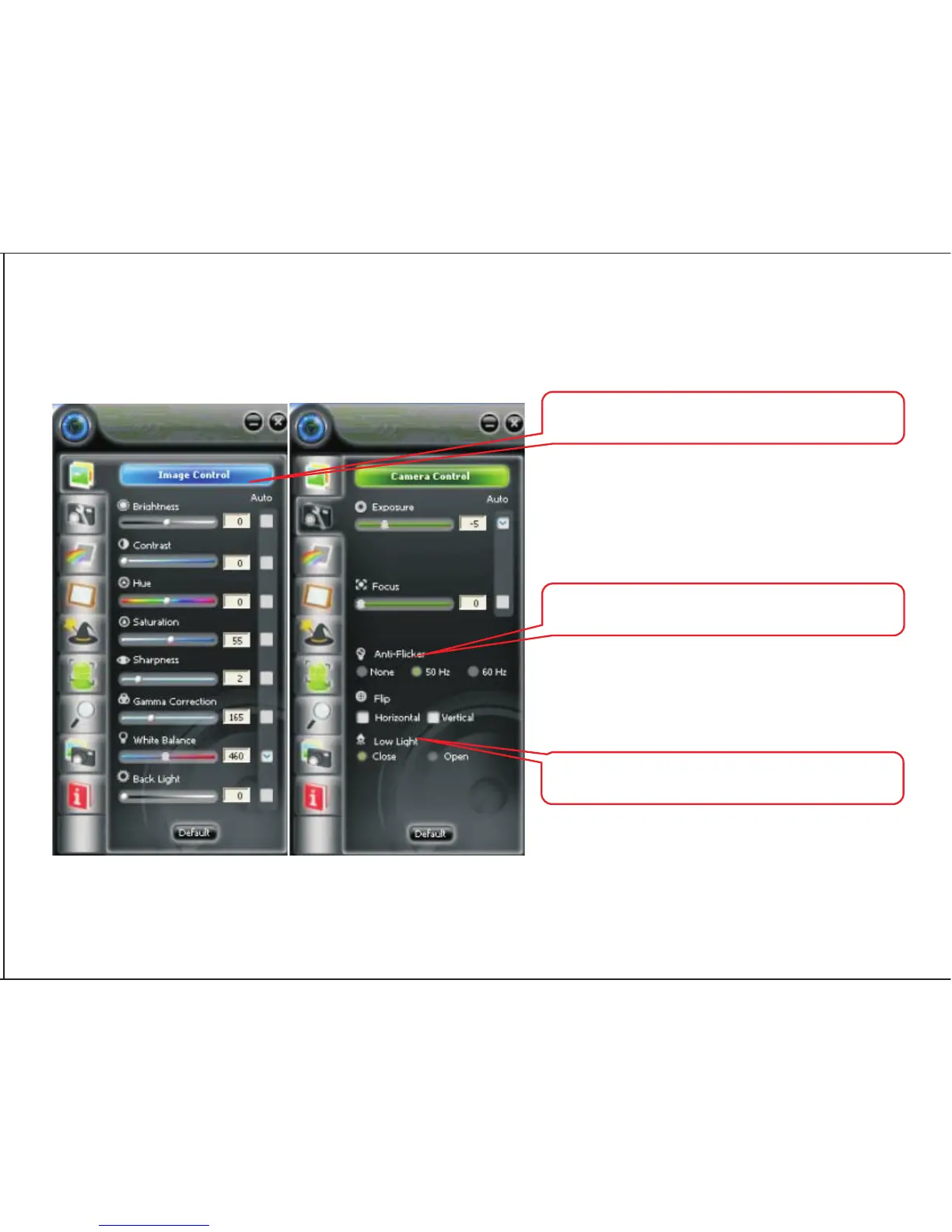
How to use settings and advanced setting?
Click “Image Control”then“Camera Control”, you can adjust the quality of the picture and other settings.
At the following panels you can set image style, photo frame,filter effect, face track and
digital zoom for your video and pictures.
Adjust the parameter to your favourite setting
It's very important to set the frequency the
same as your local power supply
Click it under low-light surrounding
6


 To Next Page